Ultimate MotoCross 3

Ultimate MotoCross 3

Racing

| Dream-Up

Play on PC with BlueStacks or from our cloud

  • Overview
  • Game Features
  • How to Play

Page Modified On: August 24, 2026

Play Ultimate MotoCross 3 on PC or Mac

Ultimate MotoCross 3 by Dream-Up has plenty to keep you busy. BlueStacks lets you play it on PC or Mac with more screen space, better control, and fewer mobile limits.

About the Game

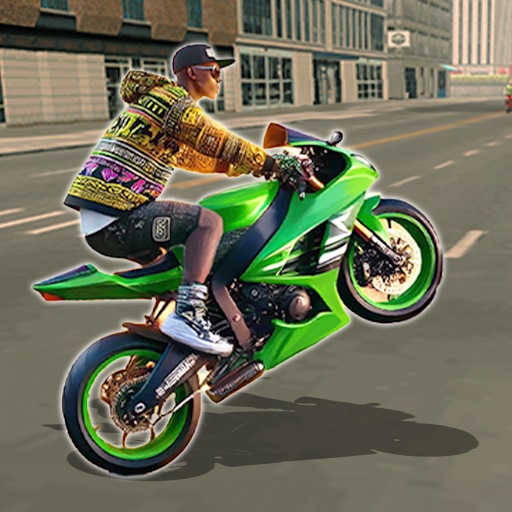
Ultimate MotoCross 3 puts you on the dirt with tight corners, huge jumps, and that perfect “stick the landing” rush. As a Racing game, it blends precision riding with big-air tricks and cutthroat duels, whether you’re chasing a championship or shaving milliseconds off your best time. Prefer a bigger view and steady inputs? It runs smoothly on BlueStacks.

Game Features

  • Six modes, six moods: Tackle Career for a full championship, Discover to practice tracks, Duel for 1v1 showdowns, Time Attack to hunt PBs, Fight for last-bike-standing chaos, and Freestyle for trick sessions.
  • Tricks that make you gulp: Throw backflips, Shaolin, Cliffhanger, Tsunami, Cordova, Rock Solid, and more across purpose-built stunt runs.
  • 20+ tracks, 60+ challenges: Learn every rut and jump while checking off a hefty list of objectives that push both speed and style.
  • Earn and unlock faster rides: Bank winnings to purchase beefier bikes that rocket off the line and hold their nerve over whoops.
  • Ghost chasing made useful: In Time Attack, race your own best run as a ghost to nail braking points and perfect lines.
  • Difficulty that grows with you: Switch between Beginner, Expert, or Pilot for the kind of push you want.
  • Your angle, your call: Swap between cockpit and third-person cameras to match how you like to read terrain.
  • Controls you can dial in: Adjust tilt sensitivity until slides, scrubs, and landings feel just right.
  • Leaderboards that matter: Post your Career times and see where you stand on a global ranking table.
  • Looks and sound, tuned: Toggle music, tweak graphic quality, and flip special effects on or off for smooth performance.
  • Quick-start tutorial: A built-in guide gets you up to speed before the serious stuff begins.

Start playing Ultimate MotoCross 3 on BlueStacks and get a smoother, more comfortable PC or Mac setup.


Game Features

Enhancements

  • Macros
  • Multi Instance
  • Multi Instance Sync
  • Script
  • Enhancements
Macros

Macros

Automate the predictable in Ultimate MotoCross 3 and transform your gameplay with Macros. Get access to inventive Macros in the BlueStacks Macro Community
Multi Instance

Multi Instance

Play Ultimate MotoCross 3 on one window. And chat with your friend on the other. Press CTRL + Shift + 8 to open the Multi-Instance Manager. And start creating fresh instances or clone an existing one.
Multi Instance Sync

Multi Instance Sync

Play Ultimate MotoCross 3 with the power of Multi-Instance Sync. Replicate what you are doing on the main instance on all other instances. Level up faster, play more.
Script

Script

Script your way to gaming glory in Ultimate MotoCross 3 with BlueStacks Script. Write and run a set of commands to automate repeated tasks. Trigger the command by assigning it to any key.
Read More

How to Download and Play Ultimate MotoCross 3 on PC or Mac

  • Download and install BlueStacks on your PC or Mac

  • Complete Google sign-in to access the Play Store, or do it later

  • Look for Ultimate MotoCross 3 in the search bar at the top right corner

  • Click to install Ultimate MotoCross 3 from the search results

  • Complete Google sign-in (if you skipped step 2) to install Ultimate MotoCross 3

  • Click the Ultimate MotoCross 3 icon on the home screen to start playing

video
Watch Video

Minimum System Requirements

With BlueStacks 5, you can get started on a PC that fulfills the following requirements.

  • Operating System

    Microsoft Windows 7 or above, macOS 11 (Big Sur) or above

  • Processor

    Intel, AMD or Apple Silicon Processor

  • RAM

    at least 4GB

  • HDD

    10GB Free Disk Space

Note:

* You must be an Administrator on your PC. Up to date graphics drivers from Microsoft or the chipset vendor.

Ultimate MotoCross 3 - FAQs

  • How to play Ultimate MotoCross 3 on Windows PC & Mac?

    Play Ultimate MotoCross 3 on your PC or Mac by following these simple steps.

    • Click on 'Play Ultimate MotoCross 3 on PC’ to download BlueStacks
    • Install it and log-in to Google Play Store
    • Launch and play the game.
  • Why is BlueStacks the fastest and safest platform to play games on PC?

    BlueStacks respects your privacy and is always safe and secure to use. It does not carry any malware, spyware, or any sort of additional software that could harm your PC.

    It is engineered to optimize speed and performance for a seamless gaming experience.

  • What are Ultimate MotoCross 3 PC requirements?

    Minimum requirement to run Ultimate MotoCross 3 on your PC

    • OS: Microsoft Windows 7 or above MacOS 11 (Big Sur) or above
    • Processor: Intel, AMD or Apple Silicon Processor
    • RAM: Your PC must have at least 4GB of RAM. (Note that having 4GB or more disk space is not a substitute for RAM)
    • HDD: 10GB Free Disk Space.
    • You must be an Administrator on your PC.