US Car Simulator: Car Games

US Car Simulator: Car Games

Racing

| Friends Coding World

Play on PC with BlueStacks or from our cloud

  • Overview
  • Game Features
  • How to Play

Page Modified On: April 21, 2026

Play US Car Simulator: Car Games on PC or Mac

Join millions to experience US Car Simulator: Car Games, an exciting Racing game from Friends Coding World. With BlueStacks App Player, you are always a step ahead of your opponent, ready to outplay them with faster gameplay and better control with the mouse and keyboard on your PC or Mac.

About the Game

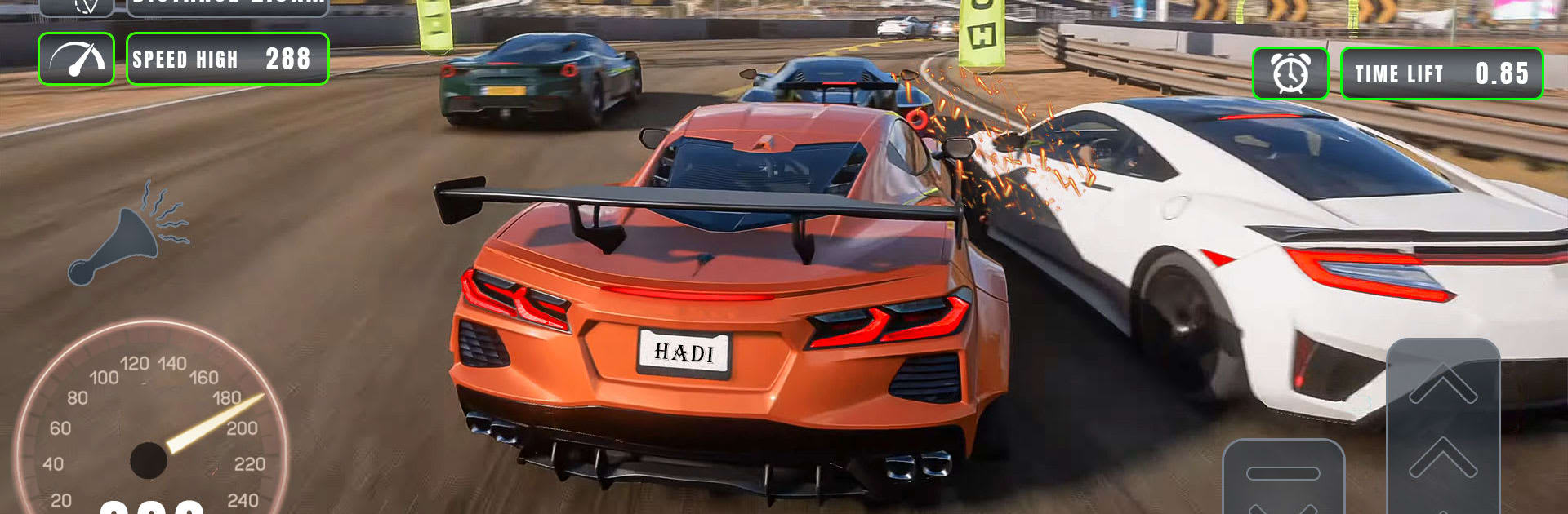
US Car Simulator: Car Games from Friends Coding World puts you in the driver’s seat of fast, customizable rides and lets you prove you’ve got the nerve for high-speed traffic runs, stunt spots, and classic street sprints. It’s a Racing game with a sweet blend of believable car handling and easy-to-pick-up arcade fun, so you can slide through corners one moment and blast a straightaway the next. Prefer playing on a bigger screen? It runs smoothly on BlueStacks too.

Game Features

  • Real-feel handling: Cars have weight and grip you can sense, letting you drift, brake, and correct mid-corner without fighting the controls.
  • Big garage, bigger attitude: Collect sleek supercars and tough American muscle, each with its own bite and personality on the road.
  • Upgrades that matter: Tune performance with engine, tires, and brake tweaks, then make it yours with paint, rims, and visual touches.
  • Multiple ways to race: Jump into time trials, weave through traffic runs, or hit stunt-ready zones when you want a quick rush.
  • Offline-friendly play: No connection? No problem. Knock out challenges and keep progressing wherever you are.
  • Intuitive controls: Pick tilt, buttons, or on-screen wheel and dial in sensitivity so every turn feels just right.
  • Always something to do: Short, punchy challenges and longer events keep your to-do list stacked with goals worth chasing.
  • Eye-catching 3D streets: Clean cityscapes, highways, and detailed cars show off sharp reflections and smooth effects.
  • Fair progression: Earn new rides and parts by driving well—your time on the asphalt actually pays off.
  • Pure speed thrills: Thread traffic, hit nitro at the perfect moment, and chase that silky clean run without lifting.

Get ready for a buttery smooth, high-performance gaming action only on BlueStacks.

Game Features

Enhancements

  • Macros
  • Multi Instance
  • Multi Instance Sync
  • Script
  • Enhancements
Macros

Macros

Automate the predictable in US Car Simulator: Car Games and transform your gameplay with Macros. Get access to inventive Macros in the BlueStacks Macro Community
Multi Instance

Multi Instance

Play US Car Simulator: Car Games on one window. And chat with your friend on the other. Press CTRL + Shift + 8 to open the Multi-Instance Manager. And start creating fresh instances or clone an existing one.
Multi Instance Sync

Multi Instance Sync

Play US Car Simulator: Car Games with the power of Multi-Instance Sync. Replicate what you are doing on the main instance on all other instances. Level up faster, play more.
Script

Script

Script your way to gaming glory in US Car Simulator: Car Games with BlueStacks Script. Write and run a set of commands to automate repeated tasks. Trigger the command by assigning it to any key.
Read More

How to Download and Play US Car Simulator: Car Games on PC or Mac

  • Download and install BlueStacks on your PC or Mac

  • Complete Google sign-in to access the Play Store, or do it later

  • Look for US Car Simulator: Car Games in the search bar at the top right corner

  • Click to install US Car Simulator: Car Games from the search results

  • Complete Google sign-in (if you skipped step 2) to install US Car Simulator: Car Games

  • Click the US Car Simulator: Car Games icon on the home screen to start playing

video
Watch Video

Minimum System Requirements

With BlueStacks 5, you can get started on a PC that fulfills the following requirements.

  • Operating System

    Microsoft Windows 7 or above, macOS 11 (Big Sur) or above

  • Processor

    Intel, AMD or Apple Silicon Processor

  • RAM

    at least 4GB

  • HDD

    10GB Free Disk Space

Note:

* You must be an Administrator on your PC. Up to date graphics drivers from Microsoft or the chipset vendor.

US Car Simulator: Car Games - FAQs

  • How to play US Car Simulator: Car Games on Windows PC & Mac?

    Play US Car Simulator: Car Games on your PC or Mac by following these simple steps.

    • Click on 'Play US Car Simulator: Car Games on PC’ to download BlueStacks
    • Install it and log-in to Google Play Store
    • Launch and play the game.
  • Why is BlueStacks the fastest and safest platform to play games on PC?

    BlueStacks respects your privacy and is always safe and secure to use. It does not carry any malware, spyware, or any sort of additional software that could harm your PC.

    It is engineered to optimize speed and performance for a seamless gaming experience.

  • What are US Car Simulator: Car Games PC requirements?

    Minimum requirement to run US Car Simulator: Car Games on your PC

    • OS: Microsoft Windows 7 or above MacOS 11 (Big Sur) or above
    • Processor: Intel, AMD or Apple Silicon Processor
    • RAM: Your PC must have at least 4GB of RAM. (Note that having 4GB or more disk space is not a substitute for RAM)
    • HDD: 10GB Free Disk Space.
    • You must be an Administrator on your PC.