Мрачная сказка:Когда тает снег

Мрачная сказка:Когда тает снег

Role Playing

| MEOWPLAYER

Play on PC with BlueStacks or from our cloud

  • Overview
  • Game Features
  • How to Play

Page Modified On: November 28, 2025

Play Мрачная сказка:Когда тает снег on PC or Mac

Bring your A-game to Мрачная сказка:Когда тает снег, the Role Playing game sensation from MEOWPLAYER. Give your gameplay the much-needed boost with precise game controls, high FPS graphics, and top-tier features on your PC or Mac with BlueStacks.

About the Game

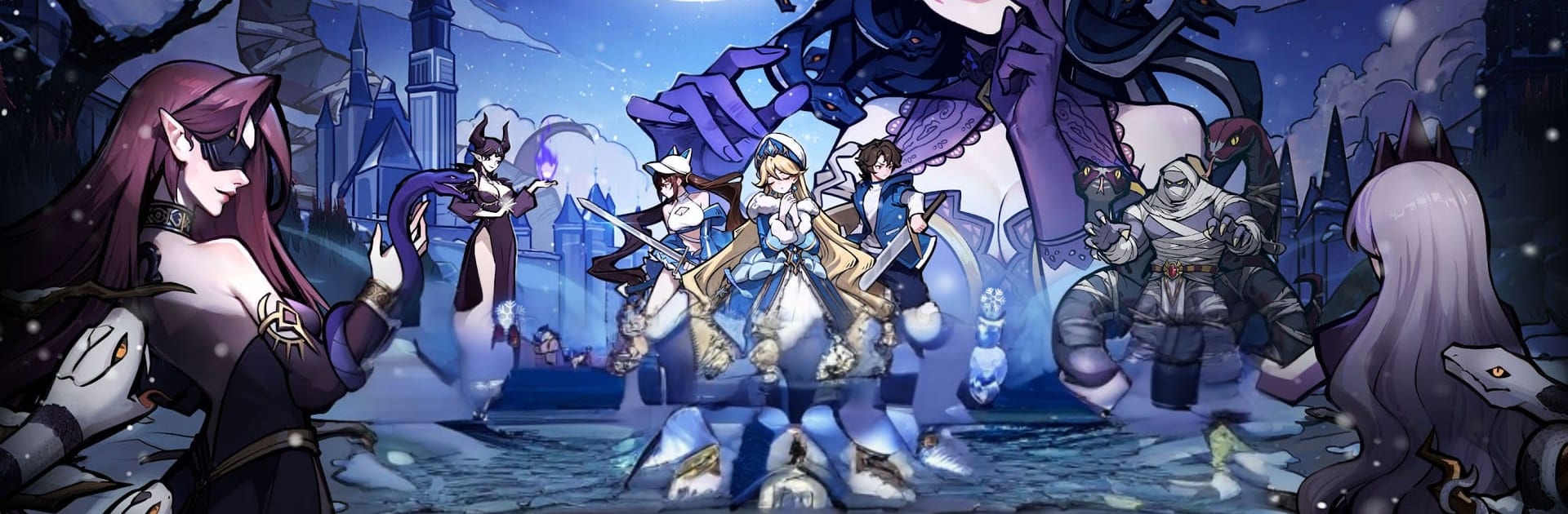
Мрачная сказка:Когда тает снег is a shadowy Role Playing tale where familiar stories have gone wrong. Fairytale City has been poisoned by Medusa’s charm and a serpent curse, leaving only one legend still breathing: the Snow Maiden. You step in as the hero who decides whether her heart stays pure or slips into the cold, tempting dark.

Game Features

  • Twisted Fairytale World: Explore a grim retelling of classics set in a city cracked by betrayal and ice. Meet the Snake Maiden—elegant, terrifying, and unforgettable—and uncover how every hero’s story was broken.

  • Your Choice, Her Fate: The Snow Maiden stands at a crossroads. Will you shield her innocence or chase immortality by embracing the night? Your decisions steer the narrative.

  • Chilled Login Rewards: Hop in and snag Snegurochka as a bonus character, plus 1,000 free summons. It’s a quick boost to get your squad moving.

  • Idle Growth, Zero Stress: Resources keep piling up even when you’re offline. Build a fairytale lineup at your pace, then tinker with skill synergies and faction links to unlock crafty team combos.

  • Strategy-First Battles: Face twisted storybook rivals in unpredictable fights. Smart positioning, timing, and team composition matter—especially when you’re climbing competitive modes.

  • Layers of Discovery: Each character carries the weight of a ruined destiny. Piece together their secrets through events, lore bits, and evolving encounters.

  • Play Your Way: Prefer a bigger screen? You can also play on PC with BlueStacks while keeping the same smooth, pick-up-and-play flow.

From MEOWPLAYER, this is a dark, atmospheric spin on fantasy where every move echoes through the last remaining tale.

Slay your opponents with your epic moves. Play it your way on BlueStacks and dominate the battlefield.


Game Features

Enhancements

  • Macros
  • Rerolling
  • Eco Mode
  • Multi Instance Sync
  • Enhancements
Macros

Macros

Focus more on the fun part of the game, skip the tedious aspects. Master Мрачная сказка:Когда тает снег with Macros. Record yourself completing the monotonous tasks you wish to automate and replay them later with just one keypress.
Rerolling

Rerolling

Speed up the rerolling process in Мрачная сказка:Когда тает снег. Perform multiple summons and keep looking for the best Heroes. Use Multi-Instance sync to replicate the rerolling mechanism in all instances.
Eco Mode

Eco Mode

Farm in-game resources with ease in Мрачная сказка:Когда тает снег. Enable the Eco Mode when running the game in multiple instances. And lower your PC's resource consumption.
Multi Instance Sync

Multi Instance Sync

With the Multi-instance Sync, you can do even more in Мрачная сказка:Когда тает снег. Sync the action of the main instance and repeat them in real time for all other instances. Sync and sit back, let the game progress unfold.
Read More

How to Download and Play Мрачная сказка:Когда тает снег on PC or Mac

  • Download and install BlueStacks on your PC or Mac

  • Complete Google sign-in to access the Play Store, or do it later

  • Look for Мрачная сказка:Когда тает снег in the search bar at the top right corner

  • Click to install Мрачная сказка:Когда тает снег from the search results

  • Complete Google sign-in (if you skipped step 2) to install Мрачная сказка:Когда тает снег

  • Click the Мрачная сказка:Когда тает снег icon on the home screen to start playing

video
Watch Video

Minimum System Requirements

With BlueStacks 5, you can get started on a PC that fulfills the following requirements.

  • Operating System

    Microsoft Windows 7 or above, macOS 11 (Big Sur) or above

  • Processor

    Intel, AMD or Apple Silicon Processor

  • RAM

    at least 4GB

  • HDD

    10GB Free Disk Space

Note:

* You must be an Administrator on your PC. Up to date graphics drivers from Microsoft or the chipset vendor.

Мрачная сказка:Когда тает снег - FAQs

  • How to play Мрачная сказка:Когда тает снег on Windows PC & Mac?

    Play Мрачная сказка:Когда тает снег on your PC or Mac by following these simple steps.

    • Click on 'Play Мрачная сказка:Когда тает снег on PC’ to download BlueStacks
    • Install it and log-in to Google Play Store
    • Launch and play the game.
  • Why is BlueStacks the fastest and safest platform to play games on PC?

    BlueStacks respects your privacy and is always safe and secure to use. It does not carry any malware, spyware, or any sort of additional software that could harm your PC.

    It is engineered to optimize speed and performance for a seamless gaming experience.

  • What are Мрачная сказка:Когда тает снег PC requirements?

    Minimum requirement to run Мрачная сказка:Когда тает снег on your PC

    • OS: Microsoft Windows 7 or above MacOS 11 (Big Sur) or above
    • Processor: Intel, AMD or Apple Silicon Processor
    • RAM: Your PC must have at least 4GB of RAM. (Note that having 4GB or more disk space is not a substitute for RAM)
    • HDD: 10GB Free Disk Space.
    • You must be an Administrator on your PC.