Adventure Bar Story
Adventure Bar Story

Adventure Bar Story

Role Playing

| RideonJapan,Inc.

Play on PC with BlueStacks or from our cloud

  • Overview
  • Game Features
  • How to Play

Page Modified On: May 25, 2026

Play Adventure Bar Story on PC or Mac

Bring your A-game to Adventure Bar Story, the Role Playing game sensation from RideonJapan,Inc.. Give your gameplay the much-needed boost with precise game controls, high FPS graphics, and top-tier features on your PC or Mac with BlueStacks.

About the Game

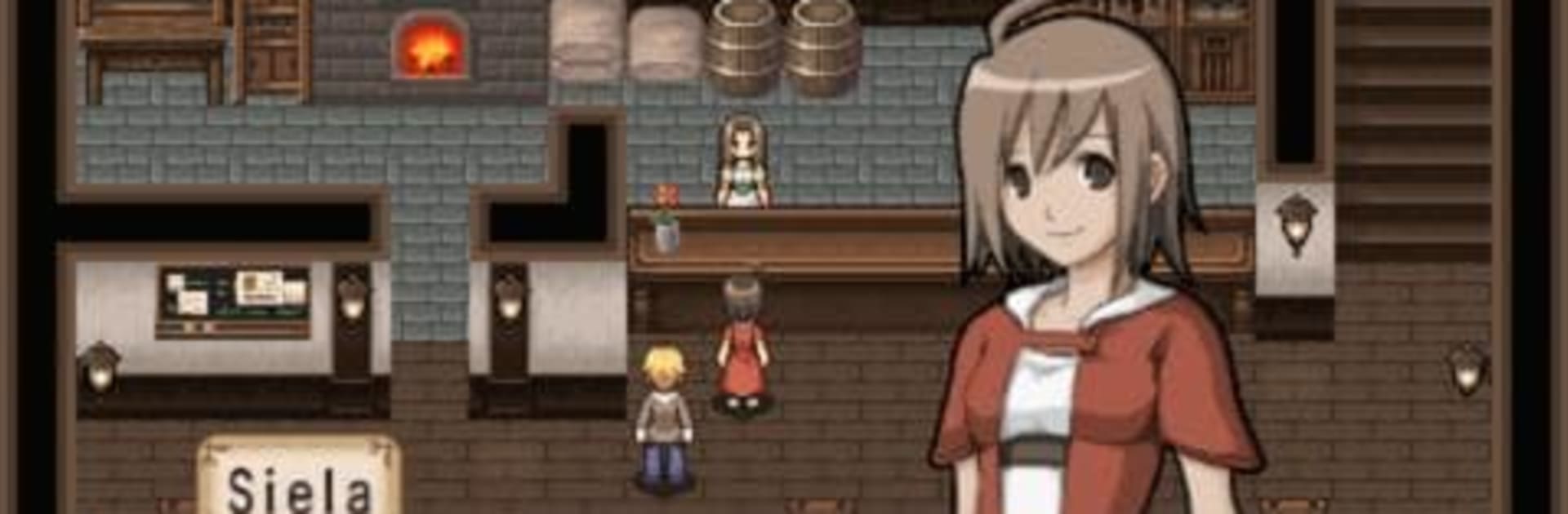
Adventure Bar Story is a cozy, quirky Role Playing mix where running a neighborhood tavern is just as important as clearing dungeons. You’re the owner of a small bar with big problems—a powerful restaurateur wants to swallow your place whole—so you’ll win hearts (and stay in business) the old-fashioned way: unforgettable food. Fight for fresh ingredients, cook creative dishes, and turn your little spot into the most talked‑about hangout in town.

Game Features

  • Run the bar your way: Build a menu that fits the season, keep an eye on customer tastes, and juggle supply and demand to keep the place buzzing.
  • Battle for ingredients: Head into dangerous zones to nab rare meats, eggs, and produce. The best dishes start with what you bring back from the field.
  • Eat to grow stronger: Here, experience comes from meals, not just monsters. Feed your party hearty plates to boost their stats and tackle tougher quests.
  • Raise your tavern’s rank: Serve satisfied guests and enter cooking contests to lift your bar’s reputation, unlocking new events and opportunities.
  • 400+ recipes to discover: Experiment with combos, fill out your cookbook, and chase that perfect plate everyone in town can’t stop ordering.
  • Explore varied dungeons: Venture through more than ten distinct areas packed with unique foes and hard‑to-find ingredients.
  • Strategy meets comfort sim: Balance turn-based scuffles, menu planning, and resource management for a satisfying loop that’s easy to sink into.
  • Smooth play on PC: Prefer a bigger screen and steady controls? Play Adventure Bar Story on BlueStacks and keep your kitchen and quests neatly organized.

Start your journey now. Download the game on BlueStacks, invite your friends, and march on a new adventure.


Game Features

Enhancements

  • Macros
  • Rerolling
  • Eco Mode
  • Multi Instance Sync
  • Enhancements
Macros

Macros

Focus more on the fun part of the game, skip the tedious aspects. Master Adventure Bar Story with Macros. Record yourself completing the monotonous tasks you wish to automate and replay them later with just one keypress.
Rerolling

Rerolling

Speed up the rerolling process in Adventure Bar Story. Perform multiple summons and keep looking for the best Heroes. Use Multi-Instance sync to replicate the rerolling mechanism in all instances.
Eco Mode

Eco Mode

Farm in-game resources with ease in Adventure Bar Story. Enable the Eco Mode when running the game in multiple instances. And lower your PC's resource consumption.
Multi Instance Sync

Multi Instance Sync

With the Multi-instance Sync, you can do even more in Adventure Bar Story. Sync the action of the main instance and repeat them in real time for all other instances. Sync and sit back, let the game progress unfold.
Read More

How to Download and Play Adventure Bar Story on PC or Mac

  • Download and install BlueStacks on your PC or Mac

  • Complete Google sign-in to access the Play Store, or do it later

  • Look for Adventure Bar Story in the search bar at the top right corner

  • Click to install Adventure Bar Story from the search results

  • Complete Google sign-in (if you skipped step 2) to install Adventure Bar Story

  • Click the Adventure Bar Story icon on the home screen to start playing

video
Watch Video

Minimum System Requirements

With BlueStacks 5, you can get started on a PC that fulfills the following requirements.

  • Operating System

    Microsoft Windows 7 or above, macOS 11 (Big Sur) or above

  • Processor

    Intel, AMD or Apple Silicon Processor

  • RAM

    at least 4GB

  • HDD

    10GB Free Disk Space

Note:

* You must be an Administrator on your PC. Up to date graphics drivers from Microsoft or the chipset vendor.

Adventure Bar Story - FAQs

  • How to play Adventure Bar Story on Windows PC & Mac?

    Play Adventure Bar Story on your PC or Mac by following these simple steps.

    • Click on 'Play Adventure Bar Story on PC’ to download BlueStacks
    • Install it and log-in to Google Play Store
    • Launch and play the game.
  • Why is BlueStacks the fastest and safest platform to play games on PC?

    BlueStacks respects your privacy and is always safe and secure to use. It does not carry any malware, spyware, or any sort of additional software that could harm your PC.

    It is engineered to optimize speed and performance for a seamless gaming experience.

  • What are Adventure Bar Story PC requirements?

    Minimum requirement to run Adventure Bar Story on your PC

    • OS: Microsoft Windows 7 or above MacOS 11 (Big Sur) or above
    • Processor: Intel, AMD or Apple Silicon Processor
    • RAM: Your PC must have at least 4GB of RAM. (Note that having 4GB or more disk space is not a substitute for RAM)
    • HDD: 10GB Free Disk Space.
    • You must be an Administrator on your PC.