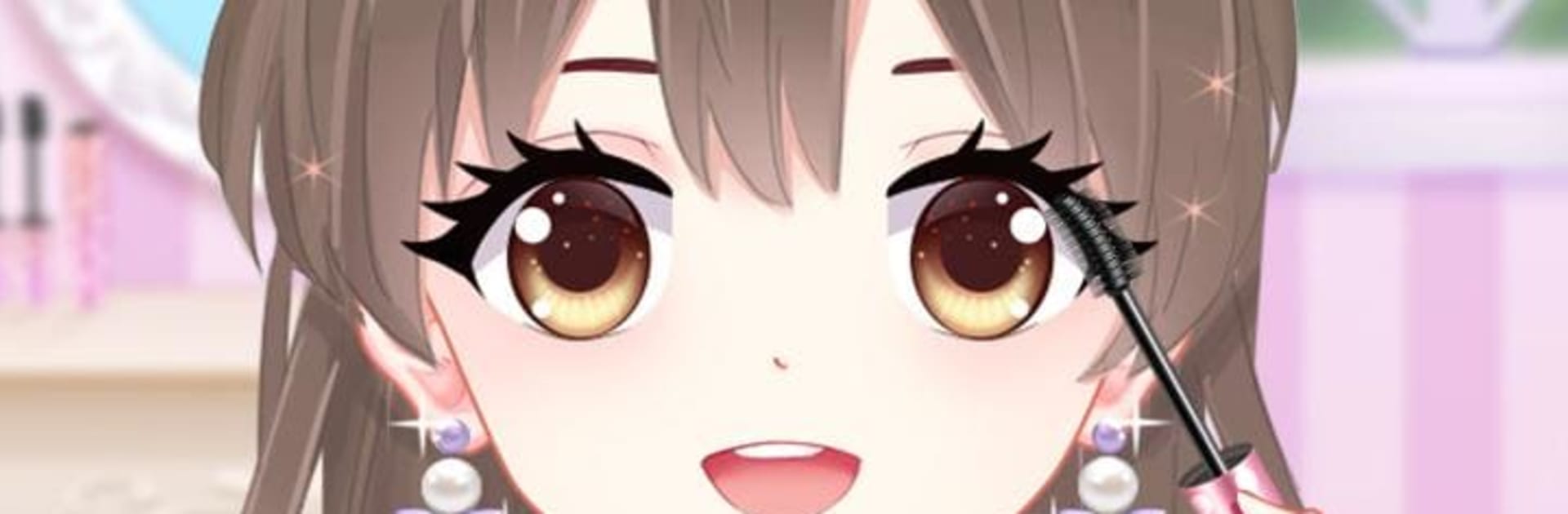
Anime Makeup: Fairytale Artist

Anime Makeup: Fairytale Artist

Role Playing

| Tap Plays

Play on PC with BlueStacks or from our cloud

  • Overview
  • Game Features
  • How to Play

Page Modified On: April 07, 2026

Play Anime Makeup: Fairytale Artist on PC or Mac

From the innovators and creators at Tap Plays, Anime Makeup: Fairytale Artist is another fun addition to the World of Role Playing games. Go beyond your mobile screen and play it bigger and better on your PC or Mac. An immersive experience awaits you.

About the Game

Anime Makeup: Fairytale Artist from Tap Plays turns you into the royal stylist for a sweet little princess. This Role Playing makeover sandbox is all about skincare, anime-inspired makeup, and outfits that range from storybook cute to fashion-forward. Create a signature look, snap pics, and tweak every detail; it also plays comfortably on PC with BlueStacks if you like more room to work.

Game Features

  • Skincare prep: Cleanse, soothe, and pamper so the princess’s face looks fresh and ready for makeup.
  • Makeup your way: Play with eye shadow, liner, blush, and lip color to craft soft, bold, or totally experimental looks.
  • Outfit variety: Browse dresses and separates in classic, modern, and fairytale styles, then put together a fit that tells its own story.
  • DIY accessories: Mix and match jewelry, tiaras, hair clips, and more to nail the exact vibe you’re going for.
  • Color play: Try different shades and tones until everything clicks—nothing’s locked in, so you can keep refining.
  • Easy controls: Tap, swipe, and drag pieces into place; it’s quick to learn and satisfying to master.
  • Photo moment: When the look’s complete, snap a stylish picture to capture your creation.
  • Endless combos: With loads of makeup, clothing, and accessories, every princess can feel one-of-a-kind.

Get ready for a buttery smooth, high-performance gaming action only on BlueStacks.

Game Features

Enhancements

  • Macros
  • Rerolling
  • Eco Mode
  • Multi Instance Sync
  • Enhancements
Macros

Macros

Focus more on the fun part of the game, skip the tedious aspects. Master Anime Makeup: Fairytale Artist with Macros. Record yourself completing the monotonous tasks you wish to automate and replay them later with just one keypress.
Rerolling

Rerolling

Speed up the rerolling process in Anime Makeup: Fairytale Artist. Perform multiple summons and keep looking for the best Heroes. Use Multi-Instance sync to replicate the rerolling mechanism in all instances.
Eco Mode

Eco Mode

Farm in-game resources with ease in Anime Makeup: Fairytale Artist. Enable the Eco Mode when running the game in multiple instances. And lower your PC's resource consumption.
Multi Instance Sync

Multi Instance Sync

With the Multi-instance Sync, you can do even more in Anime Makeup: Fairytale Artist. Sync the action of the main instance and repeat them in real time for all other instances. Sync and sit back, let the game progress unfold.
Read More

How to Download and Play Anime Makeup: Fairytale Artist on PC or Mac

  • Download and install BlueStacks on your PC or Mac

  • Complete Google sign-in to access the Play Store, or do it later

  • Look for Anime Makeup: Fairytale Artist in the search bar at the top right corner

  • Click to install Anime Makeup: Fairytale Artist from the search results

  • Complete Google sign-in (if you skipped step 2) to install Anime Makeup: Fairytale Artist

  • Click the Anime Makeup: Fairytale Artist icon on the home screen to start playing

video
Watch Video

Minimum System Requirements

With BlueStacks 5, you can get started on a PC that fulfills the following requirements.

  • Operating System

    Microsoft Windows 7 or above, macOS 11 (Big Sur) or above

  • Processor

    Intel, AMD or Apple Silicon Processor

  • RAM

    at least 4GB

  • HDD

    10GB Free Disk Space

Note:

* You must be an Administrator on your PC. Up to date graphics drivers from Microsoft or the chipset vendor.

Anime Makeup: Fairytale Artist - FAQs

  • How to play Anime Makeup: Fairytale Artist on Windows PC & Mac?

    Play Anime Makeup: Fairytale Artist on your PC or Mac by following these simple steps.

    • Click on 'Play Anime Makeup: Fairytale Artist on PC’ to download BlueStacks
    • Install it and log-in to Google Play Store
    • Launch and play the game.
  • Why is BlueStacks the fastest and safest platform to play games on PC?

    BlueStacks respects your privacy and is always safe and secure to use. It does not carry any malware, spyware, or any sort of additional software that could harm your PC.

    It is engineered to optimize speed and performance for a seamless gaming experience.

  • What are Anime Makeup: Fairytale Artist PC requirements?

    Minimum requirement to run Anime Makeup: Fairytale Artist on your PC

    • OS: Microsoft Windows 7 or above MacOS 11 (Big Sur) or above
    • Processor: Intel, AMD or Apple Silicon Processor
    • RAM: Your PC must have at least 4GB of RAM. (Note that having 4GB or more disk space is not a substitute for RAM)
    • HDD: 10GB Free Disk Space.
    • You must be an Administrator on your PC.