Auto Battles World: Idle RPG

Auto Battles World: Idle RPG

Role Playing

| Tier 9 Game Studios

Play on PC with BlueStacks or from our cloud

  • Overview
  • Game Features
  • How to Play

Page Modified On: August 17, 2026

Play Auto Battles World: Idle RPG on PC or Mac

Play Auto Battles World: Idle RPG by Tier 9 Game Studios on PC or Mac with BlueStacks. Use a bigger screen, mouse and keyboard controls, and smoother performance while you play.

About the Game

Auto Battles World: Idle RPG is all about building a squad, dropping them into tactical arenas, and watching smart setups do the heavy lifting. It’s a Role Playing experience that blends hands-off battles with crunchy team-building, endless loot chasing, and head-to-head competition. Prefer a bigger view? It plays smoothly on BlueStacks too.

Game Features

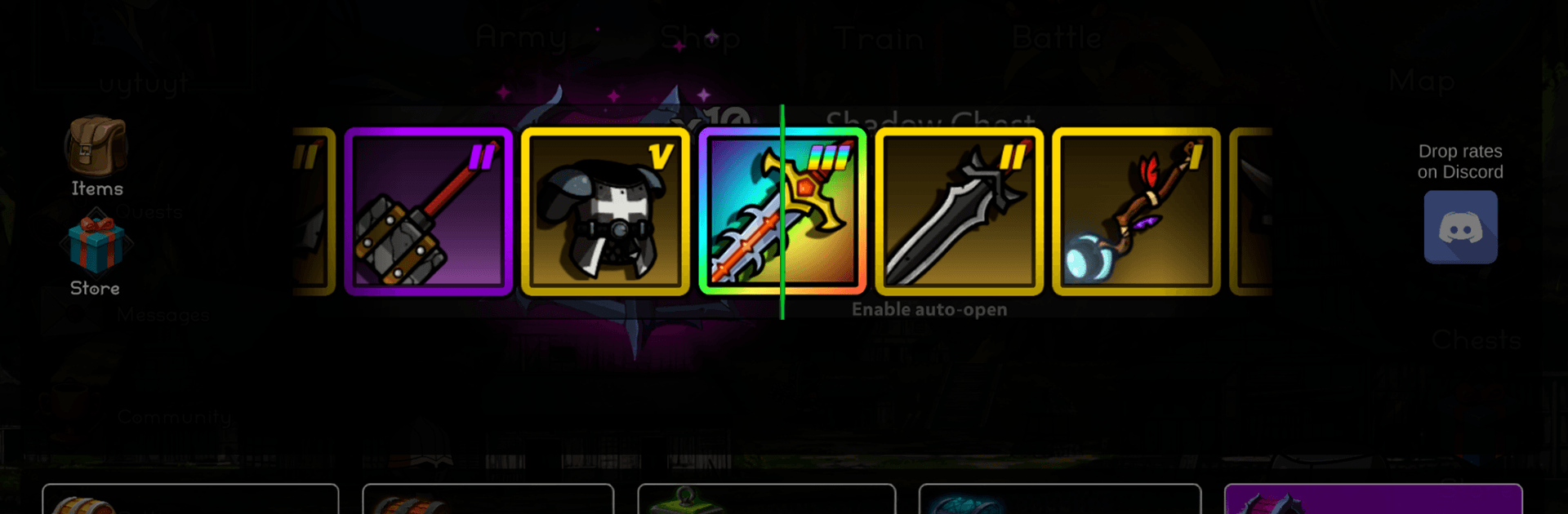
  • Gear playground: Tinker with a massive library of weapons, armor, and trinkets—thousands of pieces to mix across your heroes for wild, unexpected builds.
  • Place-and-watch combat: Set your formation, pick your lineup, and let the auto-battler action unfold. Positioning matters, and good synergies win fights.
  • Real PvP arenas: Challenge other players in fast teamfights and push your way up the rankings with clever counters and solid gear.
  • Idle and AFK gains: No time right now? Your crew keeps training in the background, so you return to a stronger roster.
  • Dungeon runs and quests: Fight through waves, clear quests, and gather the materials you need to push your squad’s power higher.
  • Guilds and co-op: Join a guild to share tips, coordinate raids, and take on tougher challenges together.
  • Island empire building: Capture and upgrade islands to create a steady flow of resources, then work with your guild to expand your influence.
  • Fair progression: You can work toward top-tier equipment using in-game gold—patience and smart choices go a long way.
  • Hero tuning and style: Customize looks (hair, eyes, outfits, helmets) and shape each fighter’s role with ability upgrades and item swaps.

Get ready for a buttery smooth, high-performance gaming action only on BlueStacks.

Game Features

Enhancements

  • Macros
  • Rerolling
  • Eco Mode
  • Multi Instance Sync
  • Enhancements
Macros

Macros

Focus more on the fun part of the game, skip the tedious aspects. Master Auto Battles World: Idle RPG with Macros. Record yourself completing the monotonous tasks you wish to automate and replay them later with just one keypress.
Rerolling

Rerolling

Speed up the rerolling process in Auto Battles World: Idle RPG. Perform multiple summons and keep looking for the best Heroes. Use Multi-Instance sync to replicate the rerolling mechanism in all instances.
Eco Mode

Eco Mode

Farm in-game resources with ease in Auto Battles World: Idle RPG. Enable the Eco Mode when running the game in multiple instances. And lower your PC's resource consumption.
Multi Instance Sync

Multi Instance Sync

With the Multi-instance Sync, you can do even more in Auto Battles World: Idle RPG. Sync the action of the main instance and repeat them in real time for all other instances. Sync and sit back, let the game progress unfold.
Read More

How to Download and Play Auto Battles World: Idle RPG on PC or Mac

  • Download and install BlueStacks on your PC or Mac

  • Complete Google sign-in to access the Play Store, or do it later

  • Look for Auto Battles World: Idle RPG in the search bar at the top right corner

  • Click to install Auto Battles World: Idle RPG from the search results

  • Complete Google sign-in (if you skipped step 2) to install Auto Battles World: Idle RPG

  • Click the Auto Battles World: Idle RPG icon on the home screen to start playing

video
Watch Video

Minimum System Requirements

With BlueStacks 5, you can get started on a PC that fulfills the following requirements.

  • Operating System

    Microsoft Windows 7 or above, macOS 11 (Big Sur) or above

  • Processor

    Intel, AMD or Apple Silicon Processor

  • RAM

    at least 4GB

  • HDD

    10GB Free Disk Space

Note:

* You must be an Administrator on your PC. Up to date graphics drivers from Microsoft or the chipset vendor.

Auto Battles World: Idle RPG - FAQs

  • How to play Auto Battles World: Idle RPG on Windows PC & Mac?

    Play Auto Battles World: Idle RPG on your PC or Mac by following these simple steps.

    • Click on 'Play Auto Battles World: Idle RPG on PC’ to download BlueStacks
    • Install it and log-in to Google Play Store
    • Launch and play the game.
  • Why is BlueStacks the fastest and safest platform to play games on PC?

    BlueStacks respects your privacy and is always safe and secure to use. It does not carry any malware, spyware, or any sort of additional software that could harm your PC.

    It is engineered to optimize speed and performance for a seamless gaming experience.

  • What are Auto Battles World: Idle RPG PC requirements?

    Minimum requirement to run Auto Battles World: Idle RPG on your PC

    • OS: Microsoft Windows 7 or above MacOS 11 (Big Sur) or above
    • Processor: Intel, AMD or Apple Silicon Processor
    • RAM: Your PC must have at least 4GB of RAM. (Note that having 4GB or more disk space is not a substitute for RAM)
    • HDD: 10GB Free Disk Space.
    • You must be an Administrator on your PC.