Baldboy : Idle RPG
Baldboy : Idle RPG

Baldboy : Idle RPG

Role Playing

| Gameduo

Play on PC with BlueStacks or from our cloud

  • Overview
  • Game Features
  • How to Play

Page Modified On: January 09, 2026

Play Baldboy : Idle RPG on PC or Mac

Join millions to experience Baldboy : Idle RPG, an exciting Role Playing game from Gameduo. With BlueStacks App Player, you are always a step ahead of your opponent, ready to outplay them with faster gameplay and better control with the mouse and keyboard on your PC or Mac.

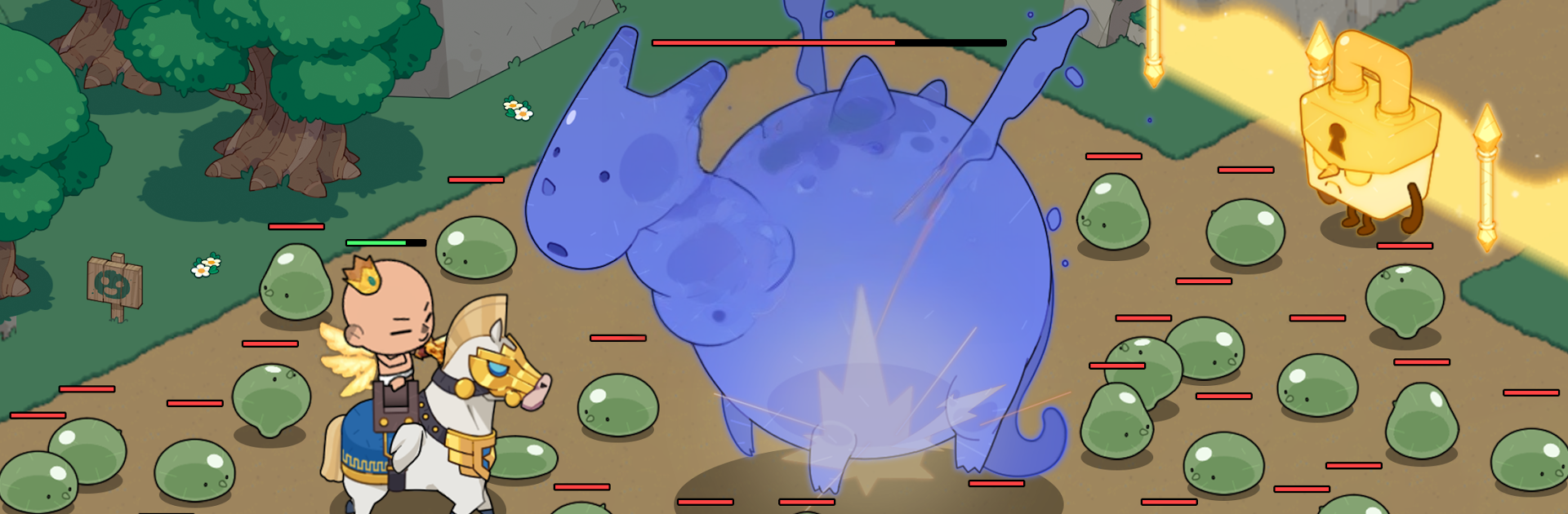
Baldboy is a goofy idle RPG where everyone on earth went bald and the world just ran with it. Under the silly setup there is a solid loop: real-time fights where heroes swing and cast skills, then idle progress that keeps ticking when the player steps away. It has that satisfying drip of gear drops and upgrades, so the squad keeps getting stronger without a ton of babysitting. The heroes are all chrome-domed but not bland, since there are plenty of ways to tweak looks and build a one-of-a-kind main character, then pair them with other bald buddies for more power.

Combat is quick and simple to read, but there are bigger challenges too. There are chunky boss encounters that want a bit of timing, and group content with raids and guild battles for people who like teamwork and shared rewards. The humor leans into the shine joke in a fun way, never too serious, and the pacing stays friendly even during longer sessions. Playing on PC with BlueStacks feels natural, since skills on number keys and mouse targeting make fights smoother, and leaving it running in the background for idle gains is easy on a desktop. It is the kind of game that mixes light action with steady growth, a strange bald fantasy that somehow feels cozy to play.

Make your gaming sessions memorable with precise controls that give you an edge in close combats and visuals that pop up, bringing every character to life.


Game Features

Enhancements

  • Macros
  • Rerolling
  • Eco Mode
  • Multi Instance Sync
  • Enhancements
Macros

Macros

Focus more on the fun part of the game, skip the tedious aspects. Master Baldboy : Idle RPG with Macros. Record yourself completing the monotonous tasks you wish to automate and replay them later with just one keypress.
Rerolling

Rerolling

Speed up the rerolling process in Baldboy : Idle RPG. Perform multiple summons and keep looking for the best Heroes. Use Multi-Instance sync to replicate the rerolling mechanism in all instances.
Eco Mode

Eco Mode

Farm in-game resources with ease in Baldboy : Idle RPG. Enable the Eco Mode when running the game in multiple instances. And lower your PC's resource consumption.
Multi Instance Sync

Multi Instance Sync

With the Multi-instance Sync, you can do even more in Baldboy : Idle RPG. Sync the action of the main instance and repeat them in real time for all other instances. Sync and sit back, let the game progress unfold.
Read More

How to Download and Play Baldboy : Idle RPG on PC or Mac

  • Download and install BlueStacks on your PC or Mac

  • Complete Google sign-in to access the Play Store, or do it later

  • Look for Baldboy : Idle RPG in the search bar at the top right corner

  • Click to install Baldboy : Idle RPG from the search results

  • Complete Google sign-in (if you skipped step 2) to install Baldboy : Idle RPG

  • Click the Baldboy : Idle RPG icon on the home screen to start playing

video
Watch Video

Minimum System Requirements

With BlueStacks 5, you can get started on a PC that fulfills the following requirements.

  • Operating System

    Microsoft Windows 7 or above, macOS 11 (Big Sur) or above

  • Processor

    Intel, AMD or Apple Silicon Processor

  • RAM

    at least 4GB

  • HDD

    10GB Free Disk Space

Note:

* You must be an Administrator on your PC. Up to date graphics drivers from Microsoft or the chipset vendor.

Baldboy : Idle RPG - FAQs

  • How to play Baldboy : Idle RPG on Windows PC & Mac?

    Play Baldboy : Idle RPG on your PC or Mac by following these simple steps.

    • Click on 'Play Baldboy : Idle RPG on PC’ to download BlueStacks
    • Install it and log-in to Google Play Store
    • Launch and play the game.
  • Why is BlueStacks the fastest and safest platform to play games on PC?

    BlueStacks respects your privacy and is always safe and secure to use. It does not carry any malware, spyware, or any sort of additional software that could harm your PC.

    It is engineered to optimize speed and performance for a seamless gaming experience.

  • What are Baldboy : Idle RPG PC requirements?

    Minimum requirement to run Baldboy : Idle RPG on your PC

    • OS: Microsoft Windows 7 or above MacOS 11 (Big Sur) or above
    • Processor: Intel, AMD or Apple Silicon Processor
    • RAM: Your PC must have at least 4GB of RAM. (Note that having 4GB or more disk space is not a substitute for RAM)
    • HDD: 10GB Free Disk Space.
    • You must be an Administrator on your PC.