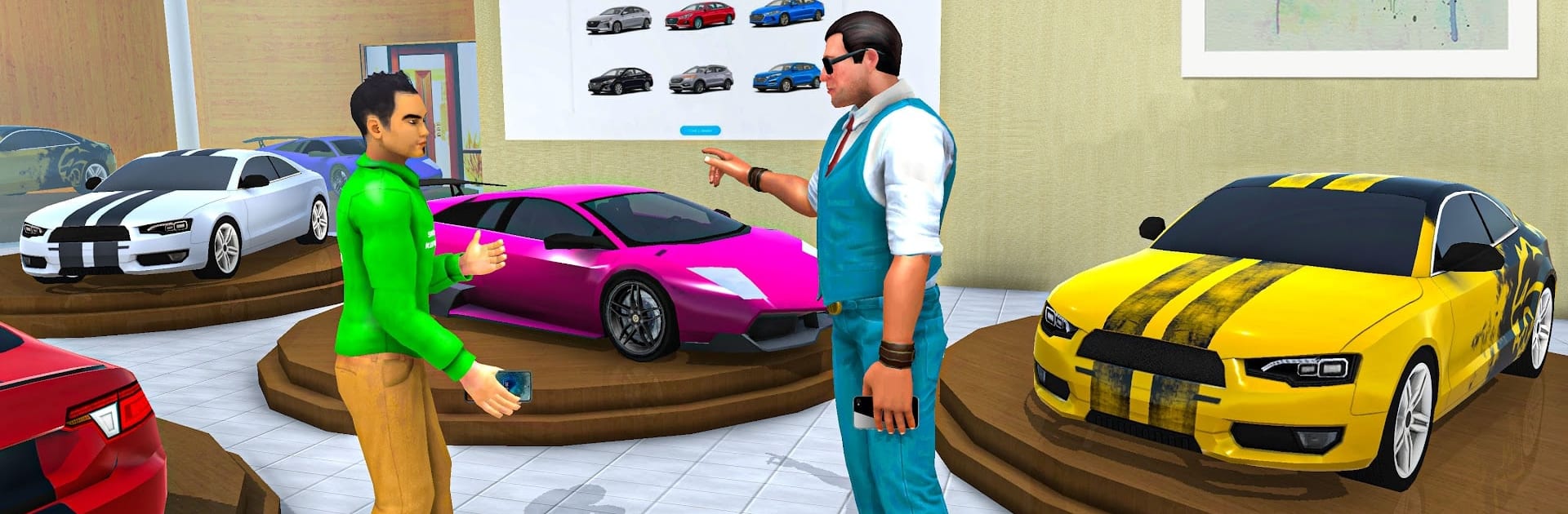
Billionaire Dad Simulator 3D

Billionaire Dad Simulator 3D

Role Playing

| One Cent Games

Play on PC with BlueStacks or from our cloud

  • Overview
  • Game Features
  • How to Play

Page Modified On: November 10, 2025

Play Billionaire Dad Simulator 3D on PC or Mac

Explore a whole new adventure with Billionaire Dad Simulator 3D, a Role Playing game created by One Cent Games. Experience great gameplay with BlueStacks, the most popular gaming platform to play Android games on your PC or Mac.

About the Game

Billionaire Dad Simulator 3D drops you into the hectic, hilarious, and very fancy life of a business tycoon who’s also a hands-on parent. Between signing big deals and planning family outings, you’ll hop from boardrooms to boutiques, car showrooms to your royal mansion. Made by One Cent Games, this Role Playing adventure blends quick missions, lighthearted family moments, and over-the-top luxury. Prefer a bigger screen? It plays smoothly on BlueStacks.

Game Features

  • Be the Business Dad: Set up meetings, review investments, and make calls that shape your growing empire without losing sight of family time.
  • Grow the Empire: Purchase malls, check in with your manager, and expand your footprint across the city one smart deal at a time.
  • Family Requests, Billionaire Style: Hunt for a sleek sports car for your son, plan summer fun, and help mom pick out show-stopping jewelry for big events.
  • Pet Shopping Spree: Swing by the pet store and bring home a new companion—cats, dogs, birds, and yes, even a bold choice or two.
  • Ride in Serious Style: Cruise in luxury cars or lift off in a helicopter for quick trips between hotspots and your mansion.
  • City Missions and Errands: Tackle bite-sized objectives across supermarkets, showrooms, and glittering venues that keep each day fresh.
  • Lavish Homes and Interiors: Explore polished house interiors and add new royal mansions to your collection.
  • Party and Social Life: Join dance parties and upscale gatherings where your family’s glam moments shine.
  • Family World Tour Vibes: Travel together, visit new places, and keep the balance between high-stakes deals and quality time.

Make your gaming sessions memorable with precise controls that give you an edge in close combats and visuals that pop up, bringing every character to life.


Game Features

Enhancements

  • Macros
  • Rerolling
  • Eco Mode
  • Multi Instance Sync
  • Enhancements
Macros

Macros

Focus more on the fun part of the game, skip the tedious aspects. Master Billionaire Dad Simulator 3D with Macros. Record yourself completing the monotonous tasks you wish to automate and replay them later with just one keypress.
Rerolling

Rerolling

Speed up the rerolling process in Billionaire Dad Simulator 3D. Perform multiple summons and keep looking for the best Heroes. Use Multi-Instance sync to replicate the rerolling mechanism in all instances.
Eco Mode

Eco Mode

Farm in-game resources with ease in Billionaire Dad Simulator 3D. Enable the Eco Mode when running the game in multiple instances. And lower your PC's resource consumption.
Multi Instance Sync

Multi Instance Sync

With the Multi-instance Sync, you can do even more in Billionaire Dad Simulator 3D. Sync the action of the main instance and repeat them in real time for all other instances. Sync and sit back, let the game progress unfold.
Read More

How to Download and Play Billionaire Dad Simulator 3D on PC or Mac

  • Download and install BlueStacks on your PC or Mac

  • Complete Google sign-in to access the Play Store, or do it later

  • Look for Billionaire Dad Simulator 3D in the search bar at the top right corner

  • Click to install Billionaire Dad Simulator 3D from the search results

  • Complete Google sign-in (if you skipped step 2) to install Billionaire Dad Simulator 3D

  • Click the Billionaire Dad Simulator 3D icon on the home screen to start playing

video
Watch Video

Minimum System Requirements

With BlueStacks 5, you can get started on a PC that fulfills the following requirements.

  • Operating System

    Microsoft Windows 7 or above, macOS 11 (Big Sur) or above

  • Processor

    Intel, AMD or Apple Silicon Processor

  • RAM

    at least 4GB

  • HDD

    10GB Free Disk Space

Note:

* You must be an Administrator on your PC. Up to date graphics drivers from Microsoft or the chipset vendor.

Billionaire Dad Simulator 3D - FAQs

  • How to play Billionaire Dad Simulator 3D on Windows PC & Mac?

    Play Billionaire Dad Simulator 3D on your PC or Mac by following these simple steps.

    • Click on 'Play Billionaire Dad Simulator 3D on PC’ to download BlueStacks
    • Install it and log-in to Google Play Store
    • Launch and play the game.
  • Why is BlueStacks the fastest and safest platform to play games on PC?

    BlueStacks respects your privacy and is always safe and secure to use. It does not carry any malware, spyware, or any sort of additional software that could harm your PC.

    It is engineered to optimize speed and performance for a seamless gaming experience.

  • What are Billionaire Dad Simulator 3D PC requirements?

    Minimum requirement to run Billionaire Dad Simulator 3D on your PC

    • OS: Microsoft Windows 7 or above MacOS 11 (Big Sur) or above
    • Processor: Intel, AMD or Apple Silicon Processor
    • RAM: Your PC must have at least 4GB of RAM. (Note that having 4GB or more disk space is not a substitute for RAM)
    • HDD: 10GB Free Disk Space.
    • You must be an Administrator on your PC.