Box Escape: Survival Launcher

Box Escape: Survival Launcher

Role Playing

| torsopolecats

Play on PC with BlueStacks or from our cloud

  • Overview
  • Game Features
  • How to Play

Page Modified On: September 07, 2026

Play Box Escape: Survival Launcher on PC or Mac

Box Escape: Survival Launcher by torsopolecats has plenty to keep you busy. BlueStacks lets you play it on PC or Mac with more screen space, better control, and fewer mobile limits.

About the Game

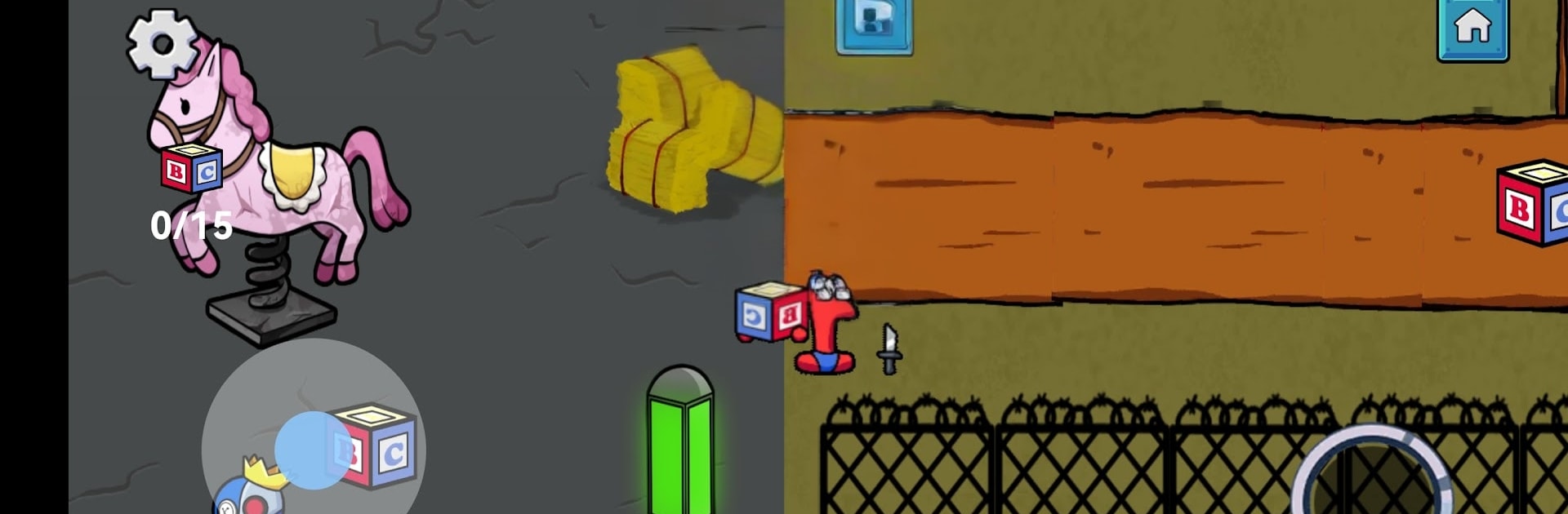
Box Escape: Survival Launcher is a tense, punchy Role Playing experience where brains and brawn both matter. You’re sprinting through tight arenas, muscling heavy crates into safe zones while a relentless creature hunts you down. Rounds are quick, the pressure’s real, and the game’s launcher lets you hop in straight from your home screen—also runs smoothly on BlueStacks if you want comfy, precise controls.

Game Features

  • Push-and-Score Puzzles: Shove hulking crates into marked safe zones before the timer bleeds out, then line up the next move without losing momentum.
  • Predator on Your Heels: Outsmart a stalking monster by breaking line of sight, baiting it around corners, and turning boxes into impromptu shields.
  • Routes That Matter: Read the map at a glance, pick efficient paths, and chain pushes so you’re never backtracking when seconds count.
  • Quick-Launch Play: Fire up a round straight from your home screen with the built-in launcher for instant, bite-size bursts of action.
  • Custom Home Setup: Give your setup some style with gritty themes, widgets, and panels inspired by beefy heroes and nightmare creatures.
  • Snappy Controls: Slide with smooth, stick-style movement and sharp responsiveness, with clean input handling when playing on BlueStacks.
  • Distinct Monster Brains: Face different AI personalities—some sprint, some stalk, some feint—so your tactics can’t stay static.
  • Style That Pops: Bold colors, chunky silhouettes, and creepy details create a playful-but-menacing look that’s easy to read under pressure.
  • Race-the-Clock Leaderboards: Nail faster clears, rack up scores, and climb the boards to prove your escape instincts are the real deal.

Start playing Box Escape: Survival Launcher on BlueStacks and get a smoother, more comfortable PC or Mac setup.


Game Features

Enhancements

  • Macros
  • Rerolling
  • Eco Mode
  • Multi Instance Sync
  • Enhancements
Macros

Macros

Focus more on the fun part of the game, skip the tedious aspects. Master Box Escape: Survival Launcher with Macros. Record yourself completing the monotonous tasks you wish to automate and replay them later with just one keypress.
Rerolling

Rerolling

Speed up the rerolling process in Box Escape: Survival Launcher. Perform multiple summons and keep looking for the best Heroes. Use Multi-Instance sync to replicate the rerolling mechanism in all instances.
Eco Mode

Eco Mode

Farm in-game resources with ease in Box Escape: Survival Launcher. Enable the Eco Mode when running the game in multiple instances. And lower your PC's resource consumption.
Multi Instance Sync

Multi Instance Sync

With the Multi-instance Sync, you can do even more in Box Escape: Survival Launcher. Sync the action of the main instance and repeat them in real time for all other instances. Sync and sit back, let the game progress unfold.
Read More

How to Download and Play Box Escape: Survival Launcher on PC or Mac

  • Download and install BlueStacks on your PC or Mac

  • Complete Google sign-in to access the Play Store, or do it later

  • Look for Box Escape: Survival Launcher in the search bar at the top right corner

  • Click to install Box Escape: Survival Launcher from the search results

  • Complete Google sign-in (if you skipped step 2) to install Box Escape: Survival Launcher

  • Click the Box Escape: Survival Launcher icon on the home screen to start playing

video
Watch Video

Minimum System Requirements

With BlueStacks 5, you can get started on a PC that fulfills the following requirements.

  • Operating System

    Microsoft Windows 7 or above, macOS 11 (Big Sur) or above

  • Processor

    Intel, AMD or Apple Silicon Processor

  • RAM

    at least 4GB

  • HDD

    10GB Free Disk Space

Note:

* You must be an Administrator on your PC. Up to date graphics drivers from Microsoft or the chipset vendor.

Box Escape: Survival Launcher - FAQs

  • How to play Box Escape: Survival Launcher on Windows PC & Mac?

    Play Box Escape: Survival Launcher on your PC or Mac by following these simple steps.

    • Click on 'Play Box Escape: Survival Launcher on PC’ to download BlueStacks
    • Install it and log-in to Google Play Store
    • Launch and play the game.
  • Why is BlueStacks the fastest and safest platform to play games on PC?

    BlueStacks respects your privacy and is always safe and secure to use. It does not carry any malware, spyware, or any sort of additional software that could harm your PC.

    It is engineered to optimize speed and performance for a seamless gaming experience.

  • What are Box Escape: Survival Launcher PC requirements?

    Minimum requirement to run Box Escape: Survival Launcher on your PC

    • OS: Microsoft Windows 7 or above MacOS 11 (Big Sur) or above
    • Processor: Intel, AMD or Apple Silicon Processor
    • RAM: Your PC must have at least 4GB of RAM. (Note that having 4GB or more disk space is not a substitute for RAM)
    • HDD: 10GB Free Disk Space.
    • You must be an Administrator on your PC.