Building Craft: Robo City

Building Craft: Robo City

Role Playing

| Beth McGee Foundation Inc.

Play on PC with BlueStacks or from our cloud

  • Overview
  • Game Features
  • How to Play

Page Modified On: October 24, 2025

Play Building Craft: Robo City on PC or Mac

Join millions to experience Building Craft: Robo City, an exciting Role Playing game from Beth McGee Foundation Inc.. With BlueStacks App Player, you are always a step ahead of your opponent, ready to outplay them with faster gameplay and better control with the mouse and keyboard on your PC or Mac.

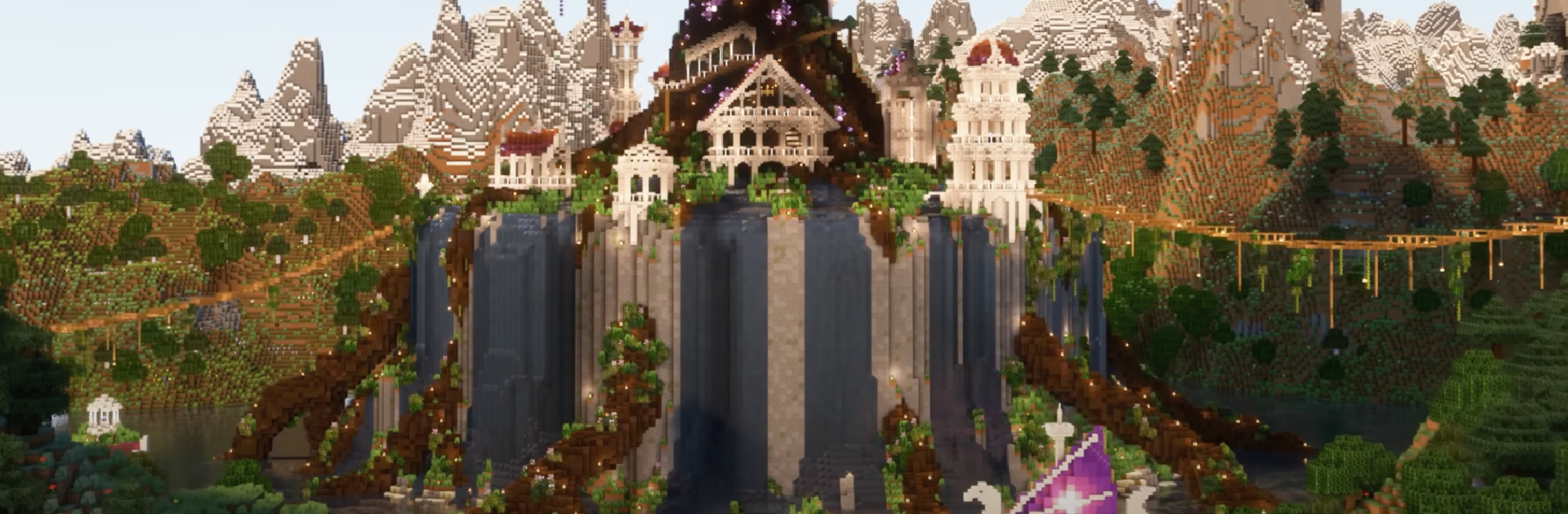
Building Craft: Robo City is a chill block builder with a sci fi twist. Think bright neon, chunky skyscrapers, and goofy robot shapes, all made from simple blocks that snap together fast. It gives players two moods. Creative Mode is a big toy box with unlimited pieces, perfect for laying out streets, stacking glass towers, or trying weird robot statues without worrying about materials. Survival Mode slows it down a bit. Players mine wood, stone, metal, and those energy blocks, then craft tools and parts to keep projects moving while dealing with the usual resource grind and small bumps that come with it.

The map is not just city stuff either. There are forests, deserts, and lakes around the robo skyline, so it is easy to wander off to gather a pile of ore or grab a new block type, then haul it back to add accents and neon details. Night shots of a finished build look great when the signs and lights pop. Multiplayer is simple and good for group projects. A few friends can carve out districts, share ideas, and watch the place grow into a proper robo metropolis. On PC with BlueStacks, the bigger screen and mouse control make block placement cleaner, and the frame pacing feels steadier during big builds, which helps when making something tall and fiddly.

Start your journey now. Download the game on BlueStacks, invite your friends, and march on a new adventure.


Game Features

Enhancements

  • Macros
  • Rerolling
  • Eco Mode
  • Multi Instance Sync
  • Enhancements
Macros

Macros

Focus more on the fun part of the game, skip the tedious aspects. Master Building Craft: Robo City with Macros. Record yourself completing the monotonous tasks you wish to automate and replay them later with just one keypress.
Rerolling

Rerolling

Speed up the rerolling process in Building Craft: Robo City. Perform multiple summons and keep looking for the best Heroes. Use Multi-Instance sync to replicate the rerolling mechanism in all instances.
Eco Mode

Eco Mode

Farm in-game resources with ease in Building Craft: Robo City. Enable the Eco Mode when running the game in multiple instances. And lower your PC's resource consumption.
Multi Instance Sync

Multi Instance Sync

With the Multi-instance Sync, you can do even more in Building Craft: Robo City. Sync the action of the main instance and repeat them in real time for all other instances. Sync and sit back, let the game progress unfold.
Read More

How to Download and Play Building Craft: Robo City on PC or Mac

  • Download and install BlueStacks on your PC or Mac

  • Complete Google sign-in to access the Play Store, or do it later

  • Look for Building Craft: Robo City in the search bar at the top right corner

  • Click to install Building Craft: Robo City from the search results

  • Complete Google sign-in (if you skipped step 2) to install Building Craft: Robo City

  • Click the Building Craft: Robo City icon on the home screen to start playing

video
Watch Video

Minimum System Requirements

With BlueStacks 5, you can get started on a PC that fulfills the following requirements.

  • Operating System

    Microsoft Windows 7 or above, macOS 11 (Big Sur) or above

  • Processor

    Intel, AMD or Apple Silicon Processor

  • RAM

    at least 4GB

  • HDD

    10GB Free Disk Space

Note:

* You must be an Administrator on your PC. Up to date graphics drivers from Microsoft or the chipset vendor.

Building Craft: Robo City - FAQs

  • How to play Building Craft: Robo City on Windows PC & Mac?

    Play Building Craft: Robo City on your PC or Mac by following these simple steps.

    • Click on 'Play Building Craft: Robo City on PC’ to download BlueStacks
    • Install it and log-in to Google Play Store
    • Launch and play the game.
  • Why is BlueStacks the fastest and safest platform to play games on PC?

    BlueStacks respects your privacy and is always safe and secure to use. It does not carry any malware, spyware, or any sort of additional software that could harm your PC.

    It is engineered to optimize speed and performance for a seamless gaming experience.

  • What are Building Craft: Robo City PC requirements?

    Minimum requirement to run Building Craft: Robo City on your PC

    • OS: Microsoft Windows 7 or above MacOS 11 (Big Sur) or above
    • Processor: Intel, AMD or Apple Silicon Processor
    • RAM: Your PC must have at least 4GB of RAM. (Note that having 4GB or more disk space is not a substitute for RAM)
    • HDD: 10GB Free Disk Space.
    • You must be an Administrator on your PC.