HayTaile
HayTaile

HayTaile

Adventure

| KAEV Games SRL

Play on PC with BlueStacks or from our cloud

  • Overview
  • Game Features
  • How to Play

Page Modified On: April 07, 2026

Play HayTaile on PC or Mac

HayTaile brings the Adventure genre to life, and throws up exciting challenges for gamers. Developed by KAEV Games SRL, this Android game is best experienced on BlueStacks, the World’s #1 app player for PC and Mac users.

About the Game

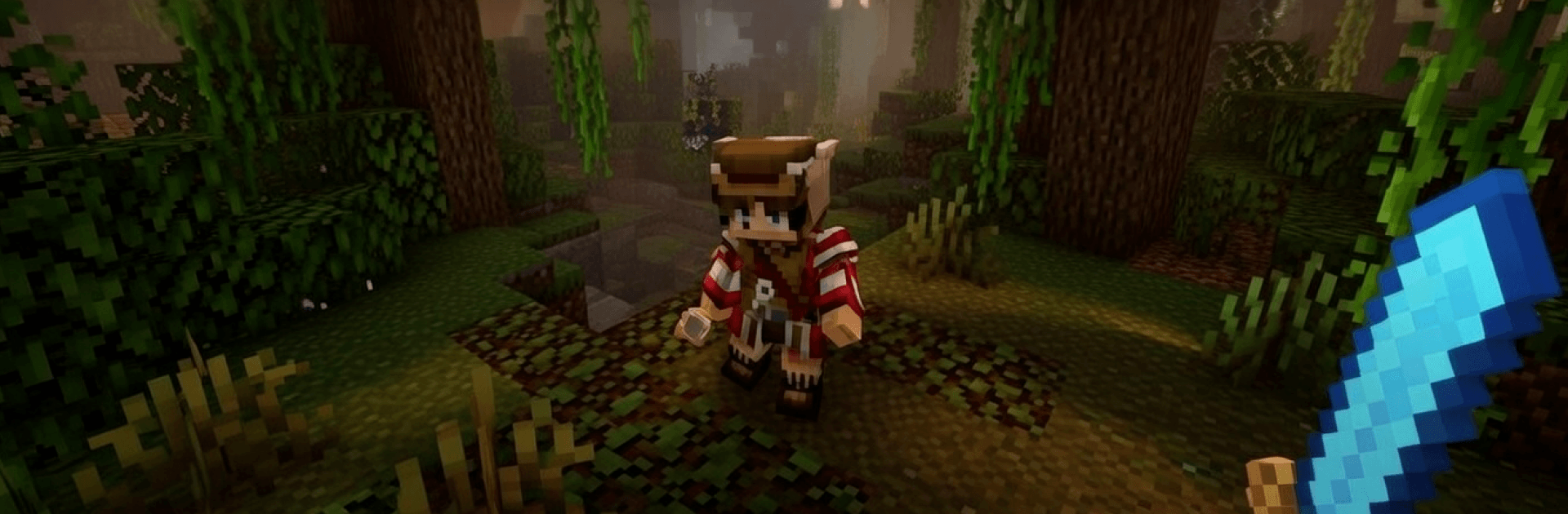
HayTaile from KAEV Games SRL is an Adventure sandbox where you start with nothing and end up shaping an entire world, one block at a time. Chop a tree, craft your first tool, and suddenly you’re planning bases, machines, and risky expeditions into the unknown. Prefer playing on a bigger screen? You can run HayTaile on PC with BlueStacks for a comfy view without changing the vibe.

Game Features

  • Vast, procedural world: Roam sprawling biomes—from whispery forests and icy ridges to sun-baked deserts, deep caves, and far-off islands—each packed with resources, secrets, and surprises.
  • Deep crafting system: Turn raw materials into tools, weapons, armor, and handy gadgets. Brew potions, enchant gear, and tinker with logic-powered contraptions that make your builds actually do things.
  • Build your way: Put up cozy hideouts, towering citadels, mega-farms, rails, bridges, portals—you name it. If you can picture it, there’s probably a way to place it.
  • Survival with a rhythm: Gather by day, fortify by night. Cook meals, gear up, and reinforce your walls as friendly critters and not-so-friendly mobs keep you on your toes.
  • Quests and challenges: Tackle guided goals that reward you with rare loot and shortcuts to stronger crafting paths.
  • Dungeons and secrets: Hunt down hidden rooms and underground vaults stuffed with high-value materials for your next big project.
  • Automation and farms: Set up clever systems and auto-farms to stockpile resources, keeping long-term play smooth and satisfying.
  • Multiplayer co-op: Team up for colossal builds, share supplies, split roles, and explore together for faster progress and bigger ideas.
  • Pixel-perfect style: Clean, charming visuals make every block stand out, balancing nostalgia with a crisp, modern look.
  • Always something new: Fresh worlds generate uniquely every time, so your next run might lead to a frozen bay, a maze-like cavern, or a perfect cliff for your dream base.

Slay your opponents with your epic moves. Play it your way on BlueStacks and dominate the battlefield.


Game Features

Enhancements

  • Macros
  • Multi Instance
  • Multi Instance Sync
  • Script
  • Enhancements
Macros

Macros

Automate the predictable in HayTaile and transform your gameplay with Macros. Get access to inventive Macros in the BlueStacks Macro Community
Multi Instance

Multi Instance

Play HayTaile on one window. And chat with your friend on the other. Press CTRL + Shift + 8 to open the Multi-Instance Manager. And start creating fresh instances or clone an existing one.
Multi Instance Sync

Multi Instance Sync

Play HayTaile with the power of Multi-Instance Sync. Replicate what you are doing on the main instance on all other instances. Level up faster, play more.
Script

Script

Script your way to gaming glory in HayTaile with BlueStacks Script. Write and run a set of commands to automate repeated tasks. Trigger the command by assigning it to any key.
Read More

How to Download and Play HayTaile on PC or Mac

  • Download and install BlueStacks on your PC or Mac

  • Complete Google sign-in to access the Play Store, or do it later

  • Look for HayTaile in the search bar at the top right corner

  • Click to install HayTaile from the search results

  • Complete Google sign-in (if you skipped step 2) to install HayTaile

  • Click the HayTaile icon on the home screen to start playing

video
Watch Video

Minimum System Requirements

With BlueStacks 5, you can get started on a PC that fulfills the following requirements.

  • Operating System

    Microsoft Windows 7 or above, macOS 11 (Big Sur) or above

  • Processor

    Intel, AMD or Apple Silicon Processor

  • RAM

    at least 4GB

  • HDD

    10GB Free Disk Space

Note:

* You must be an Administrator on your PC. Up to date graphics drivers from Microsoft or the chipset vendor.

HayTaile - FAQs

  • How to play HayTaile on Windows PC & Mac?

    Play HayTaile on your PC or Mac by following these simple steps.

    • Click on 'Play HayTaile on PC’ to download BlueStacks
    • Install it and log-in to Google Play Store
    • Launch and play the game.
  • Why is BlueStacks the fastest and safest platform to play games on PC?

    BlueStacks respects your privacy and is always safe and secure to use. It does not carry any malware, spyware, or any sort of additional software that could harm your PC.

    It is engineered to optimize speed and performance for a seamless gaming experience.

  • What are HayTaile PC requirements?

    Minimum requirement to run HayTaile on your PC

    • OS: Microsoft Windows 7 or above MacOS 11 (Big Sur) or above
    • Processor: Intel, AMD or Apple Silicon Processor
    • RAM: Your PC must have at least 4GB of RAM. (Note that having 4GB or more disk space is not a substitute for RAM)
    • HDD: 10GB Free Disk Space.
    • You must be an Administrator on your PC.