Cargo Truck Simulator Games

Cargo Truck Simulator Games

Role Playing

| Muhammad Parwana

Play on PC with BlueStacks or from our cloud

  • Overview
  • Game Features
  • How to Play

Page Modified On: October 12, 2026

Play Cargo Truck Simulator Games on PC or Mac

Play Cargo Truck Simulator Games by Muhammad Parwana on PC or Mac with BlueStacks. Use a bigger screen, mouse and keyboard controls, and smoother performance while you play.

About the Game

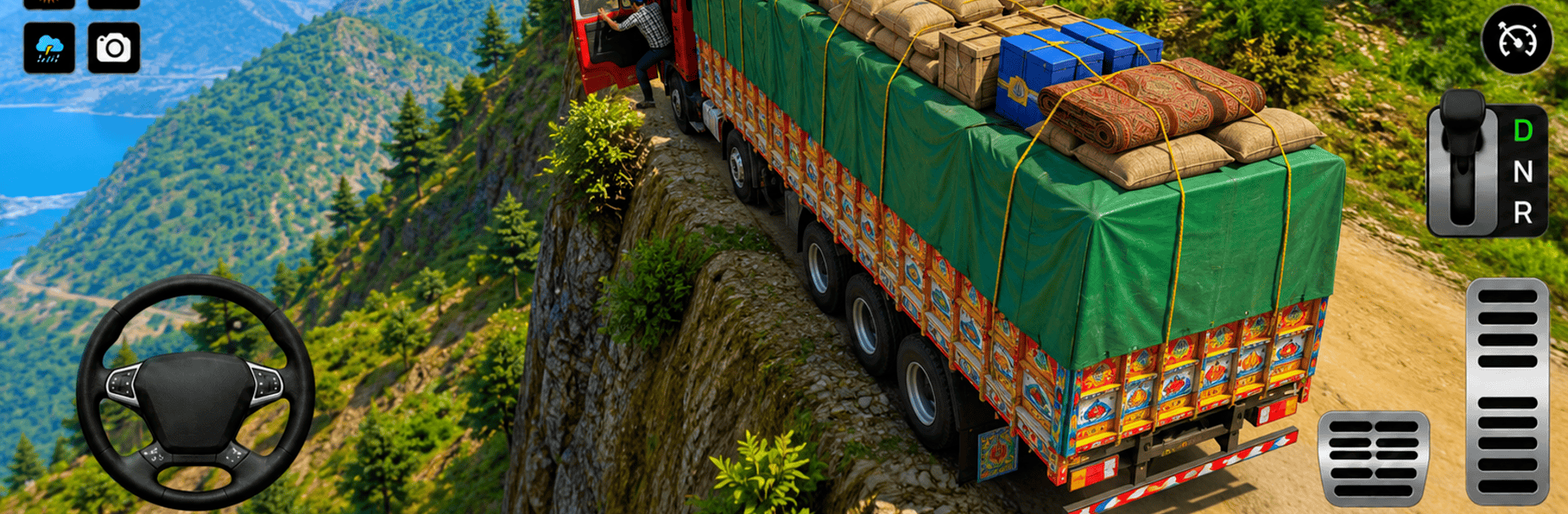
Cargo Truck Simulator Games puts you in the hot seat of a fully loaded rig and asks a simple question: can you deliver without losing your cargo? This Role Playing experience keeps things grounded with short, focused jobs that feel authentic—no fluff, just skillful driving on rough terrain. Want a bit more room to see those tight turns? It runs smoothly on BlueStacks, which is handy when every inch matters.

Game Features

  • Four distinct cargo runs: Tackle box loads, heavy containers, long timber, and tire bundles—each one handles differently and demands a different driving style.
  • Realistic truck feel: Weight shifts, traction changes, and momentum matter, so throttle control and smooth steering are your best friends.
  • Off-road routes that bite back: Navigate mud, narrow bridges, steep climbs, rocky slopes, and tight switchbacks that punish sloppy lines.
  • Level-based challenges: Quick missions ramp up in difficulty, perfect for sharpening your skills without committing to long hauls.
  • Smart camera options: Swap between cockpit, follow-cam, and wide-angle views on the fly for hill climbs, tight reversals, or precise parking.
  • Smooth, responsive controls: Clean inputs make it easier to nudge the wheel, feather the brake, and keep cargo steady over tricky ground.
  • Cargo-first driving: Corner gently, manage speed on descents, and keep the bed balanced—arrive fast, but arrive intact.
  • Varied locations: Haul from the harbor, thread through forest routes, and edge along mountain paths that test nerves and timing.
  • Progressive difficulty: Heavier loads and tougher routes keep the pressure up as your technique improves.
  • Built for steady performance: Polished visuals and optimized stability keep the focus on driving, not stutters or slowdowns.

BlueStacks gives you more room to focus on the game and less time adjusting around mobile limitations.


Game Features

Enhancements

  • Macros
  • Rerolling
  • Eco Mode
  • Multi Instance Sync
  • Enhancements
Macros

Macros

Focus more on the fun part of the game, skip the tedious aspects. Master Cargo Truck Simulator Games with Macros. Record yourself completing the monotonous tasks you wish to automate and replay them later with just one keypress.
Rerolling

Rerolling

Speed up the rerolling process in Cargo Truck Simulator Games. Perform multiple summons and keep looking for the best Heroes. Use Multi-Instance sync to replicate the rerolling mechanism in all instances.
Eco Mode

Eco Mode

Farm in-game resources with ease in Cargo Truck Simulator Games. Enable the Eco Mode when running the game in multiple instances. And lower your PC's resource consumption.
Multi Instance Sync

Multi Instance Sync

With the Multi-instance Sync, you can do even more in Cargo Truck Simulator Games. Sync the action of the main instance and repeat them in real time for all other instances. Sync and sit back, let the game progress unfold.
Read More

How to Download and Play Cargo Truck Simulator Games on PC or Mac

  • Download and install BlueStacks on your PC or Mac

  • Complete Google sign-in to access the Play Store, or do it later

  • Look for Cargo Truck Simulator Games in the search bar at the top right corner

  • Click to install Cargo Truck Simulator Games from the search results

  • Complete Google sign-in (if you skipped step 2) to install Cargo Truck Simulator Games

  • Click the Cargo Truck Simulator Games icon on the home screen to start playing

video
Watch Video

Minimum System Requirements

With BlueStacks 5, you can get started on a PC that fulfills the following requirements.

  • Operating System

    Microsoft Windows 7 or above, macOS 11 (Big Sur) or above

  • Processor

    Intel, AMD or Apple Silicon Processor

  • RAM

    at least 4GB

  • HDD

    10GB Free Disk Space

Note:

* You must be an Administrator on your PC. Up to date graphics drivers from Microsoft or the chipset vendor.

Cargo Truck Simulator Games - FAQs

  • How to play Cargo Truck Simulator Games on Windows PC & Mac?

    Play Cargo Truck Simulator Games on your PC or Mac by following these simple steps.

    • Click on 'Play Cargo Truck Simulator Games on PC’ to download BlueStacks
    • Install it and log-in to Google Play Store
    • Launch and play the game.
  • Why is BlueStacks the fastest and safest platform to play games on PC?

    BlueStacks respects your privacy and is always safe and secure to use. It does not carry any malware, spyware, or any sort of additional software that could harm your PC.

    It is engineered to optimize speed and performance for a seamless gaming experience.

  • What are Cargo Truck Simulator Games PC requirements?

    Minimum requirement to run Cargo Truck Simulator Games on your PC

    • OS: Microsoft Windows 7 or above MacOS 11 (Big Sur) or above
    • Processor: Intel, AMD or Apple Silicon Processor
    • RAM: Your PC must have at least 4GB of RAM. (Note that having 4GB or more disk space is not a substitute for RAM)
    • HDD: 10GB Free Disk Space.
    • You must be an Administrator on your PC.