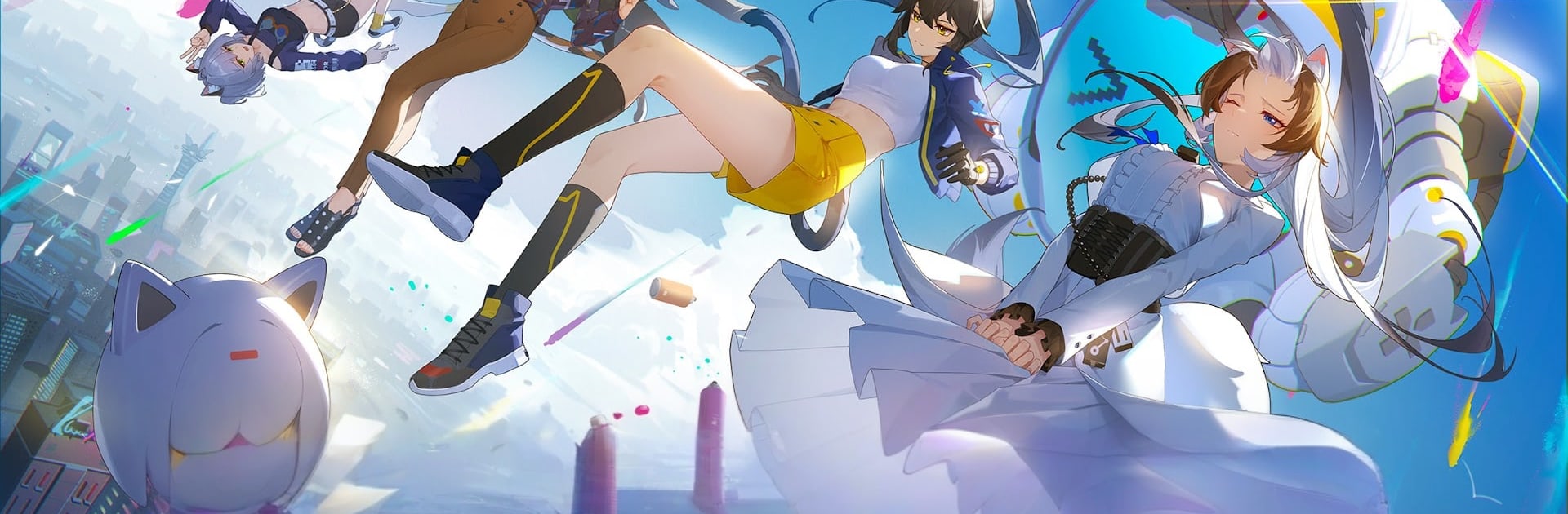
캣 판타지 - 300뽑기 증정
캣 판타지 - 300뽑기 증정

캣 판타지 - 300뽑기 증정

Role Playing

| Fundoll Global Limited

Play on PC with BlueStacks or from our cloud

  • Overview
  • Game Features
  • How to Play

Page Modified On: January 02, 2026

Play 캣 판타지 - 300뽑기 증정 on PC or Mac

캣 판타지 – 300뽑기 증정 brings the Role Playing genre to life, and throws up exciting challenges for gamers. Developed by Fundoll Global Limited, this Android game is best experienced on BlueStacks, the World’s #1 app player for PC and Mac users.

About the Game

캣 판타지 – 300뽑기 증정 from Fundoll Global Limited is a Role Playing adventure where everyday cats can flip into stylish humans—and back again. You’re an investigator running a hidden “Cat Lounge,” recruiting feline heroes, training them, and tackling crises across a glittering, anime-like city. Prefer a bigger screen? It plays nicely on BlueStacks, too.

Game Features

  • Two forms, one hero: Every recruit can shift between fluffy cat and human form. Swap at key moments in the story to see different animations, scenes, and personality quirks come to life.

  • Build your squad: Collect a roster inspired by real breeds—Ragdoll, Japanese Bobtail, Tuxedo, American Shorthair, Chinese Shorthair, and more—each with distinct looks and combat roles.

  • Skill fusion combat: Battles lean into “skill synthesis” combos. Mix abilities, trigger flashy team synergies, and unleash quick, punchy 3D action that rewards smart timing.

  • Cinematic presentation: High-end 3D visuals, a polished anime vibe, a full Japanese voice cast, and an original soundtrack make story moments feel like episodes you can actually play.

  • The Cat Lounge HQ: Decorate rooms, place furniture, and shape your cozy hideout. Cook with your staff, take orders, host guests, and watch for surprise events that keep the place buzzing.

  • Bond with your crew: Chat, gift, and interact to build goodwill with your cat maids and agents. Stronger bonds mean new scenes, perks, and a deeper look at each character’s charm.

  • Explore a living city: From neon avenues to quiet corners, the world blends everyday life with magic and mystery. Your investigations tie it all together as you protect what matters.

Make your gaming sessions memorable with precise controls that give you an edge in close combats and visuals that pop up, bringing every character to life.


Game Features

Enhancements

  • Macros
  • Rerolling
  • Eco Mode
  • Multi Instance Sync
  • Enhancements
Macros

Macros

Focus more on the fun part of the game, skip the tedious aspects. Master 캣 판타지 - 300뽑기 증정 with Macros. Record yourself completing the monotonous tasks you wish to automate and replay them later with just one keypress.
Rerolling

Rerolling

Speed up the rerolling process in 캣 판타지 - 300뽑기 증정. Perform multiple summons and keep looking for the best Heroes. Use Multi-Instance sync to replicate the rerolling mechanism in all instances.
Eco Mode

Eco Mode

Farm in-game resources with ease in 캣 판타지 - 300뽑기 증정. Enable the Eco Mode when running the game in multiple instances. And lower your PC's resource consumption.
Multi Instance Sync

Multi Instance Sync

With the Multi-instance Sync, you can do even more in 캣 판타지 - 300뽑기 증정. Sync the action of the main instance and repeat them in real time for all other instances. Sync and sit back, let the game progress unfold.
Read More

How to Download and Play 캣 판타지 - 300뽑기 증정 on PC or Mac

  • Download and install BlueStacks on your PC or Mac

  • Complete Google sign-in to access the Play Store, or do it later

  • Look for 캣 판타지 - 300뽑기 증정 in the search bar at the top right corner

  • Click to install 캣 판타지 - 300뽑기 증정 from the search results

  • Complete Google sign-in (if you skipped step 2) to install 캣 판타지 - 300뽑기 증정

  • Click the 캣 판타지 - 300뽑기 증정 icon on the home screen to start playing

video
Watch Video

Minimum System Requirements

With BlueStacks 5, you can get started on a PC that fulfills the following requirements.

  • Operating System

    Microsoft Windows 7 or above, macOS 11 (Big Sur) or above

  • Processor

    Intel, AMD or Apple Silicon Processor

  • RAM

    at least 4GB

  • HDD

    10GB Free Disk Space

Note:

* You must be an Administrator on your PC. Up to date graphics drivers from Microsoft or the chipset vendor.

캣 판타지 - 300뽑기 증정 - FAQs

  • How to play 캣 판타지 - 300뽑기 증정 on Windows PC & Mac?

    Play 캣 판타지 - 300뽑기 증정 on your PC or Mac by following these simple steps.

    • Click on 'Play 캣 판타지 - 300뽑기 증정 on PC’ to download BlueStacks
    • Install it and log-in to Google Play Store
    • Launch and play the game.
  • Why is BlueStacks the fastest and safest platform to play games on PC?

    BlueStacks respects your privacy and is always safe and secure to use. It does not carry any malware, spyware, or any sort of additional software that could harm your PC.

    It is engineered to optimize speed and performance for a seamless gaming experience.

  • What are 캣 판타지 - 300뽑기 증정 PC requirements?

    Minimum requirement to run 캣 판타지 - 300뽑기 증정 on your PC

    • OS: Microsoft Windows 7 or above MacOS 11 (Big Sur) or above
    • Processor: Intel, AMD or Apple Silicon Processor
    • RAM: Your PC must have at least 4GB of RAM. (Note that having 4GB or more disk space is not a substitute for RAM)
    • HDD: 10GB Free Disk Space.
    • You must be an Administrator on your PC.