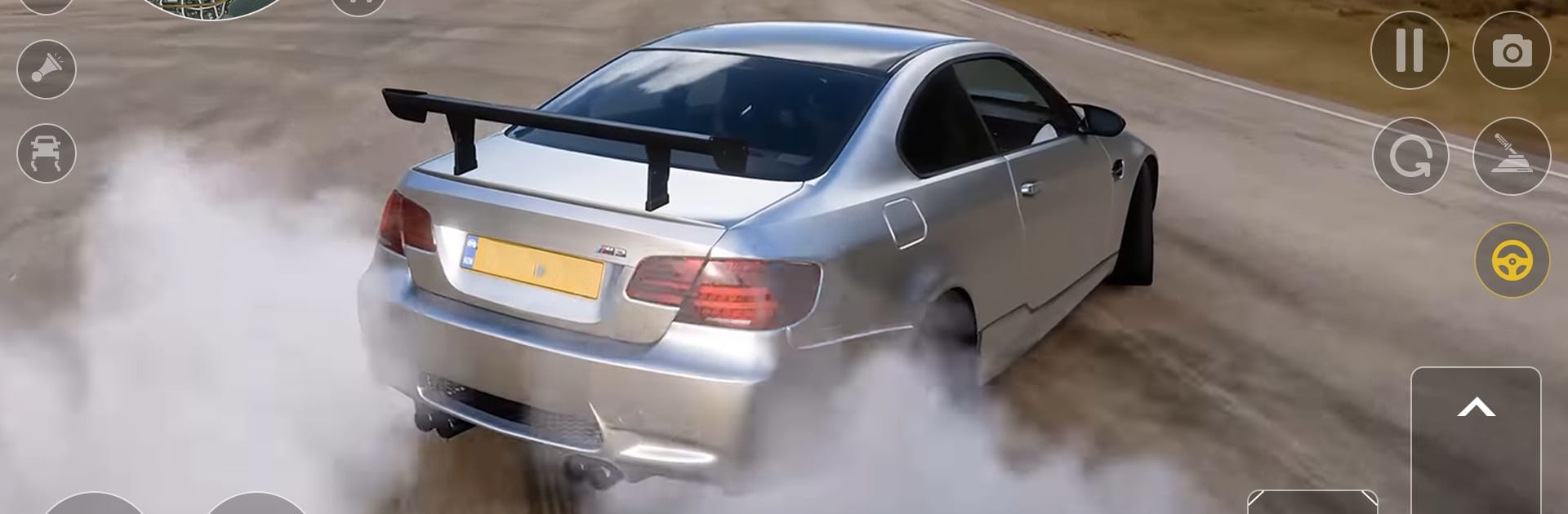
City Car Driving Drift Racing

City Car Driving Drift Racing

Role Playing

| Games Tracker

Play on PC with BlueStacks or from our cloud

  • Overview
  • Game Features
  • How to Play

Page Modified On: May 11, 2026

Play City Car Driving Drift Racing on PC or Mac

Bring your A-game to City Car Driving Drift Racing, the Role Playing game sensation from Games Tracker. Give your gameplay the much-needed boost with precise game controls, high FPS graphics, and top-tier features on your PC or Mac with BlueStacks.

About the Game

City Car Driving Drift Racing is all about freedom on the road—pick a car, roll out into a big open city, and decide if today’s about clean racing lines or stylish slides. It’s easy to hop in and start moving, then keep refining your turns until everything feels smooth. From Games Tracker, this Role Playing spin on street driving lets you shape your own routine: chase speed, chase style, or mix both and see what sticks.

Game Features

  • Open-world driving: Explore a spacious city built for cruising, cornering, and finding that perfect spot to test your skills.
  • Drift or race, your call: Swap between drifting sessions and straightforward races whenever you want, no menu maze required.
  • Pick your ride: Choose the car that fits your mood—something planted for fast sprints or a looser setup that loves to slide.
  • Mission-based challenges: Take on focused tasks that push you to improve; finish missions to beat both drifting and racing trials.
  • Intuitive handling: Steering, throttle, and timing actually matter, so clean drifts and quick laps feel earned, not lucked into.
  • Learn at your pace: Practice lines, try new angles, and string longer slides together without pressure.
  • Subtle Role Playing feel: The way you tackle missions and events shapes your driving identity—racer, drifter, or a bit of both.
  • BlueStacks support: Prefer a keyboard on PC? City Car Driving Drift Racing plays comfortably on BlueStacks without fuss.

Ready to top the leaderboard? We bet you do. Let precise controls and sharp visuals optimized on BlueStacks lead you to victory.


Game Features

Enhancements

  • Macros
  • Rerolling
  • Eco Mode
  • Multi Instance Sync
  • Enhancements
Macros

Macros

Focus more on the fun part of the game, skip the tedious aspects. Master City Car Driving Drift Racing with Macros. Record yourself completing the monotonous tasks you wish to automate and replay them later with just one keypress.
Rerolling

Rerolling

Speed up the rerolling process in City Car Driving Drift Racing. Perform multiple summons and keep looking for the best Heroes. Use Multi-Instance sync to replicate the rerolling mechanism in all instances.
Eco Mode

Eco Mode

Farm in-game resources with ease in City Car Driving Drift Racing. Enable the Eco Mode when running the game in multiple instances. And lower your PC's resource consumption.
Multi Instance Sync

Multi Instance Sync

With the Multi-instance Sync, you can do even more in City Car Driving Drift Racing. Sync the action of the main instance and repeat them in real time for all other instances. Sync and sit back, let the game progress unfold.
Read More

How to Download and Play City Car Driving Drift Racing on PC or Mac

  • Download and install BlueStacks on your PC or Mac

  • Complete Google sign-in to access the Play Store, or do it later

  • Look for City Car Driving Drift Racing in the search bar at the top right corner

  • Click to install City Car Driving Drift Racing from the search results

  • Complete Google sign-in (if you skipped step 2) to install City Car Driving Drift Racing

  • Click the City Car Driving Drift Racing icon on the home screen to start playing

video
Watch Video

Minimum System Requirements

With BlueStacks 5, you can get started on a PC that fulfills the following requirements.

  • Operating System

    Microsoft Windows 7 or above, macOS 11 (Big Sur) or above

  • Processor

    Intel, AMD or Apple Silicon Processor

  • RAM

    at least 4GB

  • HDD

    10GB Free Disk Space

Note:

* You must be an Administrator on your PC. Up to date graphics drivers from Microsoft or the chipset vendor.

City Car Driving Drift Racing - FAQs

  • How to play City Car Driving Drift Racing on Windows PC & Mac?

    Play City Car Driving Drift Racing on your PC or Mac by following these simple steps.

    • Click on 'Play City Car Driving Drift Racing on PC’ to download BlueStacks
    • Install it and log-in to Google Play Store
    • Launch and play the game.
  • Why is BlueStacks the fastest and safest platform to play games on PC?

    BlueStacks respects your privacy and is always safe and secure to use. It does not carry any malware, spyware, or any sort of additional software that could harm your PC.

    It is engineered to optimize speed and performance for a seamless gaming experience.

  • What are City Car Driving Drift Racing PC requirements?

    Minimum requirement to run City Car Driving Drift Racing on your PC

    • OS: Microsoft Windows 7 or above MacOS 11 (Big Sur) or above
    • Processor: Intel, AMD or Apple Silicon Processor
    • RAM: Your PC must have at least 4GB of RAM. (Note that having 4GB or more disk space is not a substitute for RAM)
    • HDD: 10GB Free Disk Space.
    • You must be an Administrator on your PC.