City Coach Bus Driving Game 3D

City Coach Bus Driving Game 3D

Role Playing

| Tech Logic Games

Play on PC with BlueStacks or from our cloud

  • Overview
  • Game Features
  • How to Play

Page Modified On: September 18, 2026

Play City Coach Bus Driving Game 3D on PC or Mac

Bring your A-game to City Coach Bus Driving Game 3D, the Role Playing game sensation from Tech Logic Games. Give your gameplay the much-needed boost with precise game controls, high FPS graphics, and top-tier features on your PC or Mac with BlueStacks.

About the Game

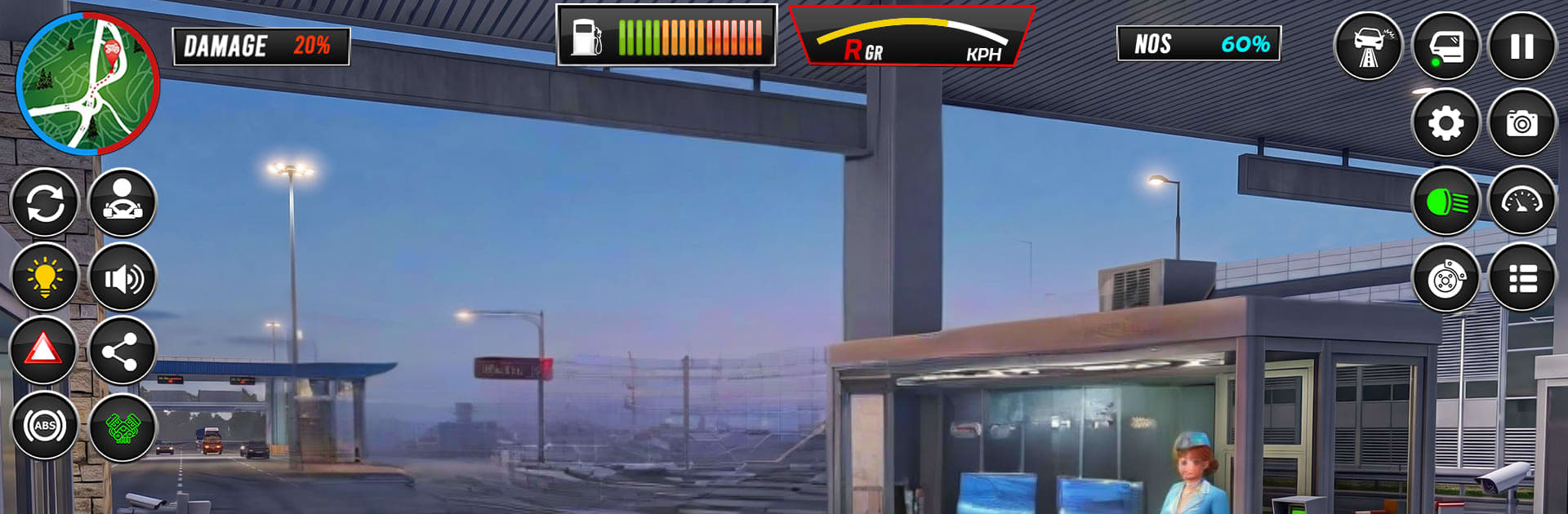
City Coach Bus Driving Game 3D puts you behind the wheel of a full-size coach and asks you to act like a real driver—watch the road, keep your passengers happy, and get everyone where they need to go. It leans into Role Playing by letting you build a driver’s routine across city streets and rougher routes, with small choices that add up: which view to use, how cautiously to brake, when to overtake. Prefer a bigger screen? It also runs nicely on BlueStacks.

Game Features

  • Two Modes, Ten Missions: Tackle City Mode and Career Mode, each with five handcrafted levels that ramp up from simple commutes to trickier, time-pressured routes.
  • City Streets and Offroad Hills: Navigate busy intersections one moment, then handle winding uphill tracks the next for a nice mix of smooth roads and bumpy challenges.
  • Passenger Pickups Done Right: Stop at marked stations, board everyone safely, and deliver them on schedule while avoiding fender benders.
  • Fun Checkpoints and Rewards: Hit special checkpoints with hearts, petals, and cash rewards that nudge you to drive cleanly and explore side paths.
  • Realistic Driving Tools: Buckle up, flip on headlights, shift gears, and control music—all through intuitive on-screen buttons that keep your focus on the road.
  • Multiple Camera Angles: Swap views on the fly, including a 360° camera that helps with tight turns, parking, and narrow streets.
  • Smooth Physics and Engine Sounds: Feel the bus’s weight in corners and hear convincing engine audio that sells the sense of scale.
  • Garage and Customization: Choose between two buses and personalize them with skins and sticker options to match your style.
  • Control Styles for Every Driver: Use a steering wheel, on-screen buttons, or tilt controls—switch to whatever feels most natural.
  • Detailed Cockpit View: Check out polished interiors that make driving from the cabin feel grounded and believable.
  • Fully Playable Offline: Enjoy the full experience without needing a connection, whether you’re running quick stops or long routes.

Ready to top the leaderboard? We bet you do. Let precise controls and sharp visuals optimized on BlueStacks lead you to victory.

Game Features

Enhancements

  • Macros
  • Rerolling
  • Eco Mode
  • Multi Instance Sync
  • Enhancements
Macros

Macros

Focus more on the fun part of the game, skip the tedious aspects. Master City Coach Bus Driving Game 3D with Macros. Record yourself completing the monotonous tasks you wish to automate and replay them later with just one keypress.
Rerolling

Rerolling

Speed up the rerolling process in City Coach Bus Driving Game 3D. Perform multiple summons and keep looking for the best Heroes. Use Multi-Instance sync to replicate the rerolling mechanism in all instances.
Eco Mode

Eco Mode

Farm in-game resources with ease in City Coach Bus Driving Game 3D. Enable the Eco Mode when running the game in multiple instances. And lower your PC's resource consumption.
Multi Instance Sync

Multi Instance Sync

With the Multi-instance Sync, you can do even more in City Coach Bus Driving Game 3D. Sync the action of the main instance and repeat them in real time for all other instances. Sync and sit back, let the game progress unfold.
Read More

How to Download and Play City Coach Bus Driving Game 3D on PC or Mac

  • Download and install BlueStacks on your PC or Mac

  • Complete Google sign-in to access the Play Store, or do it later

  • Look for City Coach Bus Driving Game 3D in the search bar at the top right corner

  • Click to install City Coach Bus Driving Game 3D from the search results

  • Complete Google sign-in (if you skipped step 2) to install City Coach Bus Driving Game 3D

  • Click the City Coach Bus Driving Game 3D icon on the home screen to start playing

video
Watch Video

Minimum System Requirements

With BlueStacks 5, you can get started on a PC that fulfills the following requirements.

  • Operating System

    Microsoft Windows 7 or above, macOS 11 (Big Sur) or above

  • Processor

    Intel, AMD or Apple Silicon Processor

  • RAM

    at least 4GB

  • HDD

    10GB Free Disk Space

Note:

* You must be an Administrator on your PC. Up to date graphics drivers from Microsoft or the chipset vendor.

City Coach Bus Driving Game 3D - FAQs

  • How to play City Coach Bus Driving Game 3D on Windows PC & Mac?

    Play City Coach Bus Driving Game 3D on your PC or Mac by following these simple steps.

    • Click on 'Play City Coach Bus Driving Game 3D on PC’ to download BlueStacks
    • Install it and log-in to Google Play Store
    • Launch and play the game.
  • Why is BlueStacks the fastest and safest platform to play games on PC?

    BlueStacks respects your privacy and is always safe and secure to use. It does not carry any malware, spyware, or any sort of additional software that could harm your PC.

    It is engineered to optimize speed and performance for a seamless gaming experience.

  • What are City Coach Bus Driving Game 3D PC requirements?

    Minimum requirement to run City Coach Bus Driving Game 3D on your PC

    • OS: Microsoft Windows 7 or above MacOS 11 (Big Sur) or above
    • Processor: Intel, AMD or Apple Silicon Processor
    • RAM: Your PC must have at least 4GB of RAM. (Note that having 4GB or more disk space is not a substitute for RAM)
    • HDD: 10GB Free Disk Space.
    • You must be an Administrator on your PC.