

Join millions to experience CNG Rickshaw Game TukTuk Auto, an exciting Role Playing game from Game Crock. With BlueStacks App Player, you are always a step ahead of your opponent, ready to outplay them with faster gameplay and better control with the mouse and keyboard on your PC or Mac.
About the Game
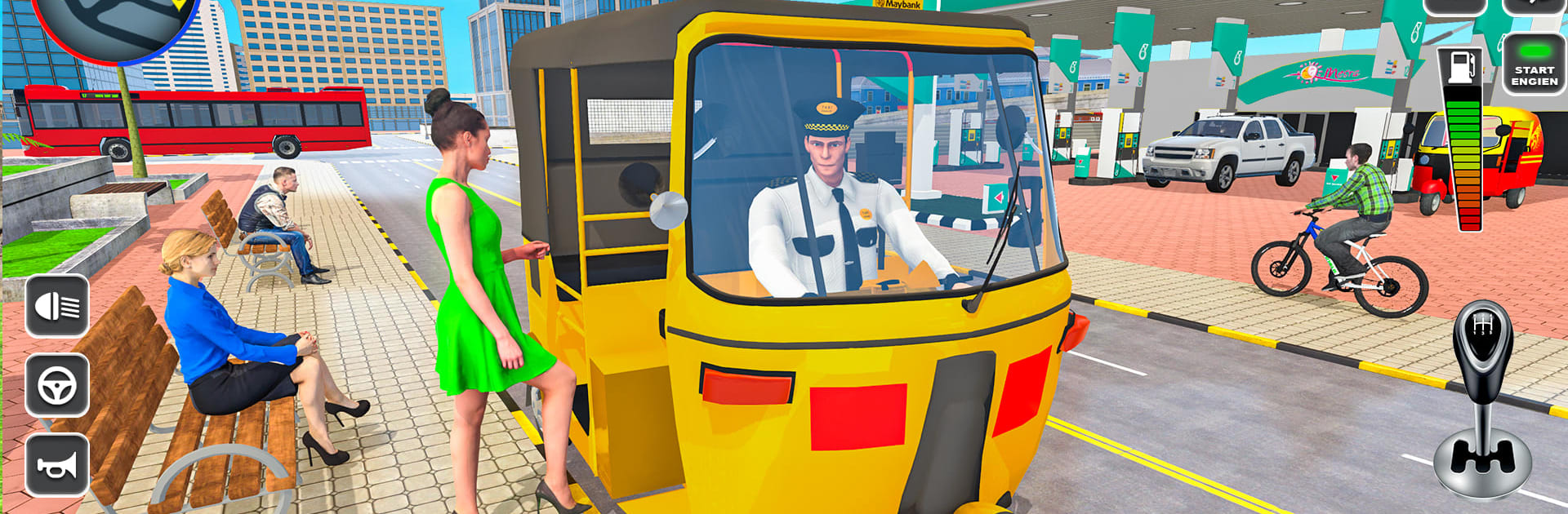
CNG Rickshaw Game TukTuk Auto puts you in the driver’s seat of a busy three-wheeler, bouncing between crowded streets, rural paths, and a few rough shortcuts when you need them. It’s a Role Playing take on everyday transport: pick up riders, master tight turns, and learn to park like a pro. Made by Game Crock, it’s easy to jump into on mobile, and it also feels great with smoother inputs when you run it on PC using BlueStacks.
Game Features
- Pick & Drop Career: Take fares from bus terminals, markets, and village stops, then get everyone where they need to go. Earn rewards for clean driving and smart routes.
- Parking School Mode: Tackle obstacle courses designed to teach real rickshaw rules. Clip a cone or bump an object and you’ll restart—nail the precision to move on.
- City, Village, and Offroad Routes: Shift from tight urban lanes to open highways and bumpy dirt tracks. Each area asks for different pacing and throttle control.
- Multiple Control Setups: Drive your way with tilt, buttons, or an on-screen wheel. Adjust sensitivity until it feels just right.
- Lively Traffic Runs: Thread through buses and cars, time your brakes, and manage gaps. Quick sprints test your reflexes without feeling chaotic.
- Unlock New Rickshaws: Use your earnings to grab fresh CNG autos and show a little style while you’re at it.
- Smooth Handling and Clear Visuals: Responsive steering and clean 3D environments keep everything readable, from curb edges to tight alleyways.
- Offline Friendly: No Wi-Fi? No problem. Short missions and quick retries make it easy to play on the go.
Ready to top the leaderboard? We bet you do. Let precise controls and sharp visuals optimized on BlueStacks lead you to victory.