Cold War Z RPG
Cold War Z RPG

Cold War Z RPG

Role Playing

| Creauctopus

Play on PC with BlueStacks or from our cloud

  • Overview
  • Game Features
  • How to Play

Page Modified On: May 11, 2026

Play Cold War Z RPG on PC or Mac

Bring your A-game to Cold War Z RPG, the Role Playing game sensation from Creauctopus. Give your gameplay the much-needed boost with precise game controls, high FPS graphics, and top-tier features on your PC or Mac with BlueStacks.

About the Game

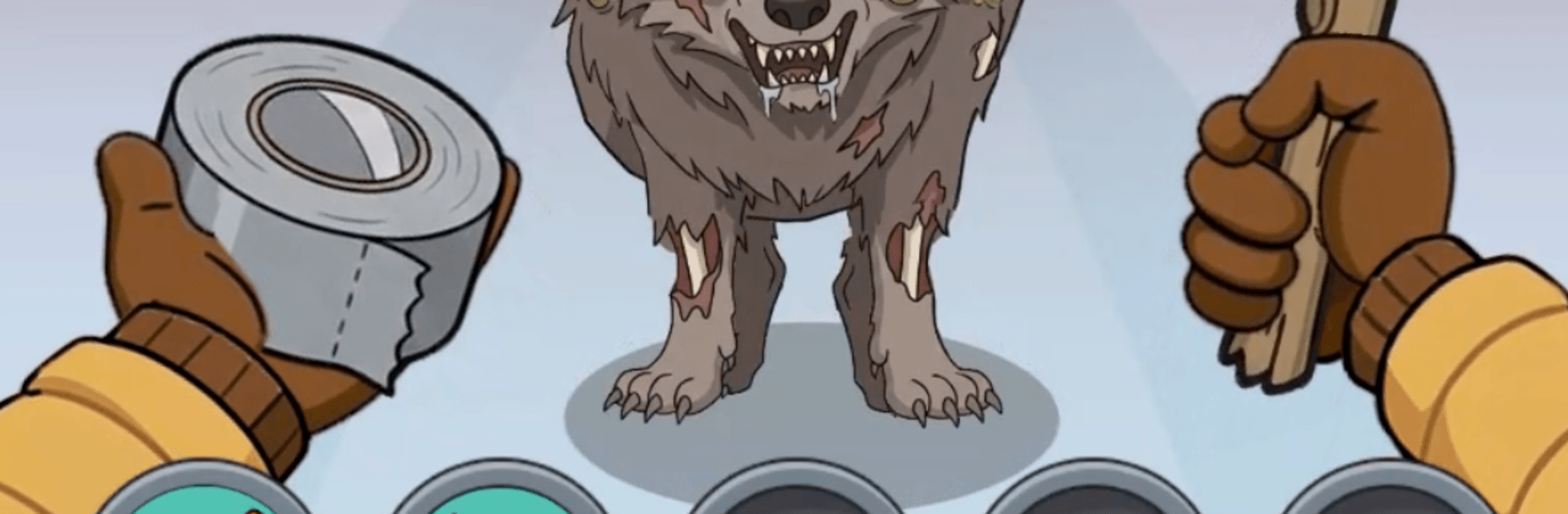
Cold War Z RPG drops you into a ruined world where the Cold War never cooled—everything went sideways. It’s grim, tense, and strangely addictive: part survival story, part idle battler, all about the choices you make when things get ugly. Expect branching routes, tough calls, and a combat system that keeps grinding even when you’re off doing real-life stuff.

Built by Creauctopus, this Role Playing experience mixes quick decisions with long-term planning. You’ll tinker with gear, pick your battles, and decide who walks away when supplies run short. Prefer playing on PC? It feels great on BlueStacks too.

Game Features

  • Branching Routes: Pick your path through derelict cities, bunkers, and no-go zones. Each route throws different encounters—undead swarms, mutant ambushes, wary survivors, or a stash that might change your run.
  • Consequences, Not Just Choices: Help, trade, bluff, or rob the people you meet. Your behavior reshapes your progress, your rewards, and how the world reacts to you down the line.
  • Idle Combat With Teeth: Battles play out automatically, but timing your skills matters. Set smart priorities, jump in for clutch activations, and keep earning while you’re offline.
  • Build Your Survivor: Weapons, armor, and artifacts come with meaningful stats and rarities. Chase crits, stack defense, or craft a glass-cannon monster—then fine-tune for bosses, long hauls, or general PvE.
  • Enemies With Attitude: Zombies, twisted mutants, and rival scavengers all pressure you differently. Learn patterns, swap loadouts, and adapt or get buried.
  • Loot, Trade, Optimize: Crack open crates, barter with NPCs, and juggle inventory math to squeeze out every last bit of power. Bigger risks can mean absurdly good finds.
  • Atmosphere That Sticks: A bleak, post-war wasteland with constant tension, high stakes, and that “one more run” pull.
  • Progress Anywhere: Offline gains, boss encounters, and a deep stat system designed for both quick sessions and marathon theorycrafting.

Start your journey now. Download the game on BlueStacks, invite your friends, and march on a new adventure.


Game Features

Enhancements

  • Macros
  • Rerolling
  • Eco Mode
  • Multi Instance Sync
  • Enhancements
Macros

Macros

Focus more on the fun part of the game, skip the tedious aspects. Master Cold War Z RPG with Macros. Record yourself completing the monotonous tasks you wish to automate and replay them later with just one keypress.
Rerolling

Rerolling

Speed up the rerolling process in Cold War Z RPG. Perform multiple summons and keep looking for the best Heroes. Use Multi-Instance sync to replicate the rerolling mechanism in all instances.
Eco Mode

Eco Mode

Farm in-game resources with ease in Cold War Z RPG. Enable the Eco Mode when running the game in multiple instances. And lower your PC's resource consumption.
Multi Instance Sync

Multi Instance Sync

With the Multi-instance Sync, you can do even more in Cold War Z RPG. Sync the action of the main instance and repeat them in real time for all other instances. Sync and sit back, let the game progress unfold.
Read More

How to Download and Play Cold War Z RPG on PC or Mac

  • Download and install BlueStacks on your PC or Mac

  • Complete Google sign-in to access the Play Store, or do it later

  • Look for Cold War Z RPG in the search bar at the top right corner

  • Click to install Cold War Z RPG from the search results

  • Complete Google sign-in (if you skipped step 2) to install Cold War Z RPG

  • Click the Cold War Z RPG icon on the home screen to start playing

video
Watch Video

Minimum System Requirements

With BlueStacks 5, you can get started on a PC that fulfills the following requirements.

  • Operating System

    Microsoft Windows 7 or above, macOS 11 (Big Sur) or above

  • Processor

    Intel, AMD or Apple Silicon Processor

  • RAM

    at least 4GB

  • HDD

    10GB Free Disk Space

Note:

* You must be an Administrator on your PC. Up to date graphics drivers from Microsoft or the chipset vendor.

Cold War Z RPG - FAQs

  • How to play Cold War Z RPG on Windows PC & Mac?

    Play Cold War Z RPG on your PC or Mac by following these simple steps.

    • Click on 'Play Cold War Z RPG on PC’ to download BlueStacks
    • Install it and log-in to Google Play Store
    • Launch and play the game.
  • Why is BlueStacks the fastest and safest platform to play games on PC?

    BlueStacks respects your privacy and is always safe and secure to use. It does not carry any malware, spyware, or any sort of additional software that could harm your PC.

    It is engineered to optimize speed and performance for a seamless gaming experience.

  • What are Cold War Z RPG PC requirements?

    Minimum requirement to run Cold War Z RPG on your PC

    • OS: Microsoft Windows 7 or above MacOS 11 (Big Sur) or above
    • Processor: Intel, AMD or Apple Silicon Processor
    • RAM: Your PC must have at least 4GB of RAM. (Note that having 4GB or more disk space is not a substitute for RAM)
    • HDD: 10GB Free Disk Space.
    • You must be an Administrator on your PC.