Crazy Taxi Driver Game

Crazy Taxi Driver Game

Role Playing

| Pentabit Games

Play on PC with BlueStacks or from our cloud

  • Overview
  • Game Features
  • How to Play

Page Modified On: June 02, 2026

Play Crazy Taxi Driver Game on PC or Mac

Bring your A-game to Crazy Taxi Driver Game, the Role Playing game sensation from Pentabit Games. Give your gameplay the much-needed boost with precise game controls, high FPS graphics, and top-tier features on your PC or Mac with BlueStacks.

About the Game

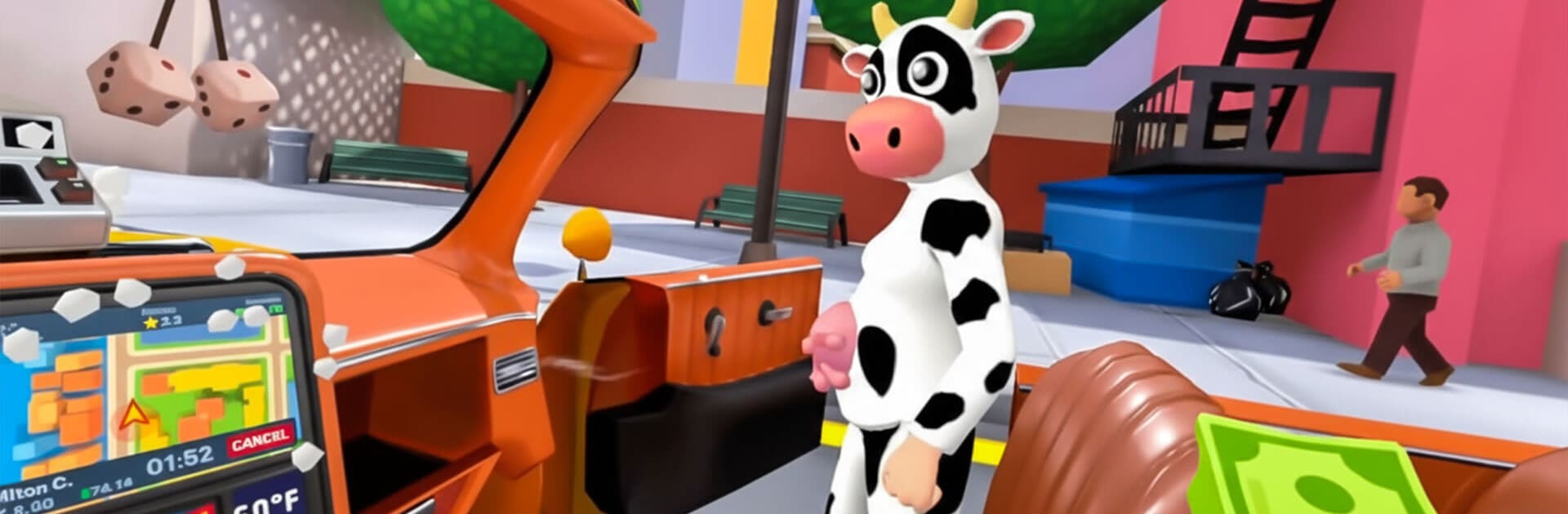
Crazy Taxi Driver Game flips the usual cab sim on its head. You’re the driver, but the real show happens in the back seat—where rowdy riders, awkward chats, and slapstick physics turn every fare into a tiny story. It’s Role Playing with a steering wheel, and it feels right at home on your phone or on a bigger screen with BlueStacks.

Game Features

  • Hands-free cruising: Let the car handle the road so you can zero in on your passengers and whatever chaos they’re cooking up.
  • Back-seat control panel: Talk things out, crack a joke, nudge a reaction, soothe a meltdown, or just sit back and watch the drama unfold.
  • Cash in, kit out: Earn money from each trip and spend it on fun gadgets and upgrades. Wash the cab, stock up on tools, and be ready for curveballs.
  • Physics-powered shenanigans: Passengers wobble, flail, dance, argue, and interact with the car in ridiculous, ragdoll-y ways that never get old.
  • Odd jobs and weirder asks: Expect bizarre requests, goofy mini-tasks, and the occasional gross-out moment that keeps every ride fresh.
  • You set the vibe: Be the calm pro, the sarcastic instigator, or the quiet observer—how you handle people changes how the ride plays out.
  • Cartoon chaos, not sim grit: It’s colorful, silly, and proudly over-the-top. Precision driving takes a back seat to big laughs and unpredictable moments.

Start playing Crazy Taxi Driver Game on BlueStacks and get a smoother, more comfortable PC or Mac setup.


Game Features

Enhancements

  • Macros
  • Rerolling
  • Eco Mode
  • Multi Instance Sync
  • Enhancements
Macros

Macros

Focus more on the fun part of the game, skip the tedious aspects. Master Crazy Taxi Driver Game with Macros. Record yourself completing the monotonous tasks you wish to automate and replay them later with just one keypress.
Rerolling

Rerolling

Speed up the rerolling process in Crazy Taxi Driver Game. Perform multiple summons and keep looking for the best Heroes. Use Multi-Instance sync to replicate the rerolling mechanism in all instances.
Eco Mode

Eco Mode

Farm in-game resources with ease in Crazy Taxi Driver Game. Enable the Eco Mode when running the game in multiple instances. And lower your PC's resource consumption.
Multi Instance Sync

Multi Instance Sync

With the Multi-instance Sync, you can do even more in Crazy Taxi Driver Game. Sync the action of the main instance and repeat them in real time for all other instances. Sync and sit back, let the game progress unfold.
Read More

How to Download and Play Crazy Taxi Driver Game on PC or Mac

  • Download and install BlueStacks on your PC or Mac

  • Complete Google sign-in to access the Play Store, or do it later

  • Look for Crazy Taxi Driver Game in the search bar at the top right corner

  • Click to install Crazy Taxi Driver Game from the search results

  • Complete Google sign-in (if you skipped step 2) to install Crazy Taxi Driver Game

  • Click the Crazy Taxi Driver Game icon on the home screen to start playing

video
Watch Video

Minimum System Requirements

With BlueStacks 5, you can get started on a PC that fulfills the following requirements.

  • Operating System

    Microsoft Windows 7 or above, macOS 11 (Big Sur) or above

  • Processor

    Intel, AMD or Apple Silicon Processor

  • RAM

    at least 4GB

  • HDD

    10GB Free Disk Space

Note:

* You must be an Administrator on your PC. Up to date graphics drivers from Microsoft or the chipset vendor.

Crazy Taxi Driver Game - FAQs

  • How to play Crazy Taxi Driver Game on Windows PC & Mac?

    Play Crazy Taxi Driver Game on your PC or Mac by following these simple steps.

    • Click on 'Play Crazy Taxi Driver Game on PC’ to download BlueStacks
    • Install it and log-in to Google Play Store
    • Launch and play the game.
  • Why is BlueStacks the fastest and safest platform to play games on PC?

    BlueStacks respects your privacy and is always safe and secure to use. It does not carry any malware, spyware, or any sort of additional software that could harm your PC.

    It is engineered to optimize speed and performance for a seamless gaming experience.

  • What are Crazy Taxi Driver Game PC requirements?

    Minimum requirement to run Crazy Taxi Driver Game on your PC

    • OS: Microsoft Windows 7 or above MacOS 11 (Big Sur) or above
    • Processor: Intel, AMD or Apple Silicon Processor
    • RAM: Your PC must have at least 4GB of RAM. (Note that having 4GB or more disk space is not a substitute for RAM)
    • HDD: 10GB Free Disk Space.
    • You must be an Administrator on your PC.