Rider Food Delivery Simulator

Rider Food Delivery Simulator

Strategy

| Fun Drive Games

Play on PC with BlueStacks or from our cloud

  • Overview
  • Game Features
  • How to Play

Page Modified On: April 21, 2026

Play Rider Food Delivery Simulator on PC or Mac

From the innovators and creators at Fun Drive Games, Rider Food Delivery Simulator is another fun addition to the World of Strategy games. Go beyond your mobile screen and play it bigger and better on your PC or Mac. An immersive experience awaits you.

About the Game

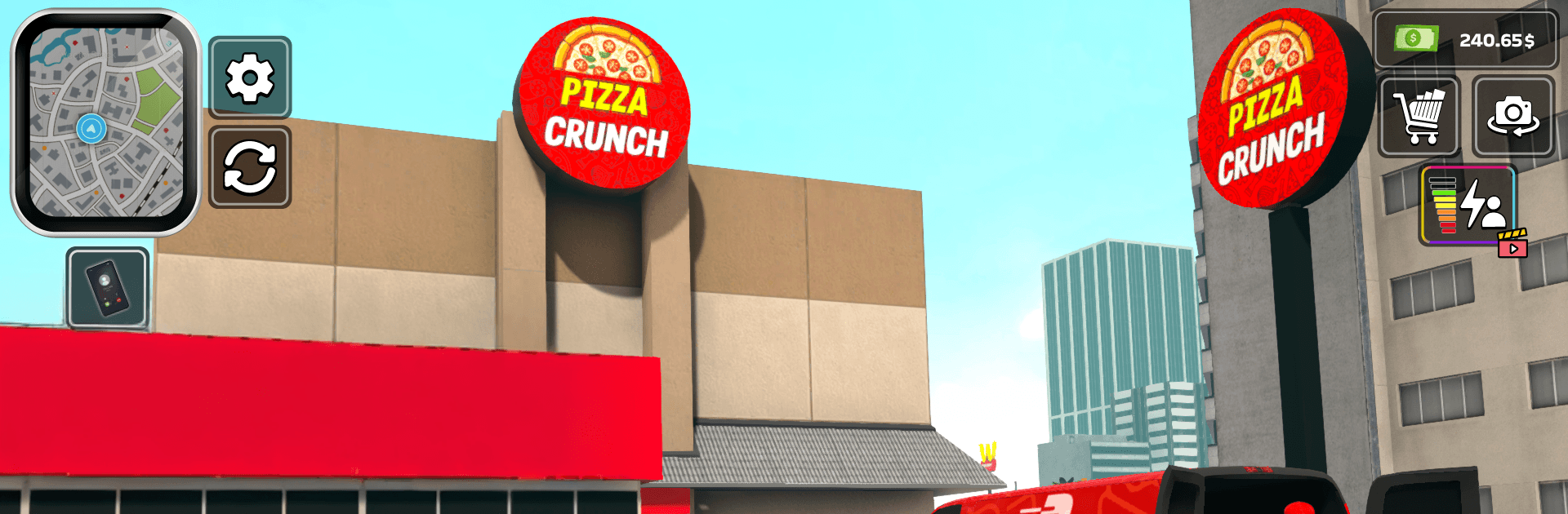
Rider Food Delivery Simulator from Fun Drive Games blends fast riding with smart, time-sensitive decisions. As a city courier on two wheels, you’ll juggle traffic, tight timers, and hungry customers while plotting the quickest way from restaurant to doorstep. It’s a Strategy take on delivery games with a simulation feel—and if you like playing on PC, it runs smoothly on BlueStacks too.

Game Features

  • Smart route planning: Choose streets and shortcuts on the fly to beat the clock and avoid gridlock. Every second you save means happier customers and better payouts.
  • Real city traffic: Navigate busy avenues, lights, and sudden slowdowns. Keep your eyes up and ride clean to stay on schedule.
  • Pickups and drop-offs: Accept orders, swing by restaurants, and hand off meals while they’re still hot. Missed turns or late arrivals can cost you.
  • Bikes and tuning: Unlock new rides and upgrade speed, handling, and brakes for a smoother, faster delivery flow—great for fans of bike games.
  • Offline anytime: No Wi‑Fi? No problem. Take on missions wherever you are and keep the deliveries rolling.
  • Earn and progress: Complete runs to stack rewards, then tackle tougher routes and tighter deadlines as your skills grow.
  • Responsive controls: Intuitive handling makes weaving through traffic feel natural, whether you’re a simulation games fan or just want quick, satisfying runs.
  • Free to play: Jump in without spending a dime and chip away at objectives at your own pace—perfect for quick sessions or longer grinds.
  • Food delivery focus: From order pickup to doorstep drop, the core loop is all about speed, timing, and that authentic food games vibe.

Slay your opponents with your epic moves. Play it your way on BlueStacks and dominate the battlefield.


Game Features

Enhancements

  • Macros
  • Multi Instance
  • Multi Instance Sync
  • Eco Mode
  • Enhancements
Macros

Macros

Skip the boring parts of a game. Play Rider Food Delivery Simulator with Macros and get the edge. Simply record a sequence of commands and execute them at any moment.
Multi Instance

Multi Instance

Why limit to one game on your phone when you can play many on your PC? Open multiple instances of Rider Food Delivery Simulator at once with Multi-Instance. Leverage the power of different accounts by doing more.
Multi Instance Sync

Multi Instance Sync

Get the best out of Rider Food Delivery Simulator with Multi-Instance Sync. Play the game from different accounts and build your own empire. Use Multi-instance sync to repeat the action in the main BlueStacks instance on all other instances.
Eco Mode

Eco Mode

Find the rarest heroes by making multiple summons in Rider Food Delivery Simulator. And while you are at it, reduce your PC’s resource consumption with the Eco Mode. Farm efficiently. Get the best results.
Read More

How to Download and Play Rider Food Delivery Simulator on PC or Mac

  • Download and install BlueStacks on your PC or Mac

  • Complete Google sign-in to access the Play Store, or do it later

  • Look for Rider Food Delivery Simulator in the search bar at the top right corner

  • Click to install Rider Food Delivery Simulator from the search results

  • Complete Google sign-in (if you skipped step 2) to install Rider Food Delivery Simulator

  • Click the Rider Food Delivery Simulator icon on the home screen to start playing

video
Watch Video

Minimum System Requirements

With BlueStacks 5, you can get started on a PC that fulfills the following requirements.

  • Operating System

    Microsoft Windows 7 or above, macOS 11 (Big Sur) or above

  • Processor

    Intel, AMD or Apple Silicon Processor

  • RAM

    at least 4GB

  • HDD

    10GB Free Disk Space

Note:

* You must be an Administrator on your PC. Up to date graphics drivers from Microsoft or the chipset vendor.

Rider Food Delivery Simulator - FAQs

  • How to play Rider Food Delivery Simulator on Windows PC & Mac?

    Play Rider Food Delivery Simulator on your PC or Mac by following these simple steps.

    • Click on 'Play Rider Food Delivery Simulator on PC’ to download BlueStacks
    • Install it and log-in to Google Play Store
    • Launch and play the game.
  • Why is BlueStacks the fastest and safest platform to play games on PC?

    BlueStacks respects your privacy and is always safe and secure to use. It does not carry any malware, spyware, or any sort of additional software that could harm your PC.

    It is engineered to optimize speed and performance for a seamless gaming experience.

  • What are Rider Food Delivery Simulator PC requirements?

    Minimum requirement to run Rider Food Delivery Simulator on your PC

    • OS: Microsoft Windows 7 or above MacOS 11 (Big Sur) or above
    • Processor: Intel, AMD or Apple Silicon Processor
    • RAM: Your PC must have at least 4GB of RAM. (Note that having 4GB or more disk space is not a substitute for RAM)
    • HDD: 10GB Free Disk Space.
    • You must be an Administrator on your PC.