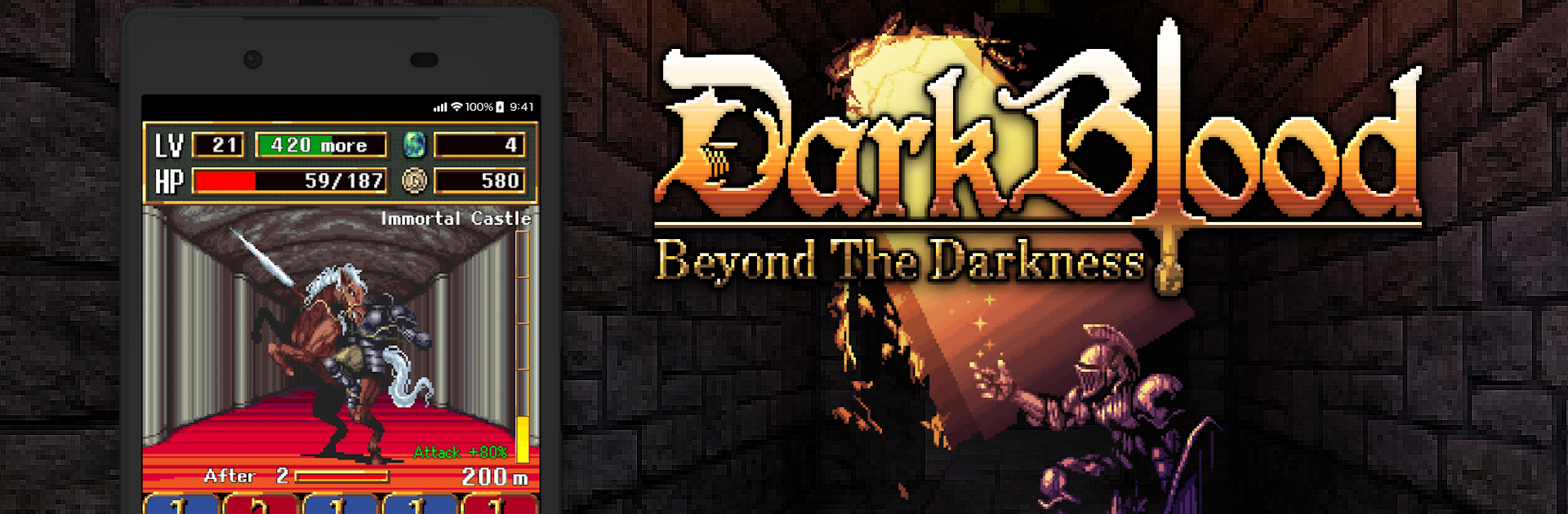
DarkBlood -Beyond the Darkness

DarkBlood -Beyond the Darkness

Role Playing

| トイハウス(合同会社あそびるど)

Play on PC with BlueStacks or from our cloud

  • Overview
  • Game Features
  • How to Play

Page Modified On: December 05, 2025

Play DarkBlood -Beyond the Darkness on PC or Mac

From the innovators and creators at トイハウス(合同会社あそびるど), DarkBlood -Beyond the Darkness is another fun addition to the World of Role Playing games. Go beyond your mobile screen and play it bigger and better on your PC or Mac. An immersive experience awaits you.

DarkBlood -Beyond the Darkness is a grim little dungeon crawler where an immortal guy with demon king blood gets tossed into a maze full of monsters, traps, and treasure that might bite back. It plays like a mix of card tactics and classic roguelike caution. Every fight is about picking the right card at the right time, then pumping those cards up so the next room does not eat them alive. The dungeon is not just enemies either. There are hidden traps, sketchy corpses on the floor, and treasure chests that may be bad news until they are properly checked. It rewards paying attention more than brute force.

What stands out is how many ways there are to build a run. Weapons change which skills are available, and there are tons of accessories and items that nudge a strategy into place. Go heavy with a warrior style and stack raw hits, go all-in on magic and control the field, or go martial artist with fast hands and clean setups. Enemies are varied, over two hundred of them, and many have quirky attacks that punish careless moves, so fights feel like small puzzles rather than button mash. The chunky pixel art has that handmade look, detailed but readable, and gear upgrades keep progress feeling steady without becoming busywork. On PC with BlueStacks, clicking through card choices and hotkeying skills feels smooth, and it is nice not wrestling with touch when the game asks for quick, precise choices. It is tough in spots, fair most of the time, and very much about learning how the dungeon cheats and turning it back on it.

Start your journey now. Download the game on BlueStacks, invite your friends, and march on a new adventure.


Game Features

Enhancements

  • Macros
  • Rerolling
  • Eco Mode
  • Multi Instance Sync
  • Enhancements
Macros

Macros

Focus more on the fun part of the game, skip the tedious aspects. Master DarkBlood -Beyond the Darkness with Macros. Record yourself completing the monotonous tasks you wish to automate and replay them later with just one keypress.
Rerolling

Rerolling

Speed up the rerolling process in DarkBlood -Beyond the Darkness. Perform multiple summons and keep looking for the best Heroes. Use Multi-Instance sync to replicate the rerolling mechanism in all instances.
Eco Mode

Eco Mode

Farm in-game resources with ease in DarkBlood -Beyond the Darkness. Enable the Eco Mode when running the game in multiple instances. And lower your PC's resource consumption.
Multi Instance Sync

Multi Instance Sync

With the Multi-instance Sync, you can do even more in DarkBlood -Beyond the Darkness. Sync the action of the main instance and repeat them in real time for all other instances. Sync and sit back, let the game progress unfold.
Read More

How to Download and Play DarkBlood -Beyond the Darkness on PC or Mac

  • Download and install BlueStacks on your PC or Mac

  • Complete Google sign-in to access the Play Store, or do it later

  • Look for DarkBlood -Beyond the Darkness in the search bar at the top right corner

  • Click to install DarkBlood -Beyond the Darkness from the search results

  • Complete Google sign-in (if you skipped step 2) to install DarkBlood -Beyond the Darkness

  • Click the DarkBlood -Beyond the Darkness icon on the home screen to start playing

video
Watch Video

Minimum System Requirements

With BlueStacks 5, you can get started on a PC that fulfills the following requirements.

  • Operating System

    Microsoft Windows 7 or above, macOS 11 (Big Sur) or above

  • Processor

    Intel, AMD or Apple Silicon Processor

  • RAM

    at least 4GB

  • HDD

    10GB Free Disk Space

Note:

* You must be an Administrator on your PC. Up to date graphics drivers from Microsoft or the chipset vendor.

DarkBlood -Beyond the Darkness - FAQs

  • How to play DarkBlood -Beyond the Darkness on Windows PC & Mac?

    Play DarkBlood -Beyond the Darkness on your PC or Mac by following these simple steps.

    • Click on 'Play DarkBlood -Beyond the Darkness on PC’ to download BlueStacks
    • Install it and log-in to Google Play Store
    • Launch and play the game.
  • Why is BlueStacks the fastest and safest platform to play games on PC?

    BlueStacks respects your privacy and is always safe and secure to use. It does not carry any malware, spyware, or any sort of additional software that could harm your PC.

    It is engineered to optimize speed and performance for a seamless gaming experience.

  • What are DarkBlood -Beyond the Darkness PC requirements?

    Minimum requirement to run DarkBlood -Beyond the Darkness on your PC

    • OS: Microsoft Windows 7 or above MacOS 11 (Big Sur) or above
    • Processor: Intel, AMD or Apple Silicon Processor
    • RAM: Your PC must have at least 4GB of RAM. (Note that having 4GB or more disk space is not a substitute for RAM)
    • HDD: 10GB Free Disk Space.
    • You must be an Administrator on your PC.