DragonXestra ブラッドオブ勇者モモタロウ

DragonXestra ブラッドオブ勇者モモタロウ

Role Playing

| iAiran

Play on PC with BlueStacks or from our cloud

  • Overview
  • Game Features
  • How to Play

Page Modified On: October 22, 2026

Play DragonXestra ブラッドオブ勇者モモタロウ on PC or Mac

Step into the World of DragonXestra ブラッドオブ勇者モモタロウ, a thrilling Role Playing game from the house of iAiran. Play this Android game on BlueStacks App Player and experience immersive gaming on PC or Mac.

About the Game

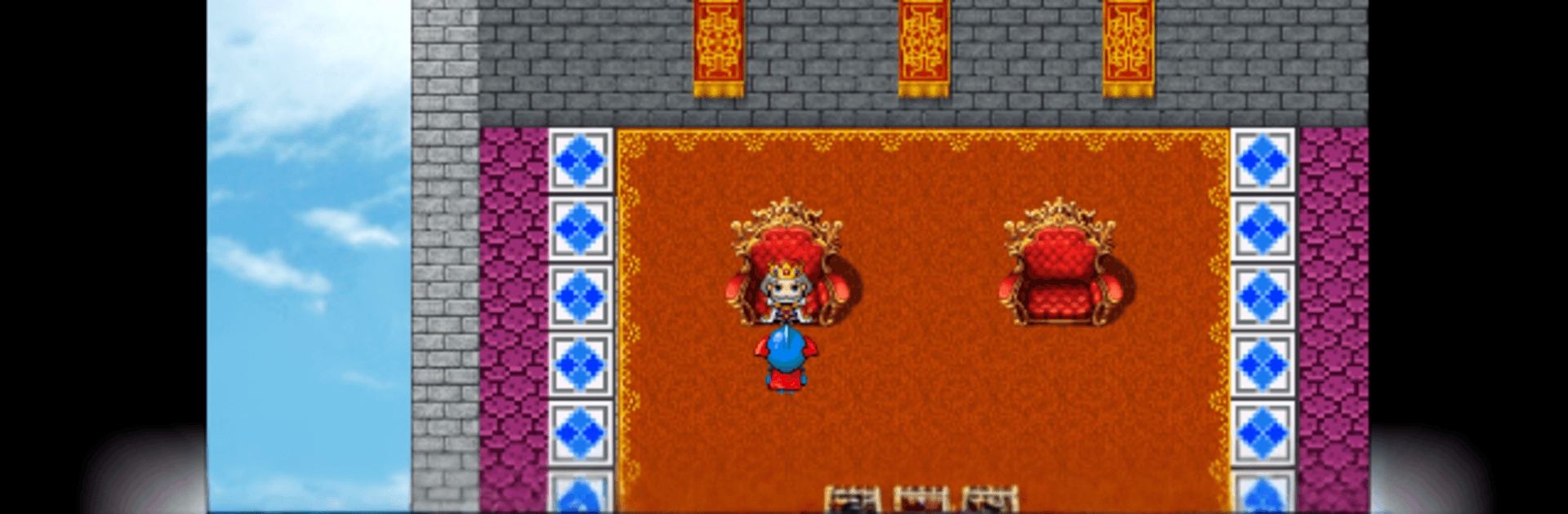
DragonXestra ブラッドオブ勇者モモタロウ is a Role Playing adventure inspired by the Momotarou legend. You play as a hero born from that bloodline, summoned by a king to bring down a menacing “champion” and uncover what’s really threatening the realm. Expect a story-first journey with exploration, clues to untangle, and battles that feel better as your hero grows. If you like playing on a larger screen, it also feels right at home with BlueStacks.

Game Features

  • Folklore-fueled story: Carry the legacy of Momotarou as you answer the king’s call and chase a formidable foe through a troubled kingdom.
  • Questing with puzzles: Follow leads, read the signs, and connect the dots—little mysteries pop up as you push the main quest forward.
  • Steady character growth: Earn experience, learn new tricks, and outfit your hero so each fight feels more manageable than the last.
  • Tense encounters: Square off against hard-hitting enemies and boss-style battles that reward smart planning and careful resource use.
  • Exploration that rewards curiosity: Poke around towns, paths, and dungeons to uncover hints, useful items, and short story beats.
  • Clean, classic vibe: Straightforward systems keep things approachable, letting the narrative and world-building take center stage.
  • Play your way: Prefer a bigger screen and comfy controls? Running it with BlueStacks is an easy, smooth option.

Get ready for a buttery smooth, high-performance gaming action only on BlueStacks.

Game Features

Enhancements

  • Macros
  • Rerolling
  • Eco Mode
  • Multi Instance Sync
  • Enhancements
Macros

Macros

Focus more on the fun part of the game, skip the tedious aspects. Master DragonXestra ブラッドオブ勇者モモタロウ with Macros. Record yourself completing the monotonous tasks you wish to automate and replay them later with just one keypress.
Rerolling

Rerolling

Speed up the rerolling process in DragonXestra ブラッドオブ勇者モモタロウ. Perform multiple summons and keep looking for the best Heroes. Use Multi-Instance sync to replicate the rerolling mechanism in all instances.
Eco Mode

Eco Mode

Farm in-game resources with ease in DragonXestra ブラッドオブ勇者モモタロウ. Enable the Eco Mode when running the game in multiple instances. And lower your PC's resource consumption.
Multi Instance Sync

Multi Instance Sync

With the Multi-instance Sync, you can do even more in DragonXestra ブラッドオブ勇者モモタロウ. Sync the action of the main instance and repeat them in real time for all other instances. Sync and sit back, let the game progress unfold.
Read More

How to Download and Play DragonXestra ブラッドオブ勇者モモタロウ on PC or Mac

  • Download and install BlueStacks on your PC or Mac

  • Complete Google sign-in to access the Play Store, or do it later

  • Look for DragonXestra ブラッドオブ勇者モモタロウ in the search bar at the top right corner

  • Click to install DragonXestra ブラッドオブ勇者モモタロウ from the search results

  • Complete Google sign-in (if you skipped step 2) to install DragonXestra ブラッドオブ勇者モモタロウ

  • Click the DragonXestra ブラッドオブ勇者モモタロウ icon on the home screen to start playing

video
Watch Video

Minimum System Requirements

With BlueStacks 5, you can get started on a PC that fulfills the following requirements.

  • Operating System

    Microsoft Windows 7 or above, macOS 11 (Big Sur) or above

  • Processor

    Intel, AMD or Apple Silicon Processor

  • RAM

    at least 4GB

  • HDD

    10GB Free Disk Space

Note:

* You must be an Administrator on your PC. Up to date graphics drivers from Microsoft or the chipset vendor.

DragonXestra ブラッドオブ勇者モモタロウ - FAQs

  • How to play DragonXestra ブラッドオブ勇者モモタロウ on Windows PC & Mac?

    Play DragonXestra ブラッドオブ勇者モモタロウ on your PC or Mac by following these simple steps.

    • Click on 'Play DragonXestra ブラッドオブ勇者モモタロウ on PC’ to download BlueStacks
    • Install it and log-in to Google Play Store
    • Launch and play the game.
  • Why is BlueStacks the fastest and safest platform to play games on PC?

    BlueStacks respects your privacy and is always safe and secure to use. It does not carry any malware, spyware, or any sort of additional software that could harm your PC.

    It is engineered to optimize speed and performance for a seamless gaming experience.

  • What are DragonXestra ブラッドオブ勇者モモタロウ PC requirements?

    Minimum requirement to run DragonXestra ブラッドオブ勇者モモタロウ on your PC

    • OS: Microsoft Windows 7 or above MacOS 11 (Big Sur) or above
    • Processor: Intel, AMD or Apple Silicon Processor
    • RAM: Your PC must have at least 4GB of RAM. (Note that having 4GB or more disk space is not a substitute for RAM)
    • HDD: 10GB Free Disk Space.
    • You must be an Administrator on your PC.