
Dungeon Swipe
Dungeon Swipe

Dungeon Swipe

Role Playing

| Figmenthol

Play on PC with BlueStacks or from our cloud

  • Overview
  • Game Features
  • How to Play

Page Modified On: September 25, 2026

Play Dungeon Swipe on PC or Mac

Bring your A-game to Dungeon Swipe, the Role Playing game sensation from Figmenthol. Give your gameplay the much-needed boost with precise game controls, high FPS graphics, and top-tier features on your PC or Mac with BlueStacks.

About the Game

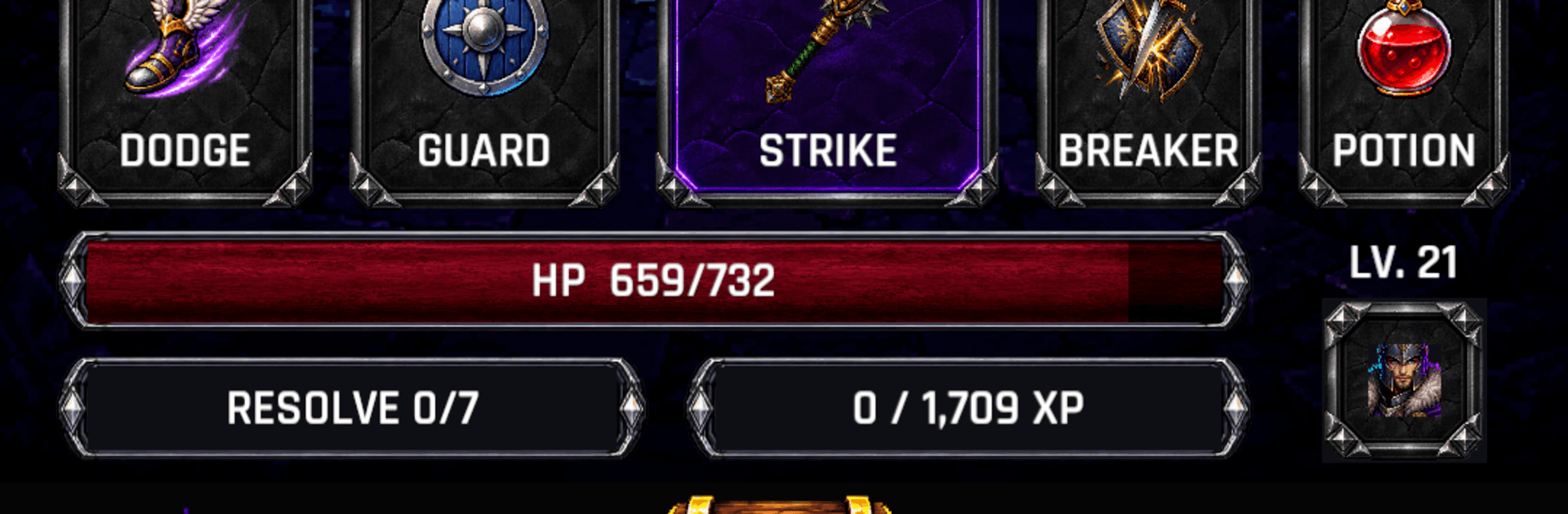
Dungeon Swipe is a Role Playing game that turns dungeon crawling into a quick, tactile rhythm: you swipe through a live feed of encounters, pick your battles, and react in the moment. Build a lean six-card deck, read enemy tells, then time blocks, dodges, and strikes to survive another floor. It’s easy to pick up, surprisingly deep, and just as comfortable in portrait as it is on a bigger screen with BlueStacks.

Game Features

  • Swipe-to-Explore: Scroll a continuous stream of rooms, enemies, chests, and surprises—stop on what looks worth the risk, skip what doesn’t, and chart your own route downward.
  • Snap-Tactical Decks: Collect up to 60 cards, then bring only six; open a three-card hand mid-fight to pause the action and choose your next move with total clarity.
  • Energy That Matters: Spend a shared resource on attacks, shields, heals, and high-impact Pacts—stack effects with your hero’s abilities for nasty combos.
  • Skillful Action Combat: Read attack warnings, time your guard, dodge the heavy hits, and chug a potion when needed; or flip on Auto and set how it handles skills, blocking, and items.
  • Ten Heroes, Ten Styles: Level distinct characters, pick abilities, and specialize around bleed, poison, fire, frost, crits, retaliation, or spectral allies.
  • Gear That Grows With You: Equip class-specific weapons and shared accessories, then enhance them with affixes, mastery, and expedition relics to round out your build.
  • Floors With Teeth: Descend through ten dungeons of ten floors each, solve light puzzles, crack chests, and prepare for guardians on -5 and big bosses on -10.
  • Risk-and-Resolve System: Spend Resolve to skip sketchy rooms; earn it back by winning fights, rewarding smart choices and confident play.
  • Know Your Build: Track discoveries in a Codex, recruit companions, and see exactly how each one boosts your setup—no guesswork.
  • Save and Revisit: Bookmark standout encounters and dungeon entrances so you can return later and experiment with new strategies.
  • Shared Encounters: See notes from other adventurers in the same rooms, like or reply, follow players, share tricky fights with friends, and message mutual followers.
  • Play Your Way: Enjoy clean portrait play on the go, or settle in on PC with BlueStacks for crisp visuals and precise clicks.

BlueStacks gives you more room to focus on the game and less time adjusting around mobile limitations.


Game Features

Enhancements

  • Macros
  • Rerolling
  • Eco Mode
  • Multi Instance Sync
  • Enhancements
Macros

Macros

Focus more on the fun part of the game, skip the tedious aspects. Master Dungeon Swipe with Macros. Record yourself completing the monotonous tasks you wish to automate and replay them later with just one keypress.
Rerolling

Rerolling

Speed up the rerolling process in Dungeon Swipe. Perform multiple summons and keep looking for the best Heroes. Use Multi-Instance sync to replicate the rerolling mechanism in all instances.
Eco Mode

Eco Mode

Farm in-game resources with ease in Dungeon Swipe. Enable the Eco Mode when running the game in multiple instances. And lower your PC's resource consumption.
Multi Instance Sync

Multi Instance Sync

With the Multi-instance Sync, you can do even more in Dungeon Swipe. Sync the action of the main instance and repeat them in real time for all other instances. Sync and sit back, let the game progress unfold.
Read More

How to Download and Play Dungeon Swipe on PC or Mac

  • Download and install BlueStacks on your PC or Mac

  • Complete Google sign-in to access the Play Store, or do it later

  • Look for Dungeon Swipe in the search bar at the top right corner

  • Click to install Dungeon Swipe from the search results

  • Complete Google sign-in (if you skipped step 2) to install Dungeon Swipe

  • Click the Dungeon Swipe icon on the home screen to start playing

video
Watch Video

Minimum System Requirements

With BlueStacks 5, you can get started on a PC that fulfills the following requirements.

  • Operating System

    Microsoft Windows 7 or above, macOS 11 (Big Sur) or above

  • Processor

    Intel, AMD or Apple Silicon Processor

  • RAM

    at least 4GB

  • HDD

    10GB Free Disk Space

Note:

* You must be an Administrator on your PC. Up to date graphics drivers from Microsoft or the chipset vendor.

Dungeon Swipe - FAQs

  • How to play Dungeon Swipe on Windows PC & Mac?

    Play Dungeon Swipe on your PC or Mac by following these simple steps.

    • Click on 'Play Dungeon Swipe on PC’ to download BlueStacks
    • Install it and log-in to Google Play Store
    • Launch and play the game.
  • Why is BlueStacks the fastest and safest platform to play games on PC?

    BlueStacks respects your privacy and is always safe and secure to use. It does not carry any malware, spyware, or any sort of additional software that could harm your PC.

    It is engineered to optimize speed and performance for a seamless gaming experience.

  • What are Dungeon Swipe PC requirements?

    Minimum requirement to run Dungeon Swipe on your PC

    • OS: Microsoft Windows 7 or above MacOS 11 (Big Sur) or above
    • Processor: Intel, AMD or Apple Silicon Processor
    • RAM: Your PC must have at least 4GB of RAM. (Note that having 4GB or more disk space is not a substitute for RAM)
    • HDD: 10GB Free Disk Space.
    • You must be an Administrator on your PC.






