Eldritch Wasteland
Eldritch Wasteland

Eldritch Wasteland

Role Playing

| 9RING

Play on PC with BlueStacks or from our cloud

  • Overview
  • Game Features
  • How to Play

Page Modified On: June 25, 2026

Play Eldritch Wasteland on PC or Mac

Bring your A-game to Eldritch Wasteland, the Role Playing game sensation from 9RING. Give your gameplay the much-needed boost with precise game controls, high FPS graphics, and top-tier features on your PC or Mac with BlueStacks.

About the Game

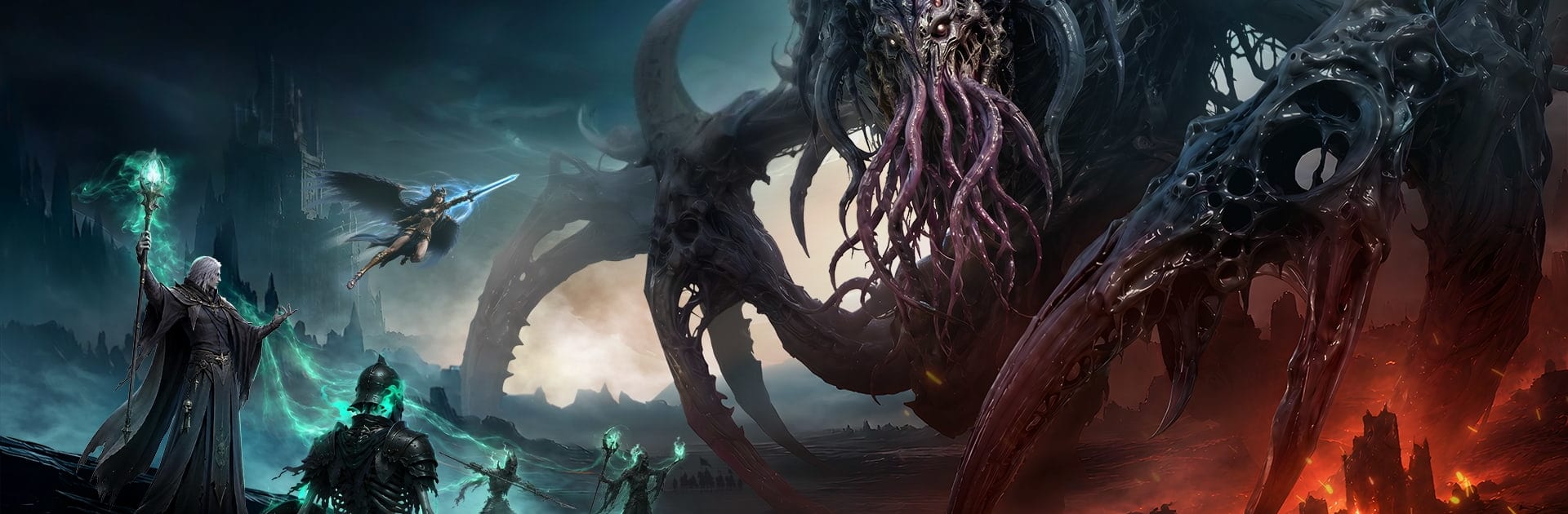
Eldritch Wasteland is a Role Playing MMO drenched in cosmic dread and crumbling kingdoms. You’ll roam a broken world, stitch together a deadly build, and square up against towering horrors alongside (and against) other players. Expect moody exploration, chunky combat, and a steady stream of ways to grow stronger without feeling stuck in one lane.

Game Features

  • Build your legend: Mix weapons, skills, passives, and relics to create a combat style that actually feels like yours. Tinker between fights, then watch the pieces click when it counts.
  • Transform mid‑battle: Unlock a powerful combat form that flips the script in clutch moments, adding burst damage and new tricks when a boss refuses to fall.
  • Recruit battle partners: Assemble a squad of companions with unique roles and synergies. Set formations, chain abilities, and let your team cover your blind spots.
  • A world steeped in dread: Trek through ruined citadels, cursed forests, volcanic scars, and abyssal depths. Hidden paths, strange events, and unsettling stories lurk in every corner.
  • Big bosses, bigger mechanics: Face screen-filling eldritch creatures with patterns to learn, stuns to avoid, and weak points to punish—solo or with a crew.
  • Guilds that matter: Form alliances, run coordinated raids, and clash in large-scale wars that decide who controls resources and bragging rights across servers.
  • Quick, competitive PvP: Hop into tight, three‑minute skirmishes, complete squad objectives, and climb seasonal rankings without turning it into a second job.
  • Loot with purpose: Chase rare drops, craft upgrades, and fine‑tune loadouts so each dungeon run feels like progress, not a rerun.
  • Play where it feels best: Prefer a bigger view and keyboard precision? Running Eldritch Wasteland on PC with BlueStacks is a smooth, low‑fuss option.

BlueStacks gives you more room to focus on the game and less time adjusting around mobile limitations.


Game Features

Enhancements

  • Macros
  • Rerolling
  • Eco Mode
  • Multi Instance Sync
  • Enhancements
Macros

Macros

Focus more on the fun part of the game, skip the tedious aspects. Master Eldritch Wasteland with Macros. Record yourself completing the monotonous tasks you wish to automate and replay them later with just one keypress.
Rerolling

Rerolling

Speed up the rerolling process in Eldritch Wasteland. Perform multiple summons and keep looking for the best Heroes. Use Multi-Instance sync to replicate the rerolling mechanism in all instances.
Eco Mode

Eco Mode

Farm in-game resources with ease in Eldritch Wasteland. Enable the Eco Mode when running the game in multiple instances. And lower your PC's resource consumption.
Multi Instance Sync

Multi Instance Sync

With the Multi-instance Sync, you can do even more in Eldritch Wasteland. Sync the action of the main instance and repeat them in real time for all other instances. Sync and sit back, let the game progress unfold.
Read More

How to Download and Play Eldritch Wasteland on PC or Mac

  • Download and install BlueStacks on your PC or Mac

  • Complete Google sign-in to access the Play Store, or do it later

  • Look for Eldritch Wasteland in the search bar at the top right corner

  • Click to install Eldritch Wasteland from the search results

  • Complete Google sign-in (if you skipped step 2) to install Eldritch Wasteland

  • Click the Eldritch Wasteland icon on the home screen to start playing

video
Watch Video

Minimum System Requirements

With BlueStacks 5, you can get started on a PC that fulfills the following requirements.

  • Operating System

    Microsoft Windows 7 or above, macOS 11 (Big Sur) or above

  • Processor

    Intel, AMD or Apple Silicon Processor

  • RAM

    at least 4GB

  • HDD

    10GB Free Disk Space

Note:

* You must be an Administrator on your PC. Up to date graphics drivers from Microsoft or the chipset vendor.

Eldritch Wasteland - FAQs

  • How to play Eldritch Wasteland on Windows PC & Mac?

    Play Eldritch Wasteland on your PC or Mac by following these simple steps.

    • Click on 'Play Eldritch Wasteland on PC’ to download BlueStacks
    • Install it and log-in to Google Play Store
    • Launch and play the game.
  • Why is BlueStacks the fastest and safest platform to play games on PC?

    BlueStacks respects your privacy and is always safe and secure to use. It does not carry any malware, spyware, or any sort of additional software that could harm your PC.

    It is engineered to optimize speed and performance for a seamless gaming experience.

  • What are Eldritch Wasteland PC requirements?

    Minimum requirement to run Eldritch Wasteland on your PC

    • OS: Microsoft Windows 7 or above MacOS 11 (Big Sur) or above
    • Processor: Intel, AMD or Apple Silicon Processor
    • RAM: Your PC must have at least 4GB of RAM. (Note that having 4GB or more disk space is not a substitute for RAM)
    • HDD: 10GB Free Disk Space.
    • You must be an Administrator on your PC.