Fashion Stylist Girl Dress up

Fashion Stylist Girl Dress up

Role Playing

| Pop it Games

Play on PC with BlueStacks or from our cloud

  • Overview
  • Game Features
  • How to Play

Page Modified On: December 15, 2025

Play Fashion Stylist Girl Dress up on PC or Mac

Step into the World of Fashion Stylist Girl Dress up, a thrilling Role Playing game from the house of Pop it Games. Play this Android game on BlueStacks App Player and experience immersive gaming on PC or Mac.

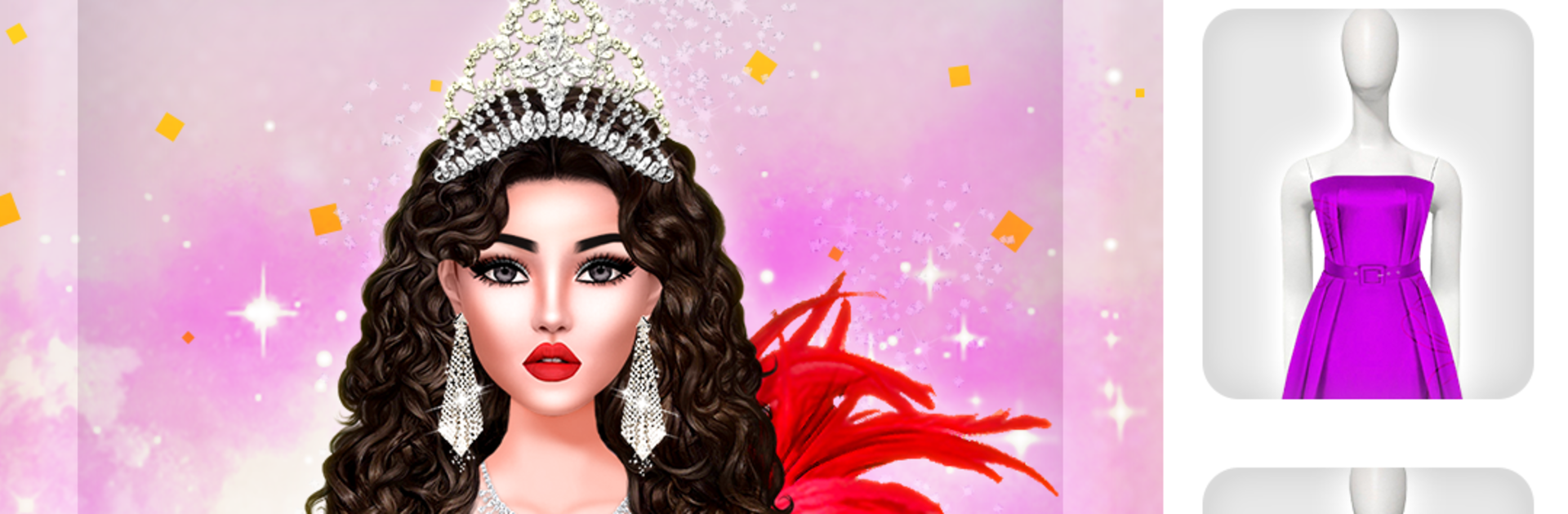
Fashion Stylist Girl Dress up is all about dressing a model for different events and seeing how wild or polished a look can get. It throws a huge closet at the player right away, with gowns, casual sets, streetwear, sporty pieces, stacks of shoes, and a lot of makeup options. The fun is in layering things that should not work together and somehow making them click. On PC with BlueStacks it feels extra smooth since menus and sliders are easier to click through, and the outfits pop a bit more on a bigger screen.

There are themed stages that keep it from feeling samey. Prom Night wants sparkle and long silhouettes, Office Style nudges toward tidy suits, Beach Party likes breezy colors, Gym Bunny is sporty and clean, Street Girl leans urban, Disco Party goes full glitter, and there is even a Battlefield theme that asks for strong, bold looks. Wedding and Spring Festival feel like the special treats, with dreamy bridal dresses and fresh floral colors that beg for fine-tuned makeup and hair. Fashion battles are quick style-offs where a finished look gets scored against others, so picking the right accessories and hairstyle actually matters. It is easy to get lost mixing and matching because there are so many little pieces to tweak, from lipstick shade to earrings to the exact pair of heels. Graphics are clean, the pacing is relaxed, and it scratches that β€œone more outfit” itch without getting complicated.

Start your journey now. Download the game on BlueStacks, invite your friends, and march on a new adventure.


Game Features

Enhancements

  • Macros
  • Rerolling
  • Eco Mode
  • Multi Instance Sync
  • Enhancements
Macros

Macros

Focus more on the fun part of the game, skip the tedious aspects. Master Fashion Stylist Girl Dress up with Macros. Record yourself completing the monotonous tasks you wish to automate and replay them later with just one keypress.
Rerolling

Rerolling

Speed up the rerolling process in Fashion Stylist Girl Dress up. Perform multiple summons and keep looking for the best Heroes. Use Multi-Instance sync to replicate the rerolling mechanism in all instances.
Eco Mode

Eco Mode

Farm in-game resources with ease in Fashion Stylist Girl Dress up. Enable the Eco Mode when running the game in multiple instances. And lower your PC's resource consumption.
Multi Instance Sync

Multi Instance Sync

With the Multi-instance Sync, you can do even more in Fashion Stylist Girl Dress up. Sync the action of the main instance and repeat them in real time for all other instances. Sync and sit back, let the game progress unfold.
Read More

How to Download and Play Fashion Stylist Girl Dress up on PC or Mac

  • Download and install BlueStacks on your PC or Mac

  • Complete Google sign-in to access the Play Store, or do it later

  • Look for Fashion Stylist Girl Dress up in the search bar at the top right corner

  • Click to install Fashion Stylist Girl Dress up from the search results

  • Complete Google sign-in (if you skipped step 2) to install Fashion Stylist Girl Dress up

  • Click the Fashion Stylist Girl Dress up icon on the home screen to start playing

video
Watch Video

Minimum System Requirements

With BlueStacks 5, you can get started on a PC that fulfills the following requirements.

  • Operating System

    Microsoft Windows 7 or above, macOS 11 (Big Sur) or above

  • Processor

    Intel, AMD or Apple Silicon Processor

  • RAM

    at least 4GB

  • HDD

    10GB Free Disk Space

Note:

* You must be an Administrator on your PC. Up to date graphics drivers from Microsoft or the chipset vendor.

Fashion Stylist Girl Dress up - FAQs

  • How to play Fashion Stylist Girl Dress up on Windows PC & Mac?

    Play Fashion Stylist Girl Dress up on your PC or Mac by following these simple steps.

    • Click on 'Play Fashion Stylist Girl Dress up on PC’ to download BlueStacks
    • Install it and log-in to Google Play Store
    • Launch and play the game.
  • Why is BlueStacks the fastest and safest platform to play games on PC?

    BlueStacks respects your privacy and is always safe and secure to use. It does not carry any malware, spyware, or any sort of additional software that could harm your PC.

    It is engineered to optimize speed and performance for a seamless gaming experience.

  • What are Fashion Stylist Girl Dress up PC requirements?

    Minimum requirement to run Fashion Stylist Girl Dress up on your PC

    • OS: Microsoft Windows 7 or above MacOS 11 (Big Sur) or above
    • Processor: Intel, AMD or Apple Silicon Processor
    • RAM: Your PC must have at least 4GB of RAM. (Note that having 4GB or more disk space is not a substitute for RAM)
    • HDD: 10GB Free Disk Space.
    • You must be an Administrator on your PC.