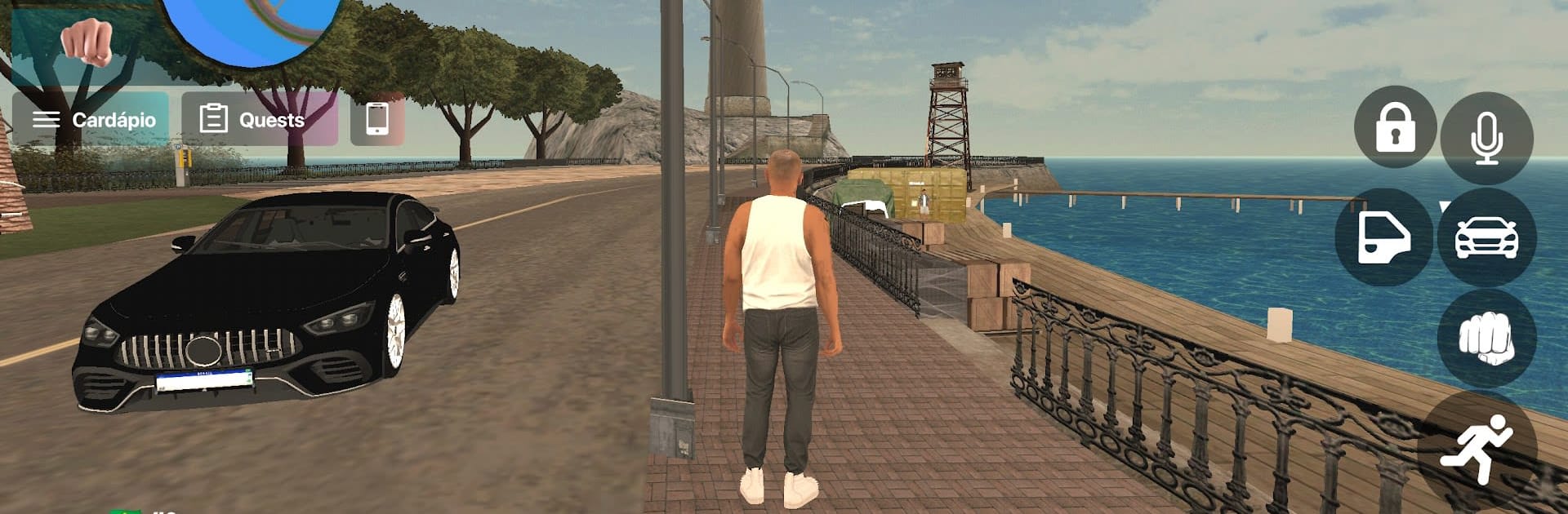
RioRise-Life Simulation Game

RioRise-Life Simulation Game

Role Playing

| Novabits Games

Play on PC with BlueStacks or from our cloud

  • Overview
  • Game Features
  • How to Play

Page Modified On: December 29, 2025

Play RioRise-Life Simulation Game on PC or Mac

From the innovators and creators at Novabits Games, RioRise-Life Simulation Game is another fun addition to the World of Role Playing games. Go beyond your mobile screen and play it bigger and better on your PC or Mac. An immersive experience awaits you.

RioRise plays like a big open city where street racing, crime stories, and random chaos all share the same map. It is very arcade in a good way. Cars snap into clean drifts, jumps are huge, and chases ramp up fast when the sirens show up. Players pick a role that actually changes the to‑do list. Cop, crook, or just freelance troublemaker, the game keeps throwing missions that swing from quick courier runs to full heists. Between story beats there is a lot to poke at: treasure spots off back roads, pop‑up events, and little side jobs that pay for the next tune. Car customization goes deep, not just color swaps but builds that change how it feels on the road. Character gear is in too, so the driver does not look like everyone else at the meet.

Multiplayer is a big draw here. It is easy to roll with a crew for a high stakes race, then peel off to cruise and stunt on rooftops or in the docks. The map is dense enough that something is always happening nearby, and the game does not force a single path. There are odd curveballs as well, like zombie outbreaks and puzzle missions that turn the city into a survival zone for a bit. On PC with BlueStacks, steering with keys and tapping nitro on a hotkey helps a lot for tight corners, and the bigger screen makes spotting shortcuts easier. If someone wants a racer that also lets them play cop, thief, and daredevil without swapping games, this hits that mix and keeps the pace loud.

Slay your opponents with your epic moves. Play it your way on BlueStacks and dominate the battlefield.

Game Features

Enhancements

  • Macros
  • Rerolling
  • Eco Mode
  • Multi Instance Sync
  • Enhancements
Macros

Macros

Focus more on the fun part of the game, skip the tedious aspects. Master RioRise-Life Simulation Game with Macros. Record yourself completing the monotonous tasks you wish to automate and replay them later with just one keypress.
Rerolling

Rerolling

Speed up the rerolling process in RioRise-Life Simulation Game. Perform multiple summons and keep looking for the best Heroes. Use Multi-Instance sync to replicate the rerolling mechanism in all instances.
Eco Mode

Eco Mode

Farm in-game resources with ease in RioRise-Life Simulation Game. Enable the Eco Mode when running the game in multiple instances. And lower your PC's resource consumption.
Multi Instance Sync

Multi Instance Sync

With the Multi-instance Sync, you can do even more in RioRise-Life Simulation Game. Sync the action of the main instance and repeat them in real time for all other instances. Sync and sit back, let the game progress unfold.
Read More

How to Download and Play RioRise-Life Simulation Game on PC or Mac

  • Download and install BlueStacks on your PC or Mac

  • Complete Google sign-in to access the Play Store, or do it later

  • Look for RioRise-Life Simulation Game in the search bar at the top right corner

  • Click to install RioRise-Life Simulation Game from the search results

  • Complete Google sign-in (if you skipped step 2) to install RioRise-Life Simulation Game

  • Click the RioRise-Life Simulation Game icon on the home screen to start playing

video
Watch Video

Minimum System Requirements

With BlueStacks 5, you can get started on a PC that fulfills the following requirements.

  • Operating System

    Microsoft Windows 7 or above, macOS 11 (Big Sur) or above

  • Processor

    Intel, AMD or Apple Silicon Processor

  • RAM

    at least 4GB

  • HDD

    10GB Free Disk Space

Note:

* You must be an Administrator on your PC. Up to date graphics drivers from Microsoft or the chipset vendor.

RioRise-Life Simulation Game - FAQs

  • How to play RioRise-Life Simulation Game on Windows PC & Mac?

    Play RioRise-Life Simulation Game on your PC or Mac by following these simple steps.

    • Click on 'Play RioRise-Life Simulation Game on PC’ to download BlueStacks
    • Install it and log-in to Google Play Store
    • Launch and play the game.
  • Why is BlueStacks the fastest and safest platform to play games on PC?

    BlueStacks respects your privacy and is always safe and secure to use. It does not carry any malware, spyware, or any sort of additional software that could harm your PC.

    It is engineered to optimize speed and performance for a seamless gaming experience.

  • What are RioRise-Life Simulation Game PC requirements?

    Minimum requirement to run RioRise-Life Simulation Game on your PC

    • OS: Microsoft Windows 7 or above MacOS 11 (Big Sur) or above
    • Processor: Intel, AMD or Apple Silicon Processor
    • RAM: Your PC must have at least 4GB of RAM. (Note that having 4GB or more disk space is not a substitute for RAM)
    • HDD: 10GB Free Disk Space.
    • You must be an Administrator on your PC.