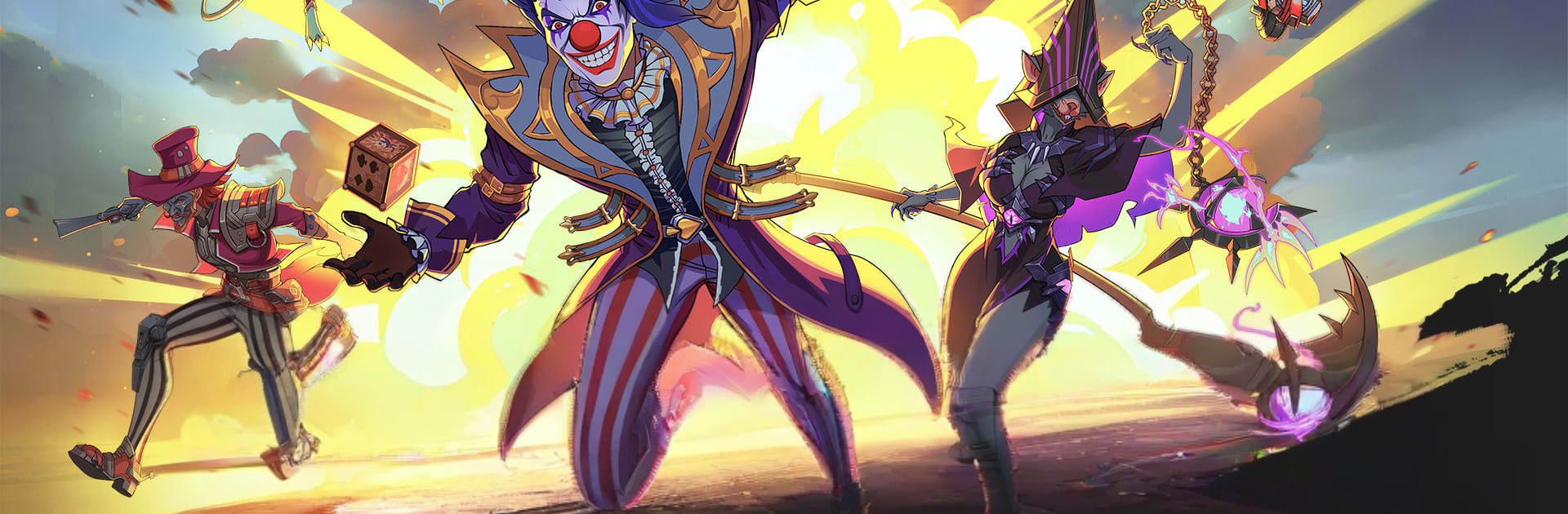
Galaxy GO!
Galaxy GO!

Galaxy GO!

Role Playing

| hiqi

Play on PC with BlueStacks or from our cloud

  • Overview
  • Game Features
  • How to Play

Page Modified On: August 24, 2026

Play Galaxy GO! on PC or Mac

Play Galaxy GO! by hiqi on PC or Mac with BlueStacks. Use a bigger screen, mouse and keyboard controls, and smoother performance while you play.

About the Game

Galaxy GO! is a dark, space-faring Role Playing adventure where building the right squad matters as much as your next move. Assemble a crew of wildly different heroes, command them in tactical, turn-based fights, and pick apart cosmic conspiracies stretching across the stars. Want a comfy setup on PC? It plays great with BlueStacks, too.

Game Features

  • Interstellar Roster Building: Recruit 100+ heroes across seven distinct factions—from time-bending casters and mech titans to rogue engineers and berserker lizards—and mix kits to create clever team synergies.
  • Tactical Turn-Based Combat: Position, protect, and pounce; read enemy patterns, chain abilities, and time ultimates to break tough defenses and turn nail-biters into clean wins.
  • Colossal Beast Hunts: Challenge titans like the Silverwing Dragon, Quantum Kylin, and the Steel-Wreck Dinosaur for rare materials that unlock combat-ready mounts with real battlefield impact.
  • Alliance Chessboard Wars: Coordinate with your guild on a giant “Stellar Chessboard,” capturing strongholds, cutting supply lines, and securing galaxy-scale resources through brains, not brute force.
  • Real-Time Co-op and PvP: Climb the global Arena for bragging rights or team up in Endless Frontline survival runs where each wave forces new tactics against insect swarms and boss onslaughts.
  • Cinematic 3D Space Battles: Fight across fully 3D battlefields with gleaming armor, thruster flares, wing trails, and bespoke skill animations that make big moments feel, well, big.
  • Deep Theorycrafting Playground: Experiment with hundreds of abilities and cross-faction combos—swap roles, tweak speeds, and build around niche passives to crack stubborn encounters.

Ready to top the leaderboard? We bet you do. Let precise controls and sharp visuals optimized on BlueStacks lead you to victory.


Game Features

Enhancements

  • Macros
  • Rerolling
  • Eco Mode
  • Multi Instance Sync
  • Enhancements
Macros

Macros

Focus more on the fun part of the game, skip the tedious aspects. Master Galaxy GO! with Macros. Record yourself completing the monotonous tasks you wish to automate and replay them later with just one keypress.
Rerolling

Rerolling

Speed up the rerolling process in Galaxy GO!. Perform multiple summons and keep looking for the best Heroes. Use Multi-Instance sync to replicate the rerolling mechanism in all instances.
Eco Mode

Eco Mode

Farm in-game resources with ease in Galaxy GO!. Enable the Eco Mode when running the game in multiple instances. And lower your PC's resource consumption.
Multi Instance Sync

Multi Instance Sync

With the Multi-instance Sync, you can do even more in Galaxy GO!. Sync the action of the main instance and repeat them in real time for all other instances. Sync and sit back, let the game progress unfold.
Read More

How to Download and Play Galaxy GO! on PC or Mac

  • Download and install BlueStacks on your PC or Mac

  • Complete Google sign-in to access the Play Store, or do it later

  • Look for Galaxy GO! in the search bar at the top right corner

  • Click to install Galaxy GO! from the search results

  • Complete Google sign-in (if you skipped step 2) to install Galaxy GO!

  • Click the Galaxy GO! icon on the home screen to start playing

video
Watch Video

Minimum System Requirements

With BlueStacks 5, you can get started on a PC that fulfills the following requirements.

  • Operating System

    Microsoft Windows 7 or above, macOS 11 (Big Sur) or above

  • Processor

    Intel, AMD or Apple Silicon Processor

  • RAM

    at least 4GB

  • HDD

    10GB Free Disk Space

Note:

* You must be an Administrator on your PC. Up to date graphics drivers from Microsoft or the chipset vendor.

Galaxy GO! - FAQs

  • How to play Galaxy GO! on Windows PC & Mac?

    Play Galaxy GO! on your PC or Mac by following these simple steps.

    • Click on 'Play Galaxy GO! on PC’ to download BlueStacks
    • Install it and log-in to Google Play Store
    • Launch and play the game.
  • Why is BlueStacks the fastest and safest platform to play games on PC?

    BlueStacks respects your privacy and is always safe and secure to use. It does not carry any malware, spyware, or any sort of additional software that could harm your PC.

    It is engineered to optimize speed and performance for a seamless gaming experience.

  • What are Galaxy GO! PC requirements?

    Minimum requirement to run Galaxy GO! on your PC

    • OS: Microsoft Windows 7 or above MacOS 11 (Big Sur) or above
    • Processor: Intel, AMD or Apple Silicon Processor
    • RAM: Your PC must have at least 4GB of RAM. (Note that having 4GB or more disk space is not a substitute for RAM)
    • HDD: 10GB Free Disk Space.
    • You must be an Administrator on your PC.