Gangster Vegas Mafia World 3D

Gangster Vegas Mafia World 3D

Role Playing

| Gamers Tribe

Play on PC with BlueStacks or from our cloud

  • Overview
  • Game Features
  • How to Play

Page Modified On: September 07, 2026

Play Gangster Vegas Mafia World 3D on PC or Mac

Gangster Vegas Mafia World 3D by Gamers Tribe has plenty to keep you busy. BlueStacks lets you play it on PC or Mac with more screen space, better control, and fewer mobile limits.

About the Game

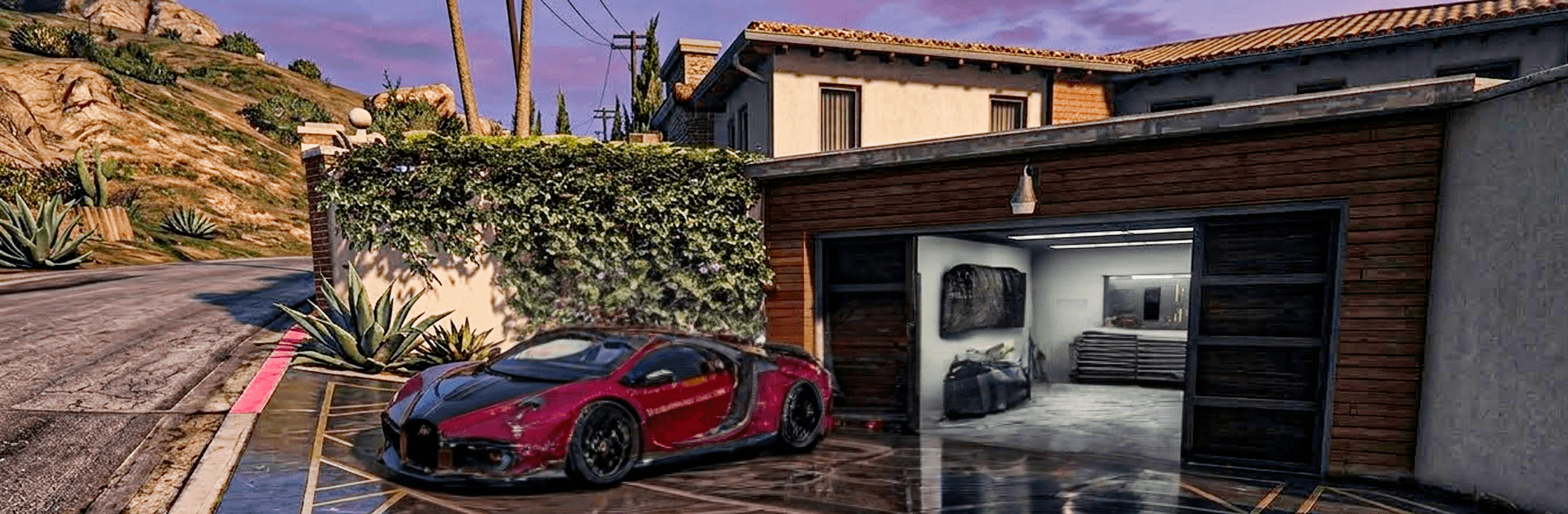
Gangster Vegas Mafia World 3D is a Role Playing romp through a flashy, crime-soaked Vegas where your street smarts actually matter. You’ll build a name for yourself by tackling story missions, wild chases, and daring getaways across a sprawling 3D city. Prefer a bigger screen and tighter inputs? It feels right at home on BlueStacks.

Game Features

  • Massive city to explore: Roam busy boulevards, tight backstreets, and wide highways while uncovering shortcuts, side routes, and plenty of spots to test your driving nerve.
  • Vehicles for every situation: Swap between sleek sports cars, sturdy buses, heavy trucks, and even helicopters—each with its own handling and vibe.
  • Story missions with bite: Take on goal-driven jobs and set-piece action sequences that push you to plan, improvise, and pull off clean escapes.
  • Smooth driving and on-foot controls: Steer, drift, sprint, and aim with responsive controls designed to keep the action feeling crisp and consistent.
  • Character and gear upgrades: Grow your influence by improving core stats and unlocking new equipment that opens up fresh strategies.
  • Challenges beyond the main path: Tackle vehicle trials, skill tests, and combat encounters that reward careful timing and smart decision-making.
  • Hidden finds and collectibles: Hunt down stashes tucked into alleys, rooftops, and off-the-map corners to stock up and show you’ve been everywhere.
  • Realistic city feel: Traffic, sightlines, and varied districts come together to create a convincing urban playground that’s fun to learn—and even better to master.

Start your journey now. Download the game on BlueStacks, invite your friends, and march on a new adventure.


Game Features

Enhancements

  • Macros
  • Rerolling
  • Eco Mode
  • Multi Instance Sync
  • Enhancements
Macros

Macros

Focus more on the fun part of the game, skip the tedious aspects. Master Gangster Vegas Mafia World 3D with Macros. Record yourself completing the monotonous tasks you wish to automate and replay them later with just one keypress.
Rerolling

Rerolling

Speed up the rerolling process in Gangster Vegas Mafia World 3D. Perform multiple summons and keep looking for the best Heroes. Use Multi-Instance sync to replicate the rerolling mechanism in all instances.
Eco Mode

Eco Mode

Farm in-game resources with ease in Gangster Vegas Mafia World 3D. Enable the Eco Mode when running the game in multiple instances. And lower your PC's resource consumption.
Multi Instance Sync

Multi Instance Sync

With the Multi-instance Sync, you can do even more in Gangster Vegas Mafia World 3D. Sync the action of the main instance and repeat them in real time for all other instances. Sync and sit back, let the game progress unfold.
Read More

How to Download and Play Gangster Vegas Mafia World 3D on PC or Mac

  • Download and install BlueStacks on your PC or Mac

  • Complete Google sign-in to access the Play Store, or do it later

  • Look for Gangster Vegas Mafia World 3D in the search bar at the top right corner

  • Click to install Gangster Vegas Mafia World 3D from the search results

  • Complete Google sign-in (if you skipped step 2) to install Gangster Vegas Mafia World 3D

  • Click the Gangster Vegas Mafia World 3D icon on the home screen to start playing

video
Watch Video

Minimum System Requirements

With BlueStacks 5, you can get started on a PC that fulfills the following requirements.

  • Operating System

    Microsoft Windows 7 or above, macOS 11 (Big Sur) or above

  • Processor

    Intel, AMD or Apple Silicon Processor

  • RAM

    at least 4GB

  • HDD

    10GB Free Disk Space

Note:

* You must be an Administrator on your PC. Up to date graphics drivers from Microsoft or the chipset vendor.

Gangster Vegas Mafia World 3D - FAQs

  • How to play Gangster Vegas Mafia World 3D on Windows PC & Mac?

    Play Gangster Vegas Mafia World 3D on your PC or Mac by following these simple steps.

    • Click on 'Play Gangster Vegas Mafia World 3D on PC’ to download BlueStacks
    • Install it and log-in to Google Play Store
    • Launch and play the game.
  • Why is BlueStacks the fastest and safest platform to play games on PC?

    BlueStacks respects your privacy and is always safe and secure to use. It does not carry any malware, spyware, or any sort of additional software that could harm your PC.

    It is engineered to optimize speed and performance for a seamless gaming experience.

  • What are Gangster Vegas Mafia World 3D PC requirements?

    Minimum requirement to run Gangster Vegas Mafia World 3D on your PC

    • OS: Microsoft Windows 7 or above MacOS 11 (Big Sur) or above
    • Processor: Intel, AMD or Apple Silicon Processor
    • RAM: Your PC must have at least 4GB of RAM. (Note that having 4GB or more disk space is not a substitute for RAM)
    • HDD: 10GB Free Disk Space.
    • You must be an Administrator on your PC.