Giant Monster: Survival City

Giant Monster: Survival City

Role Playing

| Lv1 Games

Play on PC with BlueStacks or from our cloud

  • Overview
  • Game Features
  • How to Play

Page Modified On: September 25, 2026

Play Giant Monster: Survival City on PC or Mac

Explore a whole new adventure with Giant Monster: Survival City, a Role Playing game created by Lv1 Games. Experience great gameplay with BlueStacks, the most popular gaming platform to play Android games on your PC or Mac.

About the Game

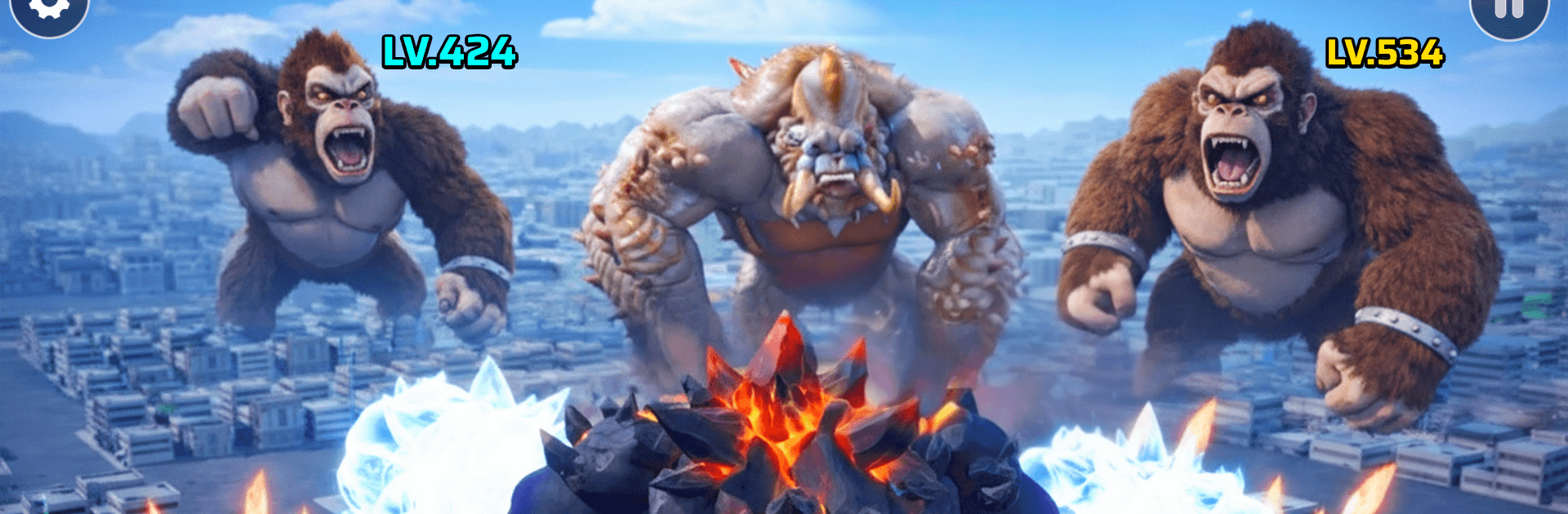
Giant Monster: Survival City is a snack-fueled Role Playing romp where a hungry beast barrels through bustling streets, getting stronger with every bite. Your job? Gobble up fruit—yep, bananas included—bulk up on the run, and crash through whatever stands between you and the finish line. It’s quick, punchy, and oddly satisfying, and it also feels great on a bigger screen with BlueStacks if that’s your thing.

Game Features

  • Grow-to-win gameplay: Munch on bananas and other fruit to pack on size and power, then throw your new weight around to clear obstacles.
  • Smart lane choices: Weave between paths to grab the juiciest payouts and steer clear of hazards that slow you down or shrink your momentum.
  • Finish-line goals: Hit the end of each course at max size to unlock the next stage and keep the monster mayhem rolling.
  • Urban obstacle course: Push past barricades, topple crates, and muscle through tight corners as the city turns into your personal playground.
  • Snappy, one-hand controls: Simple swipe or drag movement keeps runs smooth and readable, even when the action gets hectic.
  • Satisfying impact: Feel the difference as you grow—small fences crumble early, while bulkier barriers yield once you’ve powered up.
  • Short runs, easy retries: Quick stages make it simple to learn patterns, retry instantly, and chase a cleaner, bigger finish.
  • Playful look, clear feedback: Bright visuals and crisp cues make it obvious when you’ve powered up, slowed down, or nailed the perfect line.

Get ready for a buttery smooth, high-performance gaming action only on BlueStacks.

Game Features

Enhancements

  • Macros
  • Rerolling
  • Eco Mode
  • Multi Instance Sync
  • Enhancements
Macros

Macros

Focus more on the fun part of the game, skip the tedious aspects. Master Giant Monster: Survival City with Macros. Record yourself completing the monotonous tasks you wish to automate and replay them later with just one keypress.
Rerolling

Rerolling

Speed up the rerolling process in Giant Monster: Survival City. Perform multiple summons and keep looking for the best Heroes. Use Multi-Instance sync to replicate the rerolling mechanism in all instances.
Eco Mode

Eco Mode

Farm in-game resources with ease in Giant Monster: Survival City. Enable the Eco Mode when running the game in multiple instances. And lower your PC's resource consumption.
Multi Instance Sync

Multi Instance Sync

With the Multi-instance Sync, you can do even more in Giant Monster: Survival City. Sync the action of the main instance and repeat them in real time for all other instances. Sync and sit back, let the game progress unfold.
Read More

How to Download and Play Giant Monster: Survival City on PC or Mac

  • Download and install BlueStacks on your PC or Mac

  • Complete Google sign-in to access the Play Store, or do it later

  • Look for Giant Monster: Survival City in the search bar at the top right corner

  • Click to install Giant Monster: Survival City from the search results

  • Complete Google sign-in (if you skipped step 2) to install Giant Monster: Survival City

  • Click the Giant Monster: Survival City icon on the home screen to start playing

video
Watch Video

Minimum System Requirements

With BlueStacks 5, you can get started on a PC that fulfills the following requirements.

  • Operating System

    Microsoft Windows 7 or above, macOS 11 (Big Sur) or above

  • Processor

    Intel, AMD or Apple Silicon Processor

  • RAM

    at least 4GB

  • HDD

    10GB Free Disk Space

Note:

* You must be an Administrator on your PC. Up to date graphics drivers from Microsoft or the chipset vendor.

Giant Monster: Survival City - FAQs

  • How to play Giant Monster: Survival City on Windows PC & Mac?

    Play Giant Monster: Survival City on your PC or Mac by following these simple steps.

    • Click on 'Play Giant Monster: Survival City on PC’ to download BlueStacks
    • Install it and log-in to Google Play Store
    • Launch and play the game.
  • Why is BlueStacks the fastest and safest platform to play games on PC?

    BlueStacks respects your privacy and is always safe and secure to use. It does not carry any malware, spyware, or any sort of additional software that could harm your PC.

    It is engineered to optimize speed and performance for a seamless gaming experience.

  • What are Giant Monster: Survival City PC requirements?

    Minimum requirement to run Giant Monster: Survival City on your PC

    • OS: Microsoft Windows 7 or above MacOS 11 (Big Sur) or above
    • Processor: Intel, AMD or Apple Silicon Processor
    • RAM: Your PC must have at least 4GB of RAM. (Note that having 4GB or more disk space is not a substitute for RAM)
    • HDD: 10GB Free Disk Space.
    • You must be an Administrator on your PC.