미니어스
미니어스

미니어스

Role Playing

| Flow Entertainment

Play on PC with BlueStacks or from our cloud

  • Overview
  • Game Features
  • How to Play

Page Modified On: August 19, 2025

Play 미니어스 on PC or Mac

미니어스 brings the Role Playing genre to life, and throws up exciting challenges for gamers. Developed by Flow Entertainment, this Android game is best experienced on BlueStacks, the World’s #1 app player for PC and Mac users.

About the Game

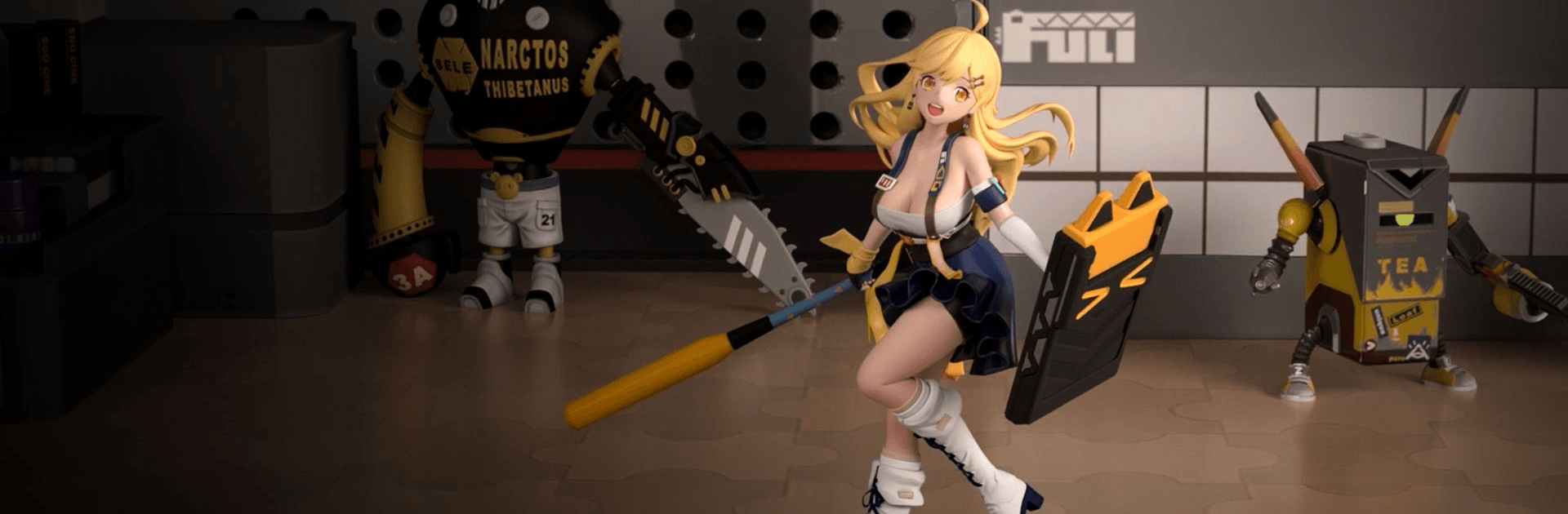
Ever wonder what would happen if your favorite collectible figures came to life and caused just a bit of chaos? That’s pretty much the vibe in 미니어스, a unique Role-playing adventure from Flow Entertainment. You’ll be stepping into a vibrant 3D world packed with quirky, memorable characters—all itching for some action, a little mischief, and maybe a spot in your personal display case.

Game Features

  • Stunning 3D Collectible Figures
    Every character looks like it’s popped right out of a collector’s shelf, rendered with an impressive level of detail. You’re not just looking at avatars; these figures have personality, flair, and even voices from top-notch voice actors.

  • Personal Display Case
    Like to show off your latest finds? Arrange your collection in a display case and customize how your favorite figures are featured. It’s got a satisfying collector’s vibe, letting you experiment with different setups whenever the mood strikes.

  • Epic Strategic Battles
    Battles aren’t just about brute strength here. Positioning, timing, and pairing the right abilities matter if you want to come out on top. The arena bursts with color and smooth animation, making each skirmish fun to watch.

  • Idle Adventure and Growth
    Even if you’re away, your figures don’t laze around. They’re out there collecting goodies, leveling up, and waiting to surprise you with loot next time you check in.

  • Voiced by the Pros
    Character voices bring an extra level of charm—think of it as a bonus laugh or two when you least expect it.

Want to play on something bigger? BlueStacks can smoothly run 미니어스 so you can enjoy every detail on your PC screen.

Start your journey now. Download the game on BlueStacks, invite your friends, and march on a new adventure.


Game Features

Enhancements

  • Macros
  • Rerolling
  • Eco Mode
  • Multi Instance Sync
  • Enhancements
Macros

Macros

Focus more on the fun part of the game, skip the tedious aspects. Master 미니어스 with Macros. Record yourself completing the monotonous tasks you wish to automate and replay them later with just one keypress.
Rerolling

Rerolling

Speed up the rerolling process in 미니어스. Perform multiple summons and keep looking for the best Heroes. Use Multi-Instance sync to replicate the rerolling mechanism in all instances.
Eco Mode

Eco Mode

Farm in-game resources with ease in 미니어스. Enable the Eco Mode when running the game in multiple instances. And lower your PC's resource consumption.
Multi Instance Sync

Multi Instance Sync

With the Multi-instance Sync, you can do even more in 미니어스. Sync the action of the main instance and repeat them in real time for all other instances. Sync and sit back, let the game progress unfold.
Read More

How to Download and Play 미니어스 on PC or Mac

  • Download and install BlueStacks on your PC or Mac

  • Complete Google sign-in to access the Play Store, or do it later

  • Look for 미니어스 in the search bar at the top right corner

  • Click to install 미니어스 from the search results

  • Complete Google sign-in (if you skipped step 2) to install 미니어스

  • Click the 미니어스 icon on the home screen to start playing

video
Watch Video

Minimum System Requirements

With BlueStacks 5, you can get started on a PC that fulfills the following requirements.

  • Operating System

    Microsoft Windows 7 or above, macOS 11 (Big Sur) or above

  • Processor

    Intel, AMD or Apple Silicon Processor

  • RAM

    at least 4GB

  • HDD

    10GB Free Disk Space

Note:

* You must be an Administrator on your PC. Up to date graphics drivers from Microsoft or the chipset vendor.

미니어스 - FAQs

  • How to play 미니어스 on Windows PC & Mac?

    Play 미니어스 on your PC or Mac by following these simple steps.

    • Click on 'Play 미니어스 on PC’ to download BlueStacks
    • Install it and log-in to Google Play Store
    • Launch and play the game.
  • Why is BlueStacks the fastest and safest platform to play games on PC?

    BlueStacks respects your privacy and is always safe and secure to use. It does not carry any malware, spyware, or any sort of additional software that could harm your PC.

    It is engineered to optimize speed and performance for a seamless gaming experience.

  • What are 미니어스 PC requirements?

    Minimum requirement to run 미니어스 on your PC

    • OS: Microsoft Windows 7 or above MacOS 11 (Big Sur) or above
    • Processor: Intel, AMD or Apple Silicon Processor
    • RAM: Your PC must have at least 4GB of RAM. (Note that having 4GB or more disk space is not a substitute for RAM)
    • HDD: 10GB Free Disk Space.
    • You must be an Administrator on your PC.