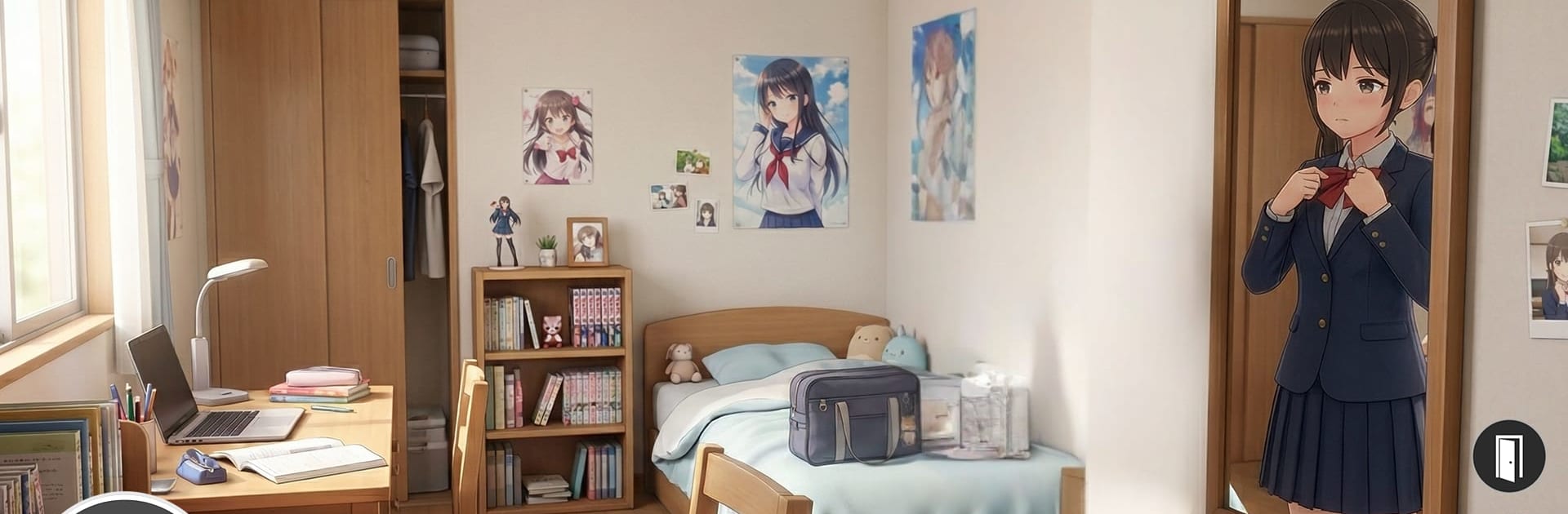
High School Anime Girl Sim 3D

High School Anime Girl Sim 3D

Role Playing

| Pixel Motion

Play on PC with BlueStacks or from our cloud

  • Overview
  • Game Features
  • How to Play

Page Modified On: July 20, 2026

Play High School Anime Girl Sim 3D on PC or Mac

High School Anime Girl Sim 3D brings the Role Playing genre to life, and throws up exciting challenges for gamers. Developed by Pixel Motion, this Android game is best experienced on BlueStacks, the World’s #1 app player for PC and Mac users.

About the Game

High School Anime Girl Sim 3D is a Role Playing story about hallway crushes, messy rumors, and the kind of drama that makes lunch break feel like a cliffhanger. You’re the new girl trying to find your place, balancing school life with a serious crush and a few determined rivals who won’t back down. Expect choices that matter, scraps that test your courage, and quiet moments that can flip the ending on its head.

Game Features

  • Branching Storylines: Your decisions shape the outcome, with multiple endings ranging from heartwarming to harsh—and one that’s a little mysterious.
  • Open-Campus School Life: Sit through classes, hang out in the cafeteria, check out clubs, and freely roam a detailed campus packed with side moments and surprises.
  • Rival Showdowns: Face sharp-tongued confrontations, tense challenges, and the occasional brawl when things spill past words.
  • Relationship Play: Chat, flirt, and pick dialogue that builds (or breaks) trust with friends, frenemies, and your crush.
  • Custom Style: Mix outfits, hairstyles, and accessories to match your mood—cute, bold, or totally extra.
  • Drama Missions: Take on story-driven tasks with twists, betrayals, and choices that push you to pick a side.
  • Popularity and Reputation: Earn attention, boost your status, and see how the school treats you when your name’s on everyone’s lips.
  • Smooth on PC with BlueStacks: Prefer keyboard and mouse? It plays comfortably there without losing the anime vibe.

Start playing High School Anime Girl Sim 3D on BlueStacks and get a smoother, more comfortable PC or Mac setup.


Game Features

Enhancements

  • Macros
  • Rerolling
  • Eco Mode
  • Multi Instance Sync
  • Enhancements
Macros

Macros

Focus more on the fun part of the game, skip the tedious aspects. Master High School Anime Girl Sim 3D with Macros. Record yourself completing the monotonous tasks you wish to automate and replay them later with just one keypress.
Rerolling

Rerolling

Speed up the rerolling process in High School Anime Girl Sim 3D. Perform multiple summons and keep looking for the best Heroes. Use Multi-Instance sync to replicate the rerolling mechanism in all instances.
Eco Mode

Eco Mode

Farm in-game resources with ease in High School Anime Girl Sim 3D. Enable the Eco Mode when running the game in multiple instances. And lower your PC's resource consumption.
Multi Instance Sync

Multi Instance Sync

With the Multi-instance Sync, you can do even more in High School Anime Girl Sim 3D. Sync the action of the main instance and repeat them in real time for all other instances. Sync and sit back, let the game progress unfold.
Read More

How to Download and Play High School Anime Girl Sim 3D on PC or Mac

  • Download and install BlueStacks on your PC or Mac

  • Complete Google sign-in to access the Play Store, or do it later

  • Look for High School Anime Girl Sim 3D in the search bar at the top right corner

  • Click to install High School Anime Girl Sim 3D from the search results

  • Complete Google sign-in (if you skipped step 2) to install High School Anime Girl Sim 3D

  • Click the High School Anime Girl Sim 3D icon on the home screen to start playing

video
Watch Video

Minimum System Requirements

With BlueStacks 5, you can get started on a PC that fulfills the following requirements.

  • Operating System

    Microsoft Windows 7 or above, macOS 11 (Big Sur) or above

  • Processor

    Intel, AMD or Apple Silicon Processor

  • RAM

    at least 4GB

  • HDD

    10GB Free Disk Space

Note:

* You must be an Administrator on your PC. Up to date graphics drivers from Microsoft or the chipset vendor.

High School Anime Girl Sim 3D - FAQs

  • How to play High School Anime Girl Sim 3D on Windows PC & Mac?

    Play High School Anime Girl Sim 3D on your PC or Mac by following these simple steps.

    • Click on 'Play High School Anime Girl Sim 3D on PC’ to download BlueStacks
    • Install it and log-in to Google Play Store
    • Launch and play the game.
  • Why is BlueStacks the fastest and safest platform to play games on PC?

    BlueStacks respects your privacy and is always safe and secure to use. It does not carry any malware, spyware, or any sort of additional software that could harm your PC.

    It is engineered to optimize speed and performance for a seamless gaming experience.

  • What are High School Anime Girl Sim 3D PC requirements?

    Minimum requirement to run High School Anime Girl Sim 3D on your PC

    • OS: Microsoft Windows 7 or above MacOS 11 (Big Sur) or above
    • Processor: Intel, AMD or Apple Silicon Processor
    • RAM: Your PC must have at least 4GB of RAM. (Note that having 4GB or more disk space is not a substitute for RAM)
    • HDD: 10GB Free Disk Space.
    • You must be an Administrator on your PC.