Car Drifting & Racing Games 3d

Car Drifting & Racing Games 3d

Role Playing

| Pixel Motion

Play on PC with BlueStacks or from our cloud

  • Overview
  • Game Features
  • How to Play

Page Modified On: April 21, 2026

Play Car Drifting & Racing Games 3d on PC or Mac

Join millions to experience Car Drifting & Racing Games 3d, an exciting Role Playing game from Pixel Motion. With BlueStacks App Player, you are always a step ahead of your opponent, ready to outplay them with faster gameplay and better control with the mouse and keyboard on your PC or Mac.

About the Game

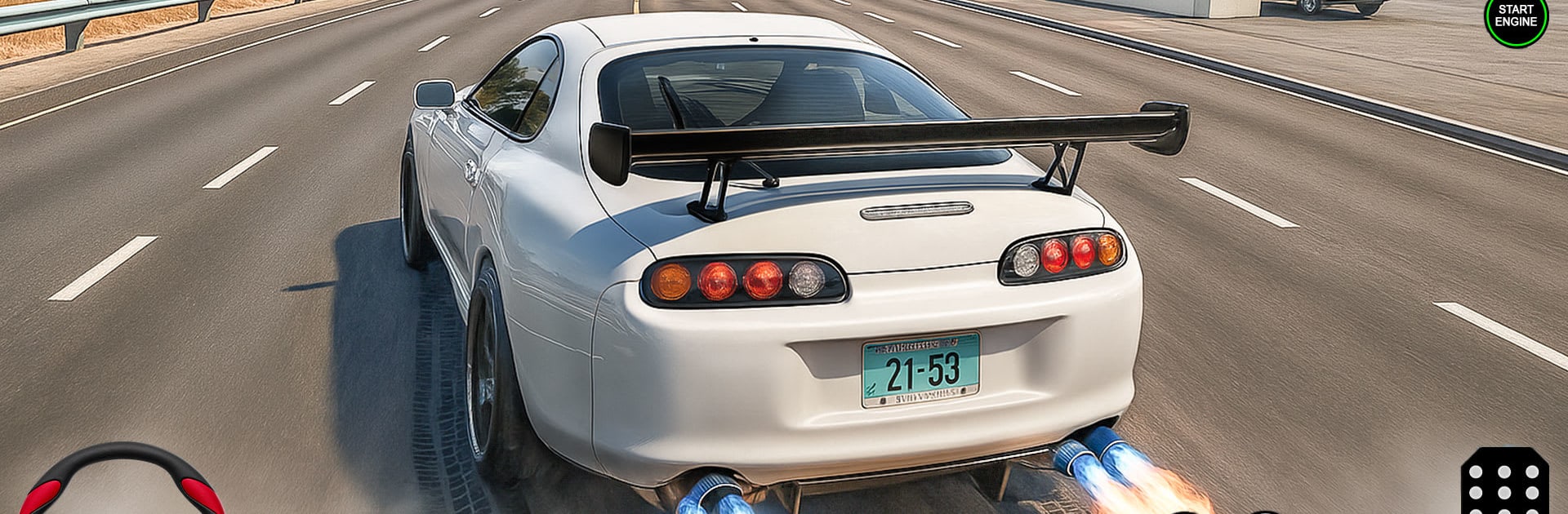
Car Drifting & Racing Games 3d gives you that sweet spot between precision and pure chaos—kick the rear out, catch it, and rocket down the straight. Pixel Motion drops a Role Playing racer that’s all about sharp city lines, grippy physics, and a garage full of machines that beg to be tuned. Want a bigger screen and steady frames? It also feels great on BlueStacks.

Game Features

  • Pick-up-and-drive controls: Steering, throttle, and brakes feel snappy, so you can swing into a drift without wrestling the car.
  • Real drift physics: Tires bite, slide, and smoke in a way that rewards timing and throttle control instead of button mashing.
  • Races and time trials: Chase podiums against tough rivals or clock clean laps when every tenth of a second matters.
  • City streets and highways: Thread through tight urban corners, then open it up on wide, fast stretches built for long slides.
  • Unlocks and upgrades: Win events to add new rides to your garage and tune them for tighter grip, longer drifts, or more punch off the line.
  • Skill-based challenge: Early tracks are friendly; later routes turn ruthless with sharper turns, narrower margins, and smarter opponents.
  • Sights and sounds that pop: Crisp visuals and throaty engine audio sell every slide, scrape, and full-send exit.
  • Multiple modes to explore: Sprint races, drift-focused routes, and challenge ladders keep your goals changing and your lines fresh.
  • Offline friendly: No connection? No problem—keep practicing drifts and chasing faster times wherever you are.

Start your journey now. Download the game on BlueStacks, invite your friends, and march on a new adventure.


Game Features

Enhancements

  • Macros
  • Rerolling
  • Eco Mode
  • Multi Instance Sync
  • Enhancements
Macros

Macros

Focus more on the fun part of the game, skip the tedious aspects. Master Car Drifting & Racing Games 3d with Macros. Record yourself completing the monotonous tasks you wish to automate and replay them later with just one keypress.
Rerolling

Rerolling

Speed up the rerolling process in Car Drifting & Racing Games 3d. Perform multiple summons and keep looking for the best Heroes. Use Multi-Instance sync to replicate the rerolling mechanism in all instances.
Eco Mode

Eco Mode

Farm in-game resources with ease in Car Drifting & Racing Games 3d. Enable the Eco Mode when running the game in multiple instances. And lower your PC's resource consumption.
Multi Instance Sync

Multi Instance Sync

With the Multi-instance Sync, you can do even more in Car Drifting & Racing Games 3d. Sync the action of the main instance and repeat them in real time for all other instances. Sync and sit back, let the game progress unfold.
Read More

How to Download and Play Car Drifting & Racing Games 3d on PC or Mac

  • Download and install BlueStacks on your PC or Mac

  • Complete Google sign-in to access the Play Store, or do it later

  • Look for Car Drifting & Racing Games 3d in the search bar at the top right corner

  • Click to install Car Drifting & Racing Games 3d from the search results

  • Complete Google sign-in (if you skipped step 2) to install Car Drifting & Racing Games 3d

  • Click the Car Drifting & Racing Games 3d icon on the home screen to start playing

video
Watch Video

Minimum System Requirements

With BlueStacks 5, you can get started on a PC that fulfills the following requirements.

  • Operating System

    Microsoft Windows 7 or above, macOS 11 (Big Sur) or above

  • Processor

    Intel, AMD or Apple Silicon Processor

  • RAM

    at least 4GB

  • HDD

    10GB Free Disk Space

Note:

* You must be an Administrator on your PC. Up to date graphics drivers from Microsoft or the chipset vendor.

Car Drifting & Racing Games 3d - FAQs

  • How to play Car Drifting & Racing Games 3d on Windows PC & Mac?

    Play Car Drifting & Racing Games 3d on your PC or Mac by following these simple steps.

    • Click on 'Play Car Drifting & Racing Games 3d on PC’ to download BlueStacks
    • Install it and log-in to Google Play Store
    • Launch and play the game.
  • Why is BlueStacks the fastest and safest platform to play games on PC?

    BlueStacks respects your privacy and is always safe and secure to use. It does not carry any malware, spyware, or any sort of additional software that could harm your PC.

    It is engineered to optimize speed and performance for a seamless gaming experience.

  • What are Car Drifting & Racing Games 3d PC requirements?

    Minimum requirement to run Car Drifting & Racing Games 3d on your PC

    • OS: Microsoft Windows 7 or above MacOS 11 (Big Sur) or above
    • Processor: Intel, AMD or Apple Silicon Processor
    • RAM: Your PC must have at least 4GB of RAM. (Note that having 4GB or more disk space is not a substitute for RAM)
    • HDD: 10GB Free Disk Space.
    • You must be an Administrator on your PC.