Jeep Driving 4x4 SUV Games 3D

Jeep Driving 4x4 SUV Games 3D

Role Playing

| Valiant Cyborg

Play on PC with BlueStacks or from our cloud

  • Overview
  • Game Features
  • How to Play

Page Modified On: April 07, 2026

Play Jeep Driving 4x4 SUV Games 3D on PC or Mac

Jeep Driving 4×4 SUV Games 3D brings the Role Playing genre to life, and throws up exciting challenges for gamers. Developed by Valiant Cyborg, this Android game is best experienced on BlueStacks, the World’s #1 app player for PC and Mac users.

About the Game

Jeep Driving 4×4 SUV Games 3D drops you behind the wheel of heavy-duty off-road beasts and dares you to tame wild terrain. It’s all about careful throttle, smart braking, and reading the ground as you climb ridges, cross dunes, and fight through muddy tracks. Developed by Valiant Cyborg in the Role Playing genre, it plays great on mobile and feels right at home on a bigger screen with BlueStacks if you like more room to steer.

Game Features

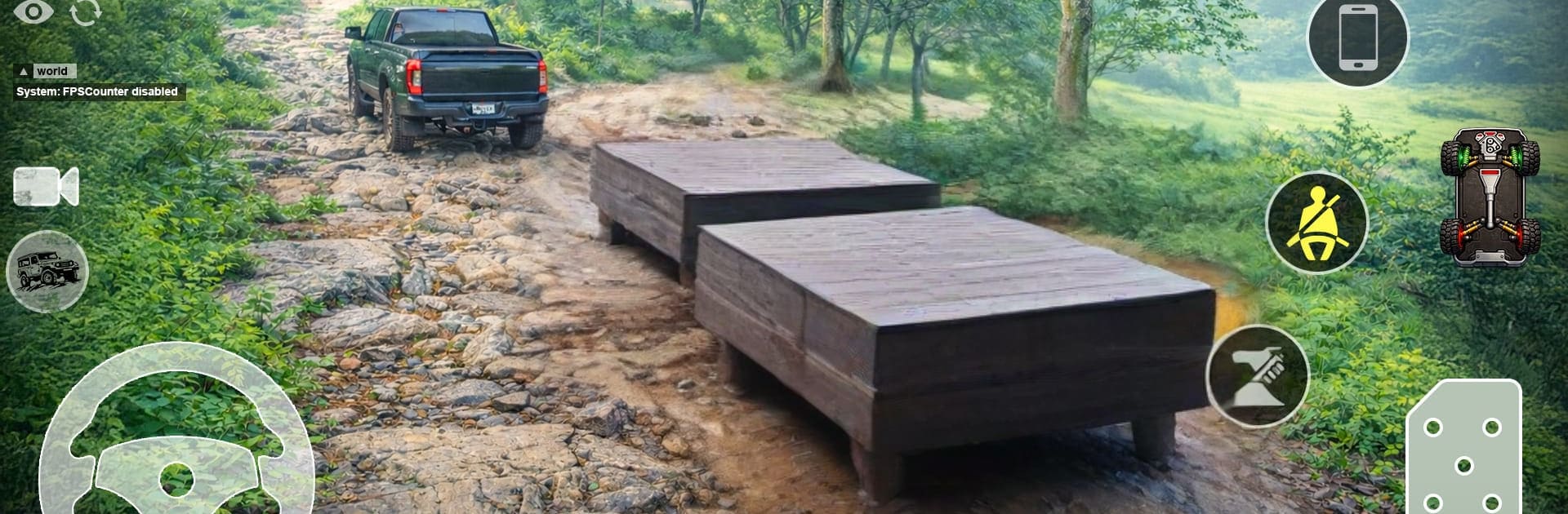
  • Realistic 4×4 Handling: Weight, grip, and suspension actually matter. Feel the body roll on steep angles and the tires bite (or slip) as you work through tricky sections.
  • Tough, Varied Terrain: Mountains, deserts, and boggy trails each ask for a different driving style—slow and steady one moment, full send the next.
  • Mission-Driven Off-Roading: Tackle routes packed with hazards, nail precise climbs, and thread narrow paths while keeping your ride upright and moving.
  • Multiple Modes: Jump into time challenges for quick pressure hits, explore in free roam, or test your nerve with stunt-focused courses.
  • Vehicles Inspired by Real Rigs: Unlock a garage of rugged SUVs and 4×4 vehicles built for punishment, each with its own feel and strengths.
  • Smooth Controls You Can Trust: Responsive steering, clean acceleration, and believable braking help you correct mistakes and stick tough landings.
  • Graphics That Sell the Terrain: Crisp environments and dynamic camera angles make every rut, ridge, and dune pop—and let you line up the perfect approach.
  • Immersive Audio: Engine notes, suspension clunks, and gritty tire sounds add a satisfying layer of realism to every climb and crawl.

Start your journey now. Download the game on BlueStacks, invite your friends, and march on a new adventure.


Game Features

Enhancements

  • Macros
  • Rerolling
  • Eco Mode
  • Multi Instance Sync
  • Enhancements
Macros

Macros

Focus more on the fun part of the game, skip the tedious aspects. Master Jeep Driving 4x4 SUV Games 3D with Macros. Record yourself completing the monotonous tasks you wish to automate and replay them later with just one keypress.
Rerolling

Rerolling

Speed up the rerolling process in Jeep Driving 4x4 SUV Games 3D. Perform multiple summons and keep looking for the best Heroes. Use Multi-Instance sync to replicate the rerolling mechanism in all instances.
Eco Mode

Eco Mode

Farm in-game resources with ease in Jeep Driving 4x4 SUV Games 3D. Enable the Eco Mode when running the game in multiple instances. And lower your PC's resource consumption.
Multi Instance Sync

Multi Instance Sync

With the Multi-instance Sync, you can do even more in Jeep Driving 4x4 SUV Games 3D. Sync the action of the main instance and repeat them in real time for all other instances. Sync and sit back, let the game progress unfold.
Read More

How to Download and Play Jeep Driving 4x4 SUV Games 3D on PC or Mac

  • Download and install BlueStacks on your PC or Mac

  • Complete Google sign-in to access the Play Store, or do it later

  • Look for Jeep Driving 4x4 SUV Games 3D in the search bar at the top right corner

  • Click to install Jeep Driving 4x4 SUV Games 3D from the search results

  • Complete Google sign-in (if you skipped step 2) to install Jeep Driving 4x4 SUV Games 3D

  • Click the Jeep Driving 4x4 SUV Games 3D icon on the home screen to start playing

video
Watch Video

Minimum System Requirements

With BlueStacks 5, you can get started on a PC that fulfills the following requirements.

  • Operating System

    Microsoft Windows 7 or above, macOS 11 (Big Sur) or above

  • Processor

    Intel, AMD or Apple Silicon Processor

  • RAM

    at least 4GB

  • HDD

    10GB Free Disk Space

Note:

* You must be an Administrator on your PC. Up to date graphics drivers from Microsoft or the chipset vendor.

Jeep Driving 4x4 SUV Games 3D - FAQs

  • How to play Jeep Driving 4x4 SUV Games 3D on Windows PC & Mac?

    Play Jeep Driving 4x4 SUV Games 3D on your PC or Mac by following these simple steps.

    • Click on 'Play Jeep Driving 4x4 SUV Games 3D on PC’ to download BlueStacks
    • Install it and log-in to Google Play Store
    • Launch and play the game.
  • Why is BlueStacks the fastest and safest platform to play games on PC?

    BlueStacks respects your privacy and is always safe and secure to use. It does not carry any malware, spyware, or any sort of additional software that could harm your PC.

    It is engineered to optimize speed and performance for a seamless gaming experience.

  • What are Jeep Driving 4x4 SUV Games 3D PC requirements?

    Minimum requirement to run Jeep Driving 4x4 SUV Games 3D on your PC

    • OS: Microsoft Windows 7 or above MacOS 11 (Big Sur) or above
    • Processor: Intel, AMD or Apple Silicon Processor
    • RAM: Your PC must have at least 4GB of RAM. (Note that having 4GB or more disk space is not a substitute for RAM)
    • HDD: 10GB Free Disk Space.
    • You must be an Administrator on your PC.