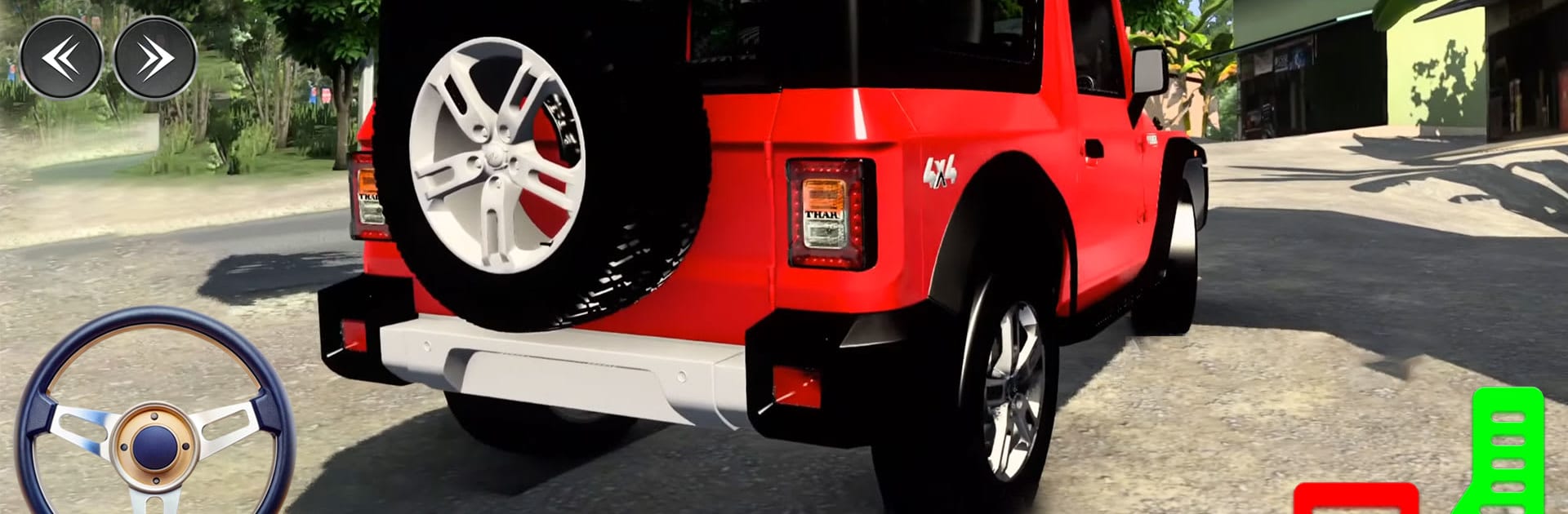
Jeep Driving Offline Games

Jeep Driving Offline Games

Role Playing

| Quick Games Inc.

Play on PC with BlueStacks or from our cloud

  • Overview
  • Game Features
  • How to Play

Page Modified On: October 23, 2026

Play Jeep Driving Offline Games on PC or Mac

Step into the World of Jeep Driving Offline Games, a thrilling Role Playing game from the house of Quick Games Inc.. Play this Android game on BlueStacks App Player and experience immersive gaming on PC or Mac.

About the Game

Jeep Driving Offline Games throws you behind the wheel of chunky 4x4s and dares you to master mud, hills, and wild stunt tracks. This Role Playing take on off-road driving blends tug-of-war showdowns, precision stunts, and a story-led career into one tight, challenge-heavy package. Prefer a bigger screen? It runs smoothly on PC with BlueStacks, too.

Game Features

  • Tug Challenge Mode: Lock bumpers in head‑to‑head pulls against jeeps and tractors where timing, throttle control, and traction decide the winner—complete with slick cinematic cutscenes.
  • Stunt Mode: Thread narrow beams, clear ramp jumps, and stick tough landings on handcrafted tracks that test balance, speed, and nerves.
  • Career Mode: Tackle mission-driven chapters—transport jobs, rough-terrain tasks, and timed runs—while unlocking fresh challenges and new routes as you progress.
  • Offline, Always Ready: Every mode works without a connection, so you can grind through levels, retry tough sections, and keep the streak going anytime.
  • Realistic Handling: Smooth steering, weighty suspension, and convincing surface grip make climbs, slides, and recoveries feel earned, not scripted.
  • Deep Customization: Swap wheels, change number plates, and personalize the look to match your driving style—your rig, your identity.
  • Detailed Environments: Explore rugged off-road locales with varied terrain, from muddy stretches to rocky climbs and tight passages that demand careful control.
  • Progress That Pushes You: Carefully tuned levels scale up the difficulty, nudging you to refine strategy, manage momentum, and squeeze every bit of power from your jeep.

Start your journey now. Download the game on BlueStacks, invite your friends, and march on a new adventure.


Game Features

Enhancements

  • Macros
  • Rerolling
  • Eco Mode
  • Multi Instance Sync
  • Enhancements
Macros

Macros

Focus more on the fun part of the game, skip the tedious aspects. Master Jeep Driving Offline Games with Macros. Record yourself completing the monotonous tasks you wish to automate and replay them later with just one keypress.
Rerolling

Rerolling

Speed up the rerolling process in Jeep Driving Offline Games. Perform multiple summons and keep looking for the best Heroes. Use Multi-Instance sync to replicate the rerolling mechanism in all instances.
Eco Mode

Eco Mode

Farm in-game resources with ease in Jeep Driving Offline Games. Enable the Eco Mode when running the game in multiple instances. And lower your PC's resource consumption.
Multi Instance Sync

Multi Instance Sync

With the Multi-instance Sync, you can do even more in Jeep Driving Offline Games. Sync the action of the main instance and repeat them in real time for all other instances. Sync and sit back, let the game progress unfold.
Read More

How to Download and Play Jeep Driving Offline Games on PC or Mac

  • Download and install BlueStacks on your PC or Mac

  • Complete Google sign-in to access the Play Store, or do it later

  • Look for Jeep Driving Offline Games in the search bar at the top right corner

  • Click to install Jeep Driving Offline Games from the search results

  • Complete Google sign-in (if you skipped step 2) to install Jeep Driving Offline Games

  • Click the Jeep Driving Offline Games icon on the home screen to start playing

video
Watch Video

Minimum System Requirements

With BlueStacks 5, you can get started on a PC that fulfills the following requirements.

  • Operating System

    Microsoft Windows 7 or above, macOS 11 (Big Sur) or above

  • Processor

    Intel, AMD or Apple Silicon Processor

  • RAM

    at least 4GB

  • HDD

    10GB Free Disk Space

Note:

* You must be an Administrator on your PC. Up to date graphics drivers from Microsoft or the chipset vendor.

Jeep Driving Offline Games - FAQs

  • How to play Jeep Driving Offline Games on Windows PC & Mac?

    Play Jeep Driving Offline Games on your PC or Mac by following these simple steps.

    • Click on 'Play Jeep Driving Offline Games on PC’ to download BlueStacks
    • Install it and log-in to Google Play Store
    • Launch and play the game.
  • Why is BlueStacks the fastest and safest platform to play games on PC?

    BlueStacks respects your privacy and is always safe and secure to use. It does not carry any malware, spyware, or any sort of additional software that could harm your PC.

    It is engineered to optimize speed and performance for a seamless gaming experience.

  • What are Jeep Driving Offline Games PC requirements?

    Minimum requirement to run Jeep Driving Offline Games on your PC

    • OS: Microsoft Windows 7 or above MacOS 11 (Big Sur) or above
    • Processor: Intel, AMD or Apple Silicon Processor
    • RAM: Your PC must have at least 4GB of RAM. (Note that having 4GB or more disk space is not a substitute for RAM)
    • HDD: 10GB Free Disk Space.
    • You must be an Administrator on your PC.