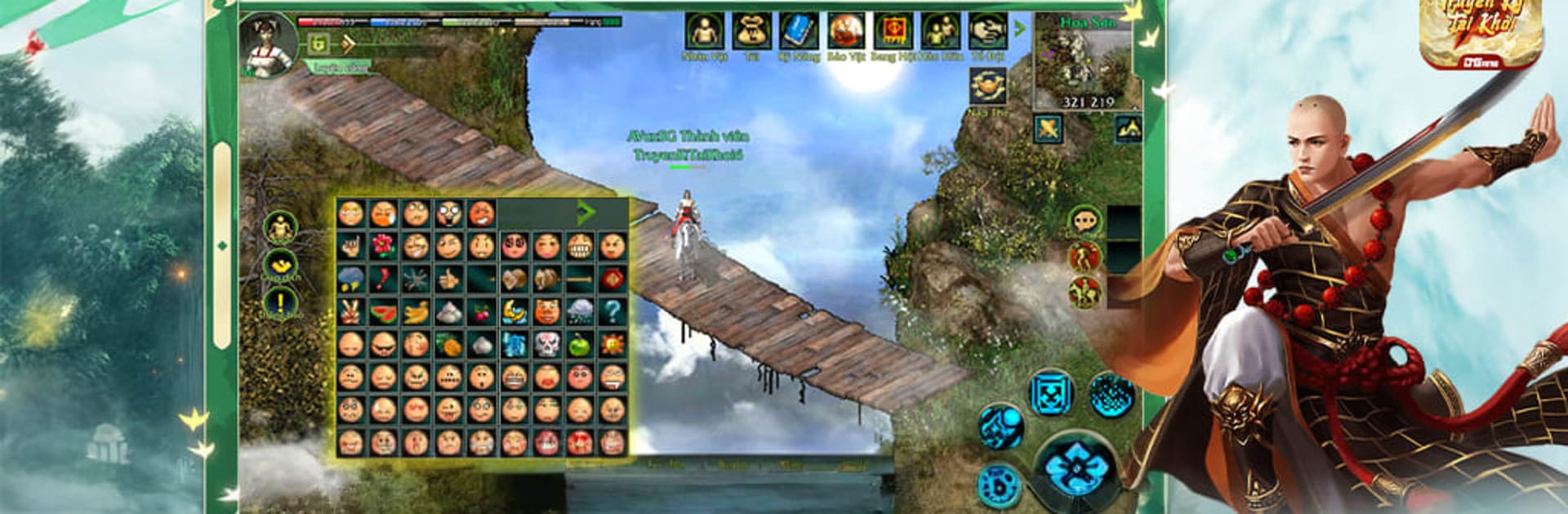
Truyền Kỳ Tái Khởi - DNG

Truyền Kỳ Tái Khởi - DNG

Role Playing

| DANAGAME TECHNOLOGY COMPANY LIMITED

Play on PC with BlueStacks or from our cloud

  • Overview
  • Game Features
  • How to Play

Page Modified On: May 05, 2026

Play Truyền Kỳ Tái Khởi - DNG on PC or Mac

Truyền Kỳ Tái Khởi – DNG brings the Role Playing genre to life, and throws up exciting challenges for gamers. Developed by DANAGAME TECHNOLOGY COMPANY LIMITED, this Android game is best experienced on BlueStacks, the World’s #1 app player for PC and Mac users.

About the Game

Truyền Kỳ Tái Khởi – DNG is a Role Playing experience built around one thing: the feel of the blade. It’s all about clean, grounded sword combat where timing, positioning, and the weight of each strike actually matter. You’re not just tapping skills—you’re reading your opponent, setting up openings, and making every swing count.

Game Features

  • Realistic swordplay: Combat favors technique over button-mashing. Blocks, feints, and well-timed counters turn tough fights into satisfying wins.

  • Reactive combat system: Attacks have impact, footwork matters, and mistakes are punished. Learn patterns, adjust your stance, and commit to your strike at the right moment.

  • Flexible growth: Build your warrior the way you like. Specialize in quick, precise cuts or lean into heavier, guard-breaking styles—your skill choices shape your pace and flavor.

  • Gear that feels right: Weapons and armor aren’t just numbers. The blade you carry influences reach, tempo, and how you approach a duel.

  • Story and challenges: Take on quests and set-piece encounters that push your mastery. From skirmishes to tense one-on-ones, there’s always a new test of your form.

  • Atmosphere-first world: Minimal fluff, maximum mood—dusty roads, quiet villages, and battlefields that tell their own stories without shouting about it.

  • Smooth on PC with BlueStacks: Prefer keyboard and mouse for cleaner inputs? Running the game through BlueStacks helps keep those parries and perfect dodges crisp.

From DANAGAME TECHNOLOGY COMPANY LIMITED, Truyền Kỳ Tái Khởi – DNG keeps the focus on disciplined, grounded sword arts—simple to understand, hard to truly master.

Make your gaming sessions memorable with precise controls that give you an edge in close combats and visuals that pop up, bringing every character to life.


Game Features

Enhancements

  • Macros
  • Rerolling
  • Eco Mode
  • Multi Instance Sync
  • Enhancements
Macros

Macros

Focus more on the fun part of the game, skip the tedious aspects. Master Truyền Kỳ Tái Khởi - DNG with Macros. Record yourself completing the monotonous tasks you wish to automate and replay them later with just one keypress.
Rerolling

Rerolling

Speed up the rerolling process in Truyền Kỳ Tái Khởi - DNG. Perform multiple summons and keep looking for the best Heroes. Use Multi-Instance sync to replicate the rerolling mechanism in all instances.
Eco Mode

Eco Mode

Farm in-game resources with ease in Truyền Kỳ Tái Khởi - DNG. Enable the Eco Mode when running the game in multiple instances. And lower your PC's resource consumption.
Multi Instance Sync

Multi Instance Sync

With the Multi-instance Sync, you can do even more in Truyền Kỳ Tái Khởi - DNG. Sync the action of the main instance and repeat them in real time for all other instances. Sync and sit back, let the game progress unfold.
Read More

How to Download and Play Truyền Kỳ Tái Khởi - DNG on PC or Mac

  • Download and install BlueStacks on your PC or Mac

  • Complete Google sign-in to access the Play Store, or do it later

  • Look for Truyền Kỳ Tái Khởi - DNG in the search bar at the top right corner

  • Click to install Truyền Kỳ Tái Khởi - DNG from the search results

  • Complete Google sign-in (if you skipped step 2) to install Truyền Kỳ Tái Khởi - DNG

  • Click the Truyền Kỳ Tái Khởi - DNG icon on the home screen to start playing

video
Watch Video

Minimum System Requirements

With BlueStacks 5, you can get started on a PC that fulfills the following requirements.

  • Operating System

    Microsoft Windows 7 or above, macOS 11 (Big Sur) or above

  • Processor

    Intel, AMD or Apple Silicon Processor

  • RAM

    at least 4GB

  • HDD

    10GB Free Disk Space

Note:

* You must be an Administrator on your PC. Up to date graphics drivers from Microsoft or the chipset vendor.

Truyền Kỳ Tái Khởi - DNG - FAQs

  • How to play Truyền Kỳ Tái Khởi - DNG on Windows PC & Mac?

    Play Truyền Kỳ Tái Khởi - DNG on your PC or Mac by following these simple steps.

    • Click on 'Play Truyền Kỳ Tái Khởi - DNG on PC’ to download BlueStacks
    • Install it and log-in to Google Play Store
    • Launch and play the game.
  • Why is BlueStacks the fastest and safest platform to play games on PC?

    BlueStacks respects your privacy and is always safe and secure to use. It does not carry any malware, spyware, or any sort of additional software that could harm your PC.

    It is engineered to optimize speed and performance for a seamless gaming experience.

  • What are Truyền Kỳ Tái Khởi - DNG PC requirements?

    Minimum requirement to run Truyền Kỳ Tái Khởi - DNG on your PC

    • OS: Microsoft Windows 7 or above MacOS 11 (Big Sur) or above
    • Processor: Intel, AMD or Apple Silicon Processor
    • RAM: Your PC must have at least 4GB of RAM. (Note that having 4GB or more disk space is not a substitute for RAM)
    • HDD: 10GB Free Disk Space.
    • You must be an Administrator on your PC.