Thanh Long Huyền Thoại

Thanh Long Huyền Thoại

Role Playing

| SONG LONG GAME JOINT STOCK COMPANY

Play on PC with BlueStacks or from our cloud

  • Overview
  • Game Features
  • How to Play

Page Modified On: June 25, 2026

Play Thanh Long Huyền Thoại on PC or Mac

Bring your A-game to Thanh Long Huyền Thoại, the Role Playing game sensation from SONG LONG GAME JOINT STOCK COMPANY. Give your gameplay the much-needed boost with precise game controls, high FPS graphics, and top-tier features on your PC or Mac with BlueStacks.

About the Game

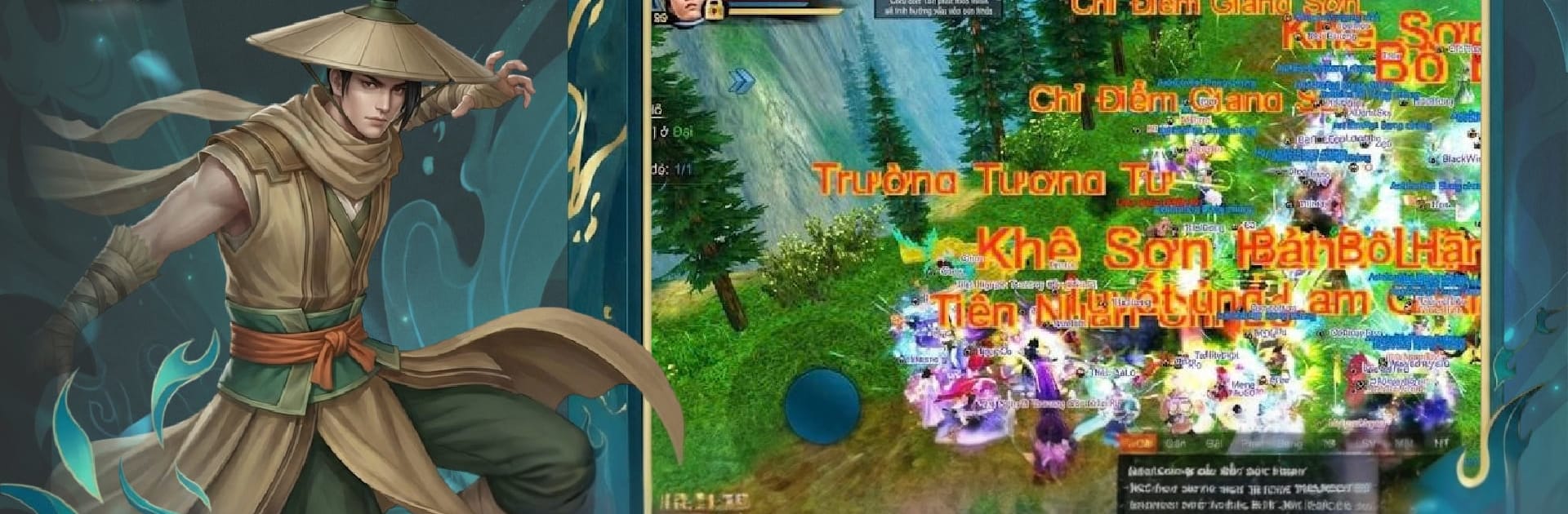
Thanh Long Huyền Thoại is a Role Playing adventure that feels like cracking open an old-school martial arts novel and walking right into its pages. It brings back the spirit of mid‑2000s PC wuxia—bustling towns, dusty roads, rival clans—and rebuilds it in a modern 3D world made for mobile. Prefer a keyboard and a bigger screen? It also plays smoothly on BlueStacks.

Game Features

  • Nostalgic Wuxia World: Wander through sprawling cities, misty valleys, sunbaked deserts, and war-torn fields that capture the look and mood of classic martial arts games—just sharper and livelier.
  • Story with Grit and Heart: Walk a path where honor clashes with ambition. Choices, grudges, and shifting alliances push your journey forward as you write your own legend.
  • Classic Progression, Modern Flow: Train new skills, fine-tune builds, and hunt for gear the old-fashioned way—yet with streamlined systems that respect your time on mobile.
  • Strategic Open PvP: It’s not just who swings first. Positioning, counters, and timing matter whether you’re dueling on a bridge or brawling in a crowded battleground.
  • Guilds and Brotherhood: Team up for large-scale fights, coordinate raids, and trade knowledge. The social side isn’t an extra—it’s the backbone of the experience.
  • 3D Visuals with Character: Outfits, weapons, and stances echo the classics without feeling dated. Every scene is staged to make skirmishes readable and dramatic.
  • Sound That Sets the Stage: Crisp blade clashes, thundering skills, and location-based music shift with what’s on screen, pulling you deeper into every encounter.
  • Touch Controls with Depth: Easy to pick up, tough to master. Quick access to combos and dodges keeps combat responsive, while advanced settings let veterans fine‑tune their setup.

Ready to top the leaderboard? We bet you do. Let precise controls and sharp visuals optimized on BlueStacks lead you to victory.


Game Features

Enhancements

  • Macros
  • Rerolling
  • Eco Mode
  • Multi Instance Sync
  • Enhancements
Macros

Macros

Focus more on the fun part of the game, skip the tedious aspects. Master Thanh Long Huyền Thoại with Macros. Record yourself completing the monotonous tasks you wish to automate and replay them later with just one keypress.
Rerolling

Rerolling

Speed up the rerolling process in Thanh Long Huyền Thoại. Perform multiple summons and keep looking for the best Heroes. Use Multi-Instance sync to replicate the rerolling mechanism in all instances.
Eco Mode

Eco Mode

Farm in-game resources with ease in Thanh Long Huyền Thoại. Enable the Eco Mode when running the game in multiple instances. And lower your PC's resource consumption.
Multi Instance Sync

Multi Instance Sync

With the Multi-instance Sync, you can do even more in Thanh Long Huyền Thoại. Sync the action of the main instance and repeat them in real time for all other instances. Sync and sit back, let the game progress unfold.
Read More

How to Download and Play Thanh Long Huyền Thoại on PC or Mac

  • Download and install BlueStacks on your PC or Mac

  • Complete Google sign-in to access the Play Store, or do it later

  • Look for Thanh Long Huyền Thoại in the search bar at the top right corner

  • Click to install Thanh Long Huyền Thoại from the search results

  • Complete Google sign-in (if you skipped step 2) to install Thanh Long Huyền Thoại

  • Click the Thanh Long Huyền Thoại icon on the home screen to start playing

video
Watch Video

Minimum System Requirements

With BlueStacks 5, you can get started on a PC that fulfills the following requirements.

  • Operating System

    Microsoft Windows 7 or above, macOS 11 (Big Sur) or above

  • Processor

    Intel, AMD or Apple Silicon Processor

  • RAM

    at least 4GB

  • HDD

    10GB Free Disk Space

Note:

* You must be an Administrator on your PC. Up to date graphics drivers from Microsoft or the chipset vendor.

Thanh Long Huyền Thoại - FAQs

  • How to play Thanh Long Huyền Thoại on Windows PC & Mac?

    Play Thanh Long Huyền Thoại on your PC or Mac by following these simple steps.

    • Click on 'Play Thanh Long Huyền Thoại on PC’ to download BlueStacks
    • Install it and log-in to Google Play Store
    • Launch and play the game.
  • Why is BlueStacks the fastest and safest platform to play games on PC?

    BlueStacks respects your privacy and is always safe and secure to use. It does not carry any malware, spyware, or any sort of additional software that could harm your PC.

    It is engineered to optimize speed and performance for a seamless gaming experience.

  • What are Thanh Long Huyền Thoại PC requirements?

    Minimum requirement to run Thanh Long Huyền Thoại on your PC

    • OS: Microsoft Windows 7 or above MacOS 11 (Big Sur) or above
    • Processor: Intel, AMD or Apple Silicon Processor
    • RAM: Your PC must have at least 4GB of RAM. (Note that having 4GB or more disk space is not a substitute for RAM)
    • HDD: 10GB Free Disk Space.
    • You must be an Administrator on your PC.