Lionheart: Dark Moon RPG

Lionheart: Dark Moon RPG

Role Playing

| Emerald City Games

Play on PC with BlueStacks or from our cloud

  • Overview
  • Game Features
  • How to Play

Page Modified On: June 02, 2026

Play Lionheart: Dark Moon RPG on PC or Mac

Lionheart: Dark Moon RPG by Emerald City Games has plenty to keep you busy. BlueStacks lets you play it on PC or Mac with more screen space, better control, and fewer mobile limits.

About the Game

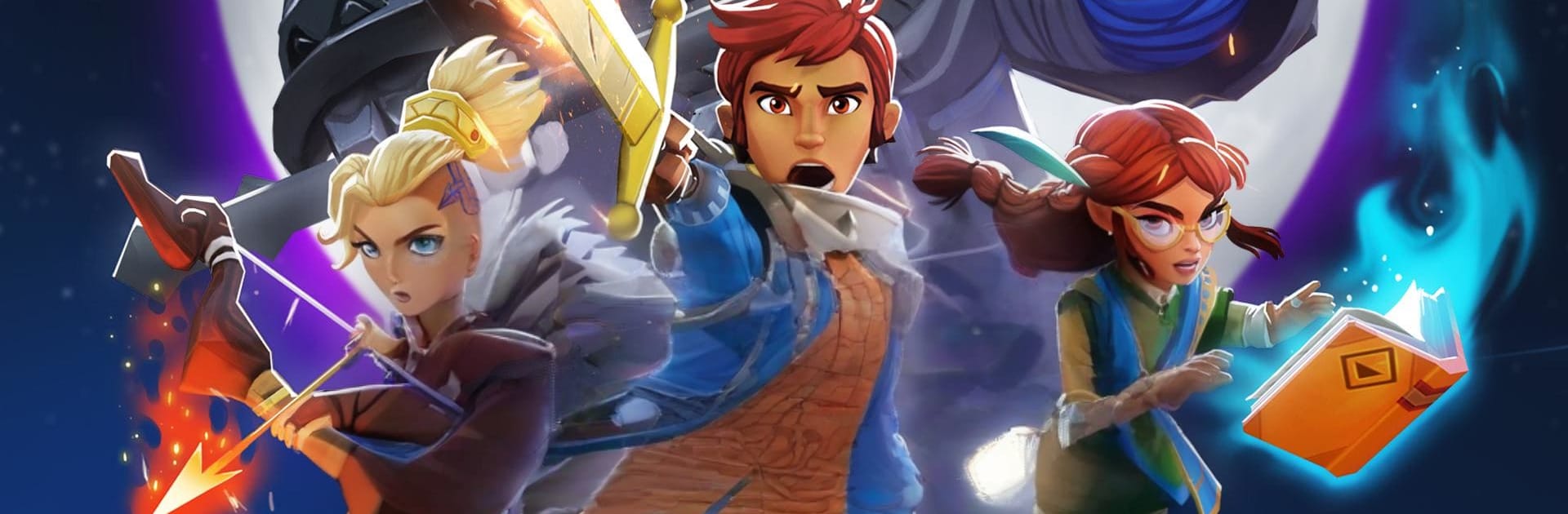
Lionheart: Dark Moon RPG is a team-building Role Playing adventure where smart choices matter as much as cool heroes. You’ll assemble a squad, face off against towering bosses, and protect your kingdom from the twisted forces of the Mirror. Big, flashy 3D battles, loads of character variety, and a steady stream of decisions keep every fight interesting. Prefer playing on a PC? It runs smoothly with BlueStacks without getting in the way.

Game Features

  • Huge hero roster: Build a collection of 150+ heroes spanning five elements—Dark, Gaea, Wyld, Mirror, and Elemental—each with its own look, skills, and backstory.
  • Strategic team combat: Pair sturdy guardians with glass-cannon mages, healers, and disruptors. Time abilities, chain effects, and adapt on the fly to crack tough encounters.
  • Boss fights that hit back: Learn attack patterns, protect your squishies, and use status effects and shields to turn dangerous moments into clutch wins.
  • Arena clashes: Test your lineup against other players’ defenses, tweak your formations, and climb through competitive brackets at your own pace.
  • Guild Titans: Join a guild and channel resources into a shared Titan that boosts your team—perfect for coordinated pushes and bragging rights.
  • Draft Dungeon mode: Pick from rotating options and dive deeper with what you’ve got. It’s a smart, nearly bottomless challenge that rewards planning over brute force.
  • Pets and potions: Slot pets for unique perks and tailor your loadouts with consumables to cover weaknesses or amplify strengths.
  • Steady progression: Knock out daily quests, gather keys to summon new faces, and uncover the larger lore as your roster grows.

Get ready for a buttery smooth, high-performance gaming action only on BlueStacks.

Game Features

Enhancements

  • Macros
  • Rerolling
  • Eco Mode
  • Multi Instance Sync
  • Enhancements
Macros

Macros

Focus more on the fun part of the game, skip the tedious aspects. Master Lionheart: Dark Moon RPG with Macros. Record yourself completing the monotonous tasks you wish to automate and replay them later with just one keypress.
Rerolling

Rerolling

Speed up the rerolling process in Lionheart: Dark Moon RPG. Perform multiple summons and keep looking for the best Heroes. Use Multi-Instance sync to replicate the rerolling mechanism in all instances.
Eco Mode

Eco Mode

Farm in-game resources with ease in Lionheart: Dark Moon RPG. Enable the Eco Mode when running the game in multiple instances. And lower your PC's resource consumption.
Multi Instance Sync

Multi Instance Sync

With the Multi-instance Sync, you can do even more in Lionheart: Dark Moon RPG. Sync the action of the main instance and repeat them in real time for all other instances. Sync and sit back, let the game progress unfold.
Read More

How to Download and Play Lionheart: Dark Moon RPG on PC or Mac

  • Download and install BlueStacks on your PC or Mac

  • Complete Google sign-in to access the Play Store, or do it later

  • Look for Lionheart: Dark Moon RPG in the search bar at the top right corner

  • Click to install Lionheart: Dark Moon RPG from the search results

  • Complete Google sign-in (if you skipped step 2) to install Lionheart: Dark Moon RPG

  • Click the Lionheart: Dark Moon RPG icon on the home screen to start playing

video
Watch Video

Minimum System Requirements

With BlueStacks 5, you can get started on a PC that fulfills the following requirements.

  • Operating System

    Microsoft Windows 7 or above, macOS 11 (Big Sur) or above

  • Processor

    Intel, AMD or Apple Silicon Processor

  • RAM

    at least 4GB

  • HDD

    10GB Free Disk Space

Note:

* You must be an Administrator on your PC. Up to date graphics drivers from Microsoft or the chipset vendor.

Lionheart: Dark Moon RPG - FAQs

  • How to play Lionheart: Dark Moon RPG on Windows PC & Mac?

    Play Lionheart: Dark Moon RPG on your PC or Mac by following these simple steps.

    • Click on 'Play Lionheart: Dark Moon RPG on PC’ to download BlueStacks
    • Install it and log-in to Google Play Store
    • Launch and play the game.
  • Why is BlueStacks the fastest and safest platform to play games on PC?

    BlueStacks respects your privacy and is always safe and secure to use. It does not carry any malware, spyware, or any sort of additional software that could harm your PC.

    It is engineered to optimize speed and performance for a seamless gaming experience.

  • What are Lionheart: Dark Moon RPG PC requirements?

    Minimum requirement to run Lionheart: Dark Moon RPG on your PC

    • OS: Microsoft Windows 7 or above MacOS 11 (Big Sur) or above
    • Processor: Intel, AMD or Apple Silicon Processor
    • RAM: Your PC must have at least 4GB of RAM. (Note that having 4GB or more disk space is not a substitute for RAM)
    • HDD: 10GB Free Disk Space.
    • You must be an Administrator on your PC.