Mini Pirate Clash
Mini Pirate Clash

Mini Pirate Clash

Role Playing

| Niuxinrong Information Technology Co., Ltd.

Play on PC with BlueStacks or from our cloud

  • Overview
  • Game Features
  • How to Play

Page Modified On: April 21, 2026

Play Mini Pirate Clash on PC or Mac

From the innovators and creators at Niuxinrong Information Technology Co., Ltd., Mini Pirate Clash is another fun addition to the World of Role Playing games. Go beyond your mobile screen and play it bigger and better on your PC or Mac. An immersive experience awaits you.

About the Game

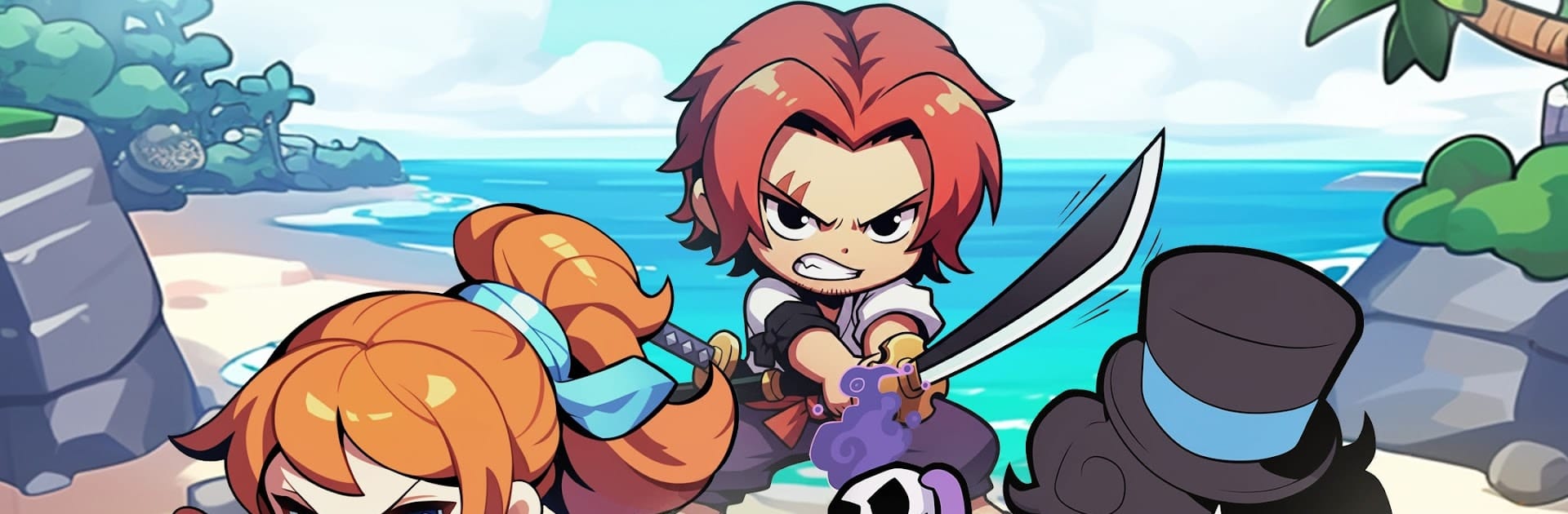
Mini Pirate Clash is a fast, sea-sprayed Role Playing romp where quick decisions and clever tricks win the day. Built by Niuxinrong Information Technology Co., Ltd., it blends quick, pick-up-and-play sessions with sneaky depth—perfect for a few minutes or a full evening of plotting. Prefer a bigger screen? It runs smoothly on BlueStacks, with crisp controls for those tense moments when cannon fire starts flying.

Game Features

  • Fresh runs, every time: Islands shuffle, routes shift, and events change from match to match, so no two expeditions feel the same. Learn the map on the fly, adapt your plan, and surprise your rivals.
  • Real-time naval tactics: Plot your path across the islands while juggling resources and positioning. It’s easy to hop in, but there’s tons of room to outthink bold captains.
  • Dual-layer combat: Trade broadsides in ship-to-ship duels, then jump into close-quarters brawls on deck. Timing skill combos, ramming lines, and cannon angles can flip a fight in a heartbeat.
  • 1v1 or all-out chaos: Queue for tense duels or brace for wild multiplayer melees. Each mode rewards different playstyles, from surgical strikes to controlled mayhem.
  • Grow your crew and vessel: Unlock pirate skills, tune your ship’s loadout, and shape a progression path that suits your style—speed, power, trickery, or a crafty mix.
  • Treasure and discovery: Crack open hefty chests to push back the fog and chart fresh waters, opening routes to new regions and bigger risks.
  • Style and status: Collect skins, gear, and achievements that show off your journey. Tackle quests, compare notes with other players, and climb the boards if competition’s your thing.

Start your journey now. Download the game on BlueStacks, invite your friends, and march on a new adventure.


Game Features

Enhancements

  • Macros
  • Rerolling
  • Eco Mode
  • Multi Instance Sync
  • Enhancements
Macros

Macros

Focus more on the fun part of the game, skip the tedious aspects. Master Mini Pirate Clash with Macros. Record yourself completing the monotonous tasks you wish to automate and replay them later with just one keypress.
Rerolling

Rerolling

Speed up the rerolling process in Mini Pirate Clash. Perform multiple summons and keep looking for the best Heroes. Use Multi-Instance sync to replicate the rerolling mechanism in all instances.
Eco Mode

Eco Mode

Farm in-game resources with ease in Mini Pirate Clash. Enable the Eco Mode when running the game in multiple instances. And lower your PC's resource consumption.
Multi Instance Sync

Multi Instance Sync

With the Multi-instance Sync, you can do even more in Mini Pirate Clash. Sync the action of the main instance and repeat them in real time for all other instances. Sync and sit back, let the game progress unfold.
Read More

How to Download and Play Mini Pirate Clash on PC or Mac

  • Download and install BlueStacks on your PC or Mac

  • Complete Google sign-in to access the Play Store, or do it later

  • Look for Mini Pirate Clash in the search bar at the top right corner

  • Click to install Mini Pirate Clash from the search results

  • Complete Google sign-in (if you skipped step 2) to install Mini Pirate Clash

  • Click the Mini Pirate Clash icon on the home screen to start playing

video
Watch Video

Minimum System Requirements

With BlueStacks 5, you can get started on a PC that fulfills the following requirements.

  • Operating System

    Microsoft Windows 7 or above, macOS 11 (Big Sur) or above

  • Processor

    Intel, AMD or Apple Silicon Processor

  • RAM

    at least 4GB

  • HDD

    10GB Free Disk Space

Note:

* You must be an Administrator on your PC. Up to date graphics drivers from Microsoft or the chipset vendor.

Mini Pirate Clash - FAQs

  • How to play Mini Pirate Clash on Windows PC & Mac?

    Play Mini Pirate Clash on your PC or Mac by following these simple steps.

    • Click on 'Play Mini Pirate Clash on PC’ to download BlueStacks
    • Install it and log-in to Google Play Store
    • Launch and play the game.
  • Why is BlueStacks the fastest and safest platform to play games on PC?

    BlueStacks respects your privacy and is always safe and secure to use. It does not carry any malware, spyware, or any sort of additional software that could harm your PC.

    It is engineered to optimize speed and performance for a seamless gaming experience.

  • What are Mini Pirate Clash PC requirements?

    Minimum requirement to run Mini Pirate Clash on your PC

    • OS: Microsoft Windows 7 or above MacOS 11 (Big Sur) or above
    • Processor: Intel, AMD or Apple Silicon Processor
    • RAM: Your PC must have at least 4GB of RAM. (Note that having 4GB or more disk space is not a substitute for RAM)
    • HDD: 10GB Free Disk Space.
    • You must be an Administrator on your PC.