Only One
Only One

Only One

Role Playing

| Ernest Szoka

Play on PC with BlueStacks or from our cloud

  • Overview
  • Game Features
  • How to Play

Page Modified On: July 18, 2025

Play Only One on PC or Mac

Explore a whole new adventure with Only One, a Role Playing game created by Ernest Szoka. Experience great gameplay with BlueStacks, the most popular gaming platform to play Android games on your PC or Mac.

About the Game

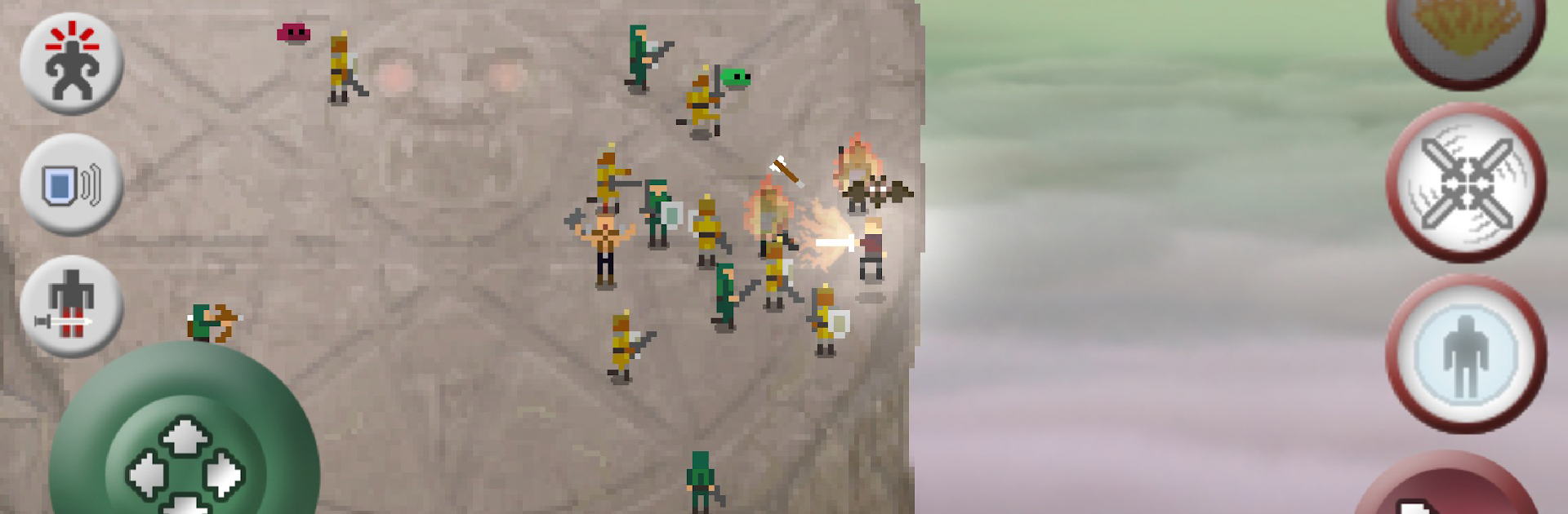
Only One drops you right into the middle of a sky-high showdown, sword in hand and nowhere to run. If you’re the kind who likes chaotic, all-or-nothing battles, this Role Playing experience from Ernest Szoka keeps things fast, fierce, and surprisingly strategic. Standing alone on a tiny pillar, you’ll face wave after wave of enemies—all hungry to send you tumbling off the edge.

Game Features

  • Retro Pixel Vibes: Dig that old-school look? Only One’s pixel art, paired with a punchy soundtrack, gives the whole arena an arcade-style throwback feel.

  • Physics-Based Swordplay: Swordfights here aren’t just button-mashing. Parry incoming blows, snatch enemy shields, and try slick moves like tossing opponents off the platform if you’re feeling cheeky.

  • Crazy Abilities & Upgrades: As you survive, pick up new powers—stuff like freezing, whirlwind attacks, or even bouncing fireballs back at those pesky wizards. Every upgrade changes how you tackle each round.

  • Packed With Challengers: Plow through 100 levels featuring everything from soldiers and archers to wizards, loot-stealing gnomes, and gnarly bosses. It’s never just a one-on-one.

  • Checkpoint Ladder System: Hit check-ins every ten rounds but don’t get too comfy; you’ll need to stay sharp with every new restart.

  • Flexible Controls: Run around with a floating joystick (or switch it up in settings), and yes, you can jump in with your game controller if you prefer.

  • Endless Mode: Think you’re tough? Try endless battle and see how long you last when the waves just…keep coming.

  • Extra Unlockables: There’s an in-app purchase for those wanting even more power (totally optional, but it opens up the full game for the completionists out there).

  • Works Smoothly on BlueStacks: Want bigger, more intense brawls? Playing Only One through BlueStacks brings the action to your PC with plenty of room to swing your sword.

Whether you’re outsmarting slimes or sending berserkers flying over the edge, every round is a frantic fight for survival—with bragging rights to whoever ends up truly, well, the only one.

Get ready for a buttery smooth, high-performance gaming action only on BlueStacks.

Game Features

Enhancements

  • Macros
  • Rerolling
  • Eco Mode
  • Multi Instance Sync
  • Enhancements
Macros

Macros

Focus more on the fun part of the game, skip the tedious aspects. Master Only One with Macros. Record yourself completing the monotonous tasks you wish to automate and replay them later with just one keypress.
Rerolling

Rerolling

Speed up the rerolling process in Only One. Perform multiple summons and keep looking for the best Heroes. Use Multi-Instance sync to replicate the rerolling mechanism in all instances.
Eco Mode

Eco Mode

Farm in-game resources with ease in Only One. Enable the Eco Mode when running the game in multiple instances. And lower your PC's resource consumption.
Multi Instance Sync

Multi Instance Sync

With the Multi-instance Sync, you can do even more in Only One. Sync the action of the main instance and repeat them in real time for all other instances. Sync and sit back, let the game progress unfold.
Read More

How to Download and Play Only One on PC or Mac

  • Download and install BlueStacks on your PC or Mac

  • Complete Google sign-in to access the Play Store, or do it later

  • Look for Only One in the search bar at the top right corner

  • Click to install Only One from the search results

  • Complete Google sign-in (if you skipped step 2) to install Only One

  • Click the Only One icon on the home screen to start playing

video
Watch Video

Minimum System Requirements

With BlueStacks 5, you can get started on a PC that fulfills the following requirements.

  • Operating System

    Microsoft Windows 7 or above, macOS 11 (Big Sur) or above

  • Processor

    Intel, AMD or Apple Silicon Processor

  • RAM

    at least 4GB

  • HDD

    10GB Free Disk Space

Note:

* You must be an Administrator on your PC. Up to date graphics drivers from Microsoft or the chipset vendor.

Only One - FAQs

  • How to play Only One on Windows PC & Mac?

    Play Only One on your PC or Mac by following these simple steps.

    • Click on 'Play Only One on PC’ to download BlueStacks
    • Install it and log-in to Google Play Store
    • Launch and play the game.
  • Why is BlueStacks the fastest and safest platform to play games on PC?

    BlueStacks respects your privacy and is always safe and secure to use. It does not carry any malware, spyware, or any sort of additional software that could harm your PC.

    It is engineered to optimize speed and performance for a seamless gaming experience.

  • What are Only One PC requirements?

    Minimum requirement to run Only One on your PC

    • OS: Microsoft Windows 7 or above MacOS 11 (Big Sur) or above
    • Processor: Intel, AMD or Apple Silicon Processor
    • RAM: Your PC must have at least 4GB of RAM. (Note that having 4GB or more disk space is not a substitute for RAM)
    • HDD: 10GB Free Disk Space.
    • You must be an Administrator on your PC.