Paint Yourself: Hide and Seek

Paint Yourself: Hide and Seek

Role Playing

| HARD TECHNOLOGY PRIVATE LIMITED

Play on PC with BlueStacks or from our cloud

  • Overview
  • Game Features
  • How to Play

Page Modified On: July 27, 2026

Play Paint Yourself: Hide and Seek on PC or Mac

Bring your A-game to Paint Yourself: Hide and Seek, the Role Playing game sensation from HARD TECHNOLOGY PRIVATE LIMITED. Give your gameplay the much-needed boost with precise game controls, high FPS graphics, and top-tier features on your PC or Mac with BlueStacks.

About the Game

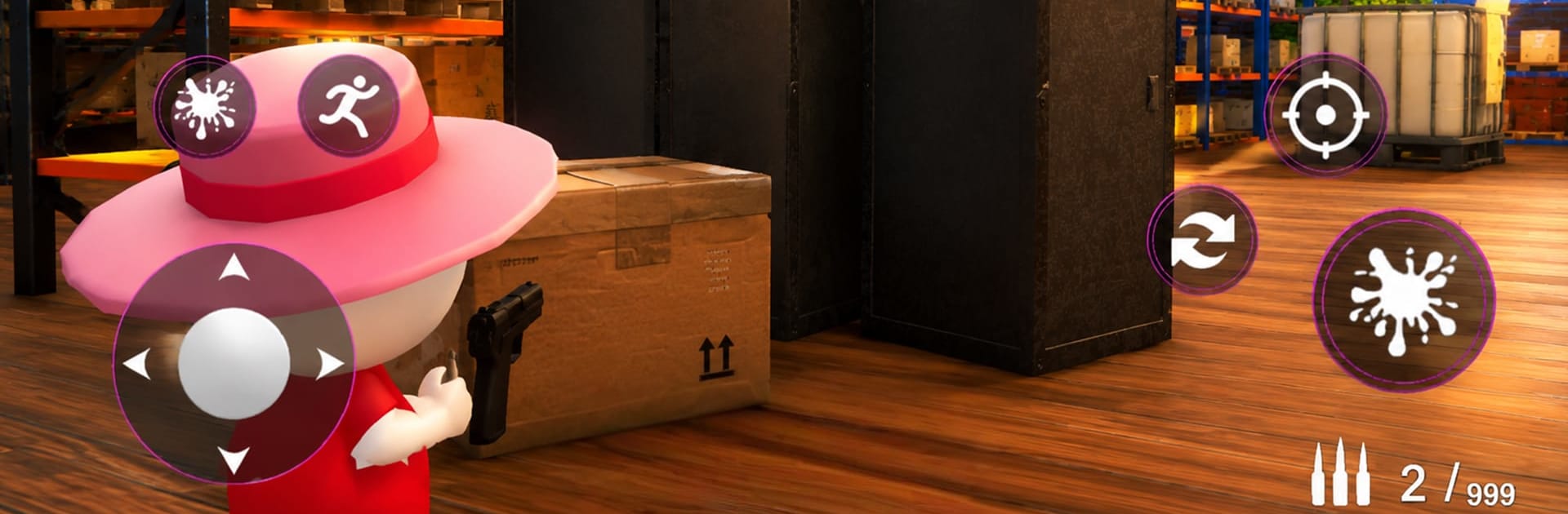
Paint Yourself: Hide and Seek turns classic hide-and-seek into a clever, color-matching showdown. Your best move isn’t running—it’s blending in. Paint your character to match the room around you, tuck into a spot, and wait out the timer… or switch sides and hunt for sneaky players who think they’ve vanished. It’s a playful mix of stealth, strategy, and quick reads, with a creative twist that fits right into the Role Playing vibe.

Game Features

  • Camouflage Painting
    Use a simple paint tool to copy colors and patterns from walls, furniture, and props so you can disappear in plain sight.

  • Two Ways to Play
    Jump in as a Hider and craft the perfect disguise, or go Seeker and scan every texture, shadow, and corner to catch the fakes.

  • Easy Tools, Real Tension
    Controls are straightforward, but the pressure isn’t. Picking the right shade, angle, and spot is where the mind games begin.

  • Colorful 3D Spaces
    Explore bright, varied rooms packed with objects and visual noise—great for hiding, tough for spotting.

  • Timer-Based Rounds
    Every second counts. Stay still and survive as a Hider, or sweep the map fast as a Seeker before the clock runs out.

  • Offline Single-Player
    No connection? No problem. Practice your camouflage and tracking skills anytime.

  • Smooth on Different Setups
    Play on your phone, and if you like a larger display, it also feels right at home on BlueStacks.

Start your journey now. Download the game on BlueStacks, invite your friends, and march on a new adventure.


Game Features

Enhancements

  • Macros
  • Rerolling
  • Eco Mode
  • Multi Instance Sync
  • Enhancements
Macros

Macros

Focus more on the fun part of the game, skip the tedious aspects. Master Paint Yourself: Hide and Seek with Macros. Record yourself completing the monotonous tasks you wish to automate and replay them later with just one keypress.
Rerolling

Rerolling

Speed up the rerolling process in Paint Yourself: Hide and Seek. Perform multiple summons and keep looking for the best Heroes. Use Multi-Instance sync to replicate the rerolling mechanism in all instances.
Eco Mode

Eco Mode

Farm in-game resources with ease in Paint Yourself: Hide and Seek. Enable the Eco Mode when running the game in multiple instances. And lower your PC's resource consumption.
Multi Instance Sync

Multi Instance Sync

With the Multi-instance Sync, you can do even more in Paint Yourself: Hide and Seek. Sync the action of the main instance and repeat them in real time for all other instances. Sync and sit back, let the game progress unfold.
Read More

How to Download and Play Paint Yourself: Hide and Seek on PC or Mac

  • Download and install BlueStacks on your PC or Mac

  • Complete Google sign-in to access the Play Store, or do it later

  • Look for Paint Yourself: Hide and Seek in the search bar at the top right corner

  • Click to install Paint Yourself: Hide and Seek from the search results

  • Complete Google sign-in (if you skipped step 2) to install Paint Yourself: Hide and Seek

  • Click the Paint Yourself: Hide and Seek icon on the home screen to start playing

video
Watch Video

Minimum System Requirements

With BlueStacks 5, you can get started on a PC that fulfills the following requirements.

  • Operating System

    Microsoft Windows 7 or above, macOS 11 (Big Sur) or above

  • Processor

    Intel, AMD or Apple Silicon Processor

  • RAM

    at least 4GB

  • HDD

    10GB Free Disk Space

Note:

* You must be an Administrator on your PC. Up to date graphics drivers from Microsoft or the chipset vendor.

Paint Yourself: Hide and Seek - FAQs

  • How to play Paint Yourself: Hide and Seek on Windows PC & Mac?

    Play Paint Yourself: Hide and Seek on your PC or Mac by following these simple steps.

    • Click on 'Play Paint Yourself: Hide and Seek on PC’ to download BlueStacks
    • Install it and log-in to Google Play Store
    • Launch and play the game.
  • Why is BlueStacks the fastest and safest platform to play games on PC?

    BlueStacks respects your privacy and is always safe and secure to use. It does not carry any malware, spyware, or any sort of additional software that could harm your PC.

    It is engineered to optimize speed and performance for a seamless gaming experience.

  • What are Paint Yourself: Hide and Seek PC requirements?

    Minimum requirement to run Paint Yourself: Hide and Seek on your PC

    • OS: Microsoft Windows 7 or above MacOS 11 (Big Sur) or above
    • Processor: Intel, AMD or Apple Silicon Processor
    • RAM: Your PC must have at least 4GB of RAM. (Note that having 4GB or more disk space is not a substitute for RAM)
    • HDD: 10GB Free Disk Space.
    • You must be an Administrator on your PC.