PixelTerra
PixelTerra

PixelTerra

Role Playing

| SKVMAR

Play on PC with BlueStacks or from our cloud

  • Overview
  • Game Features
  • How to Play

Page Modified On: August 15, 2026

Play PixelTerra on PC or Mac

PixelTerra by SKVMAR has plenty to keep you busy. BlueStacks lets you play it on PC or Mac with more screen space, better control, and fewer mobile limits.

About the Game

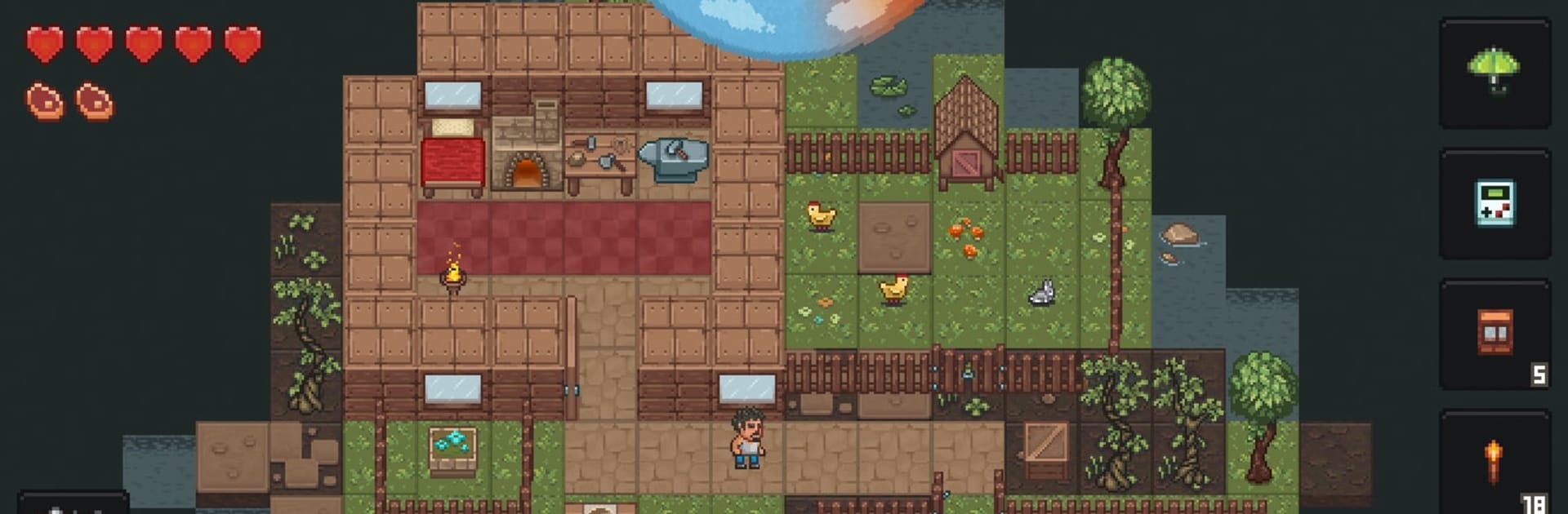
PixelTerra throws you into a rugged, hand-built wilderness where staying alive is the daily mission. It’s a gritty survival experience with a Role Playing heart—craft gear, brave dark dungeons, and make choices that actually matter from one run to the next. Tweak the challenge to your liking and explore at your own pace; it plays nicely on BlueStacks if you prefer a wider view.

Game Features

  • Big Crafting Playground: Put together tools, weapons, clothes, furniture, and more with well over a hundred recipes to uncover and master.
  • Dungeons Worth the Risk: Explore dangerous underground halls packed with traps, rare materials, and treasure for those who make it out.
  • Worlds That Meet You Halfway: Start fresh in uniquely generated maps, with difficulty that subtly adapts to how you’re doing.
  • Loot With Personality: Find gear that rolls with different stats and perks, so every haul feels a little different.
  • A Living, Breathing Land: Day turns to night, storms roll in, and the weather can mess with visibility, warmth, and your plans.
  • Hunt, Fish, Forage: Track wildlife, cast a line, and gather what you need to keep your health and hunger in check.
  • Farm and Herd: Plant crops, raise animals, and build a steady food supply once you’re past the early scramble.
  • Barter With Locals: Trade goods with settlers to grab hard-to-find items or offload your extras.
  • Play Your Way: Turn off starvation or tone down brutal enemies if you want a calmer experience, and slow the game speed while you learn the ropes.
  • Smart Starts: Don’t overbuild on day one—use natural stone formations for quick cover, then expand when you’re ready.
  • Constantly Growing: Expect new blocks, items, and recipes to roll in over time, keeping crafting and exploration feeling fresh.
  • Roguelike Touches: Tense nights, meaningful losses, and run-to-run variety make every survival story uniquely yours.

Start your journey now. Download the game on BlueStacks, invite your friends, and march on a new adventure.


Game Features

Enhancements

  • Macros
  • Rerolling
  • Eco Mode
  • Multi Instance Sync
  • Enhancements
Macros

Macros

Focus more on the fun part of the game, skip the tedious aspects. Master PixelTerra with Macros. Record yourself completing the monotonous tasks you wish to automate and replay them later with just one keypress.
Rerolling

Rerolling

Speed up the rerolling process in PixelTerra. Perform multiple summons and keep looking for the best Heroes. Use Multi-Instance sync to replicate the rerolling mechanism in all instances.
Eco Mode

Eco Mode

Farm in-game resources with ease in PixelTerra. Enable the Eco Mode when running the game in multiple instances. And lower your PC's resource consumption.
Multi Instance Sync

Multi Instance Sync

With the Multi-instance Sync, you can do even more in PixelTerra. Sync the action of the main instance and repeat them in real time for all other instances. Sync and sit back, let the game progress unfold.
Read More

How to Download and Play PixelTerra on PC or Mac

  • Download and install BlueStacks on your PC or Mac

  • Complete Google sign-in to access the Play Store, or do it later

  • Look for PixelTerra in the search bar at the top right corner

  • Click to install PixelTerra from the search results

  • Complete Google sign-in (if you skipped step 2) to install PixelTerra

  • Click the PixelTerra icon on the home screen to start playing

video
Watch Video

Minimum System Requirements

With BlueStacks 5, you can get started on a PC that fulfills the following requirements.

  • Operating System

    Microsoft Windows 7 or above, macOS 11 (Big Sur) or above

  • Processor

    Intel, AMD or Apple Silicon Processor

  • RAM

    at least 4GB

  • HDD

    10GB Free Disk Space

Note:

* You must be an Administrator on your PC. Up to date graphics drivers from Microsoft or the chipset vendor.

PixelTerra - FAQs

  • How to play PixelTerra on Windows PC & Mac?

    Play PixelTerra on your PC or Mac by following these simple steps.

    • Click on 'Play PixelTerra on PC’ to download BlueStacks
    • Install it and log-in to Google Play Store
    • Launch and play the game.
  • Why is BlueStacks the fastest and safest platform to play games on PC?

    BlueStacks respects your privacy and is always safe and secure to use. It does not carry any malware, spyware, or any sort of additional software that could harm your PC.

    It is engineered to optimize speed and performance for a seamless gaming experience.

  • What are PixelTerra PC requirements?

    Minimum requirement to run PixelTerra on your PC

    • OS: Microsoft Windows 7 or above MacOS 11 (Big Sur) or above
    • Processor: Intel, AMD or Apple Silicon Processor
    • RAM: Your PC must have at least 4GB of RAM. (Note that having 4GB or more disk space is not a substitute for RAM)
    • HDD: 10GB Free Disk Space.
    • You must be an Administrator on your PC.