RPG Akuma Rise
RPG Akuma Rise

RPG Akuma Rise

Role Playing

| KEMCO

Play on PC with BlueStacks or from our cloud

  • Overview
  • Game Features
  • How to Play

Page Modified On: February 20, 2026

Play RPG Akuma Rise on PC or Mac

Explore a whole new adventure with RPG Akuma Rise, a Role Playing game created by KEMCO. Experience great gameplay with BlueStacks, the most popular gaming platform to play Android games on your PC or Mac.

About the Game

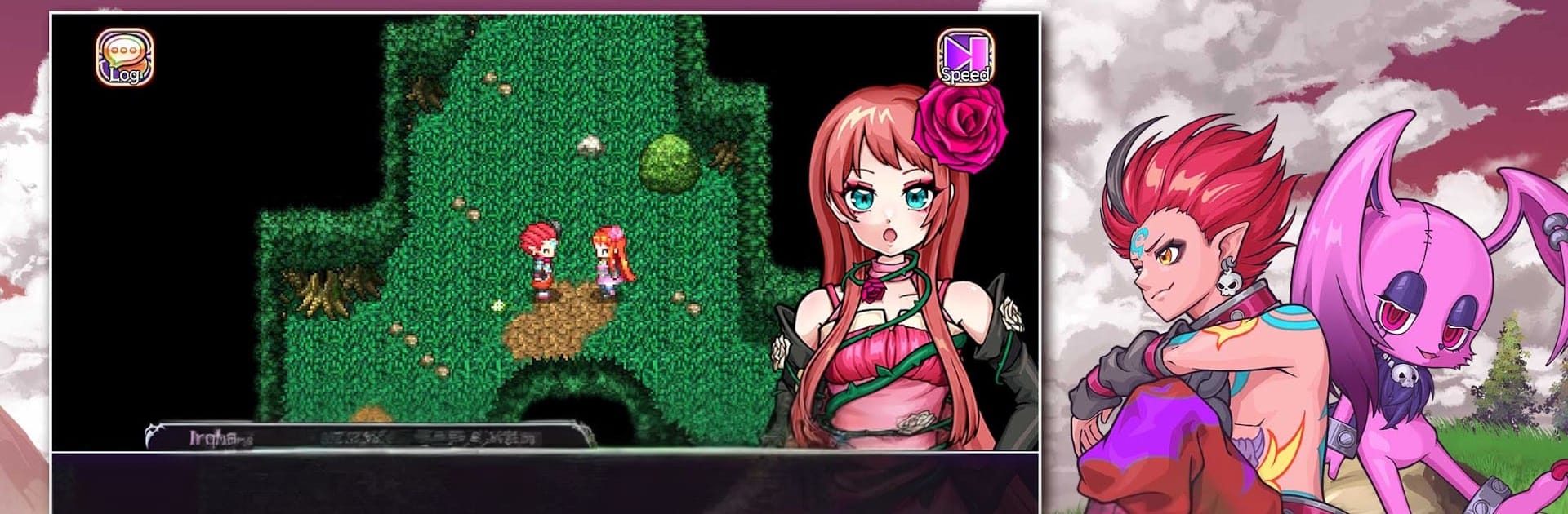
RPG Akuma Rise drops you into Adribune, a demon realm that’s cracking under pressure. You’re Kaine, a demon who wakes up on a lonely shore with no memories and way too many enemies. It’s a story-forward Role Playing adventure with classic, tactical battles and tons of party tinkering—and if you like playing on PC, it runs smoothly with BlueStacks.

Game Features

  • A world on the edge: With the Overlord gone, demon nations are feuding while heroes from the Radiant Realm push into the Shadow Realm. Kaine hunts for pieces of his past while trying to keep everything from falling apart.
  • Side-view strategy battles: Fights use a clean, command-based system where turn order, timing, and smart choices matter. Read the field, set up combos, and outthink tough encounters.
  • Orb-driven growth: Equip and nurture magical orbs to learn new skills, unlock handy perks, and shape each character’s role. Mix builds to suit your style.
  • Signature POW techniques: Every party member wields unique POW skills—big, flashy moves that can break tough situations when triggered at the right moment.
  • Build your crew: Team up with three demon princesses and a strangely adorable mascot. Balance offense, support, and defense, then fine-tune gear and abilities for your favorite setups.
  • Progression with a classic vibe: Nostalgic JRPG feel meets modern pacing, giving you steady upgrades, satisfying milestones, and battles that reward planning.
  • Controller and language support: Optimized for game controllers and playable in English or Japanese, so you can settle in however you like.
  • Editions and bonuses: There’s a Premium edition with 150 bonus Flamestones. Keep in mind that save data can’t be transferred between the Premium and Freemium versions.

Get ready for a buttery smooth, high-performance gaming action only on BlueStacks.

Game Features

Enhancements

  • Macros
  • Rerolling
  • Eco Mode
  • Multi Instance Sync
  • Enhancements
Macros

Macros

Focus more on the fun part of the game, skip the tedious aspects. Master RPG Akuma Rise with Macros. Record yourself completing the monotonous tasks you wish to automate and replay them later with just one keypress.
Rerolling

Rerolling

Speed up the rerolling process in RPG Akuma Rise. Perform multiple summons and keep looking for the best Heroes. Use Multi-Instance sync to replicate the rerolling mechanism in all instances.
Eco Mode

Eco Mode

Farm in-game resources with ease in RPG Akuma Rise. Enable the Eco Mode when running the game in multiple instances. And lower your PC's resource consumption.
Multi Instance Sync

Multi Instance Sync

With the Multi-instance Sync, you can do even more in RPG Akuma Rise. Sync the action of the main instance and repeat them in real time for all other instances. Sync and sit back, let the game progress unfold.
Read More

How to Download and Play RPG Akuma Rise on PC or Mac

  • Download and install BlueStacks on your PC or Mac

  • Complete Google sign-in to access the Play Store, or do it later

  • Look for RPG Akuma Rise in the search bar at the top right corner

  • Click to install RPG Akuma Rise from the search results

  • Complete Google sign-in (if you skipped step 2) to install RPG Akuma Rise

  • Click the RPG Akuma Rise icon on the home screen to start playing

video
Watch Video

Minimum System Requirements

With BlueStacks 5, you can get started on a PC that fulfills the following requirements.

  • Operating System

    Microsoft Windows 7 or above, macOS 11 (Big Sur) or above

  • Processor

    Intel, AMD or Apple Silicon Processor

  • RAM

    at least 4GB

  • HDD

    10GB Free Disk Space

Note:

* You must be an Administrator on your PC. Up to date graphics drivers from Microsoft or the chipset vendor.

RPG Akuma Rise - FAQs

  • How to play RPG Akuma Rise on Windows PC & Mac?

    Play RPG Akuma Rise on your PC or Mac by following these simple steps.

    • Click on 'Play RPG Akuma Rise on PC’ to download BlueStacks
    • Install it and log-in to Google Play Store
    • Launch and play the game.
  • Why is BlueStacks the fastest and safest platform to play games on PC?

    BlueStacks respects your privacy and is always safe and secure to use. It does not carry any malware, spyware, or any sort of additional software that could harm your PC.

    It is engineered to optimize speed and performance for a seamless gaming experience.

  • What are RPG Akuma Rise PC requirements?

    Minimum requirement to run RPG Akuma Rise on your PC

    • OS: Microsoft Windows 7 or above MacOS 11 (Big Sur) or above
    • Processor: Intel, AMD or Apple Silicon Processor
    • RAM: Your PC must have at least 4GB of RAM. (Note that having 4GB or more disk space is not a substitute for RAM)
    • HDD: 10GB Free Disk Space.
    • You must be an Administrator on your PC.