Motto Immortal
Motto Immortal

Motto Immortal

Role Playing

| GOAT Games

BlueStacks Verified

Play on PC with BlueStacks or from our cloud

  • Overview
  • Game Features
  • How to Play

Page Modified On: January 15, 2026

Play Motto Immortal on PC or Mac

From the innovators and creators at GOAT Games, Motto Immortal is another fun addition to the World of Role Playing games. Go beyond your mobile screen and play it bigger and better on your PC or Mac. An immersive experience awaits you.

Motto Immortal plays like a chill card RPG where myths cross paths and a lone Wayfarer gathers a squad of goddesses to push back a creeping shadow. The loop is simple to grasp. Players summon heroes, slot teams, and grab rewards from tasks that hand out a couple fresh cards plus feathers for more pulls, so early progress does not feel stingy. Idle gains pile up while the game is not in focus, which keeps things low pressure. On PC through BlueStacks, the click controls make menuing faster and the artwork looks extra crisp on a bigger screen, which helps since the game really leans on its character art.

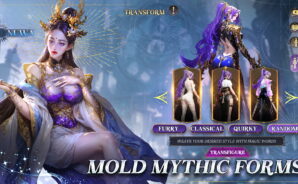
Battles are auto, but the thinking sits in team synergies, positioning, and how to spend limited resources. The roguelite sections like that Delusion Lair throw random events that can totally change a run, so good planning beats brute force. There are rotating modes too, such as a maze that tests both combat and resource planning, shrine blessings, and some social bits like card trading or teaming with friends. The presentation goes heavy on detailed outfits and bright temples without turning into a mess of particles. A quirky standout is the AI layer. Players can tweak a goddess look with simple prompts or chat for little tips, even ask Athena about pull choices, which is unusual but kinda neat. There is a zodiac themed card at launch that links to the chosen sign and is stronger than normal. Pre-registration perks include a guaranteed Aries hero and some extra pulls, so new accounts are not stuck scraping by. Overall it suits anyone who likes steady idle growth with real choices to make, and wants something that is easy to run in the background yet still gives that itch to min-max.

Slay your opponents with your epic moves. Play it your way on BlueStacks and dominate the battlefield.

Game Features

Enhancements

  • Macros
  • Rerolling
  • Eco Mode
  • Multi Instance Sync
  • Enhancements
Macros

Macros

Focus more on the fun part of the game, skip the tedious aspects. Master Motto Immortal with Macros. Record yourself completing the monotonous tasks you wish to automate and replay them later with just one keypress.
Rerolling

Rerolling

Speed up the rerolling process in Motto Immortal. Perform multiple summons and keep looking for the best Heroes. Use Multi-Instance sync to replicate the rerolling mechanism in all instances.
Eco Mode

Eco Mode

Farm in-game resources with ease in Motto Immortal. Enable the Eco Mode when running the game in multiple instances. And lower your PC's resource consumption.
Multi Instance Sync

Multi Instance Sync

With the Multi-instance Sync, you can do even more in Motto Immortal. Sync the action of the main instance and repeat them in real time for all other instances. Sync and sit back, let the game progress unfold.
Read More

How to Download and Play Motto Immortal on PC or Mac

  • Download and install BlueStacks on your PC or Mac

  • Complete Google sign-in to access the Play Store, or do it later

  • Look for Motto Immortal in the search bar at the top right corner

  • Click to install Motto Immortal from the search results

  • Complete Google sign-in (if you skipped step 2) to install Motto Immortal

  • Click the Motto Immortal icon on the home screen to start playing

video
Watch Video

Minimum System Requirements

With BlueStacks 5, you can get started on a PC that fulfills the following requirements.

  • Operating System

    Microsoft Windows 7 or above, macOS 11 (Big Sur) or above

  • Processor

    Intel, AMD or Apple Silicon Processor

  • RAM

    at least 4GB

  • HDD

    10GB Free Disk Space

Note:

* You must be an Administrator on your PC. Up to date graphics drivers from Microsoft or the chipset vendor.

Motto Immortal - FAQs

  • How to play Motto Immortal on Windows PC & Mac?

    Play Motto Immortal on your PC or Mac by following these simple steps.

    • Click on 'Play Motto Immortal on PC’ to download BlueStacks
    • Install it and log-in to Google Play Store
    • Launch and play the game.
  • Why is BlueStacks the fastest and safest platform to play games on PC?

    BlueStacks respects your privacy and is always safe and secure to use. It does not carry any malware, spyware, or any sort of additional software that could harm your PC.

    It is engineered to optimize speed and performance for a seamless gaming experience.

  • What are Motto Immortal PC requirements?

    Minimum requirement to run Motto Immortal on your PC

    • OS: Microsoft Windows 7 or above MacOS 11 (Big Sur) or above
    • Processor: Intel, AMD or Apple Silicon Processor
    • RAM: Your PC must have at least 4GB of RAM. (Note that having 4GB or more disk space is not a substitute for RAM)
    • HDD: 10GB Free Disk Space.
    • You must be an Administrator on your PC.