Saitama RPG Localdia Chronicle

Saitama RPG Localdia Chronicle

Role Playing

| 9256

Play on PC with BlueStacks or from our cloud

  • Overview
  • Game Features
  • How to Play

Page Modified On: November 20, 2025

Play Saitama RPG Localdia Chronicle on PC or Mac

Bring your A-game to Saitama RPG Localdia Chronicle, the Role Playing game sensation from 9256. Give your gameplay the much-needed boost with precise game controls, high FPS graphics, and top-tier features on your PC or Mac with BlueStacks.

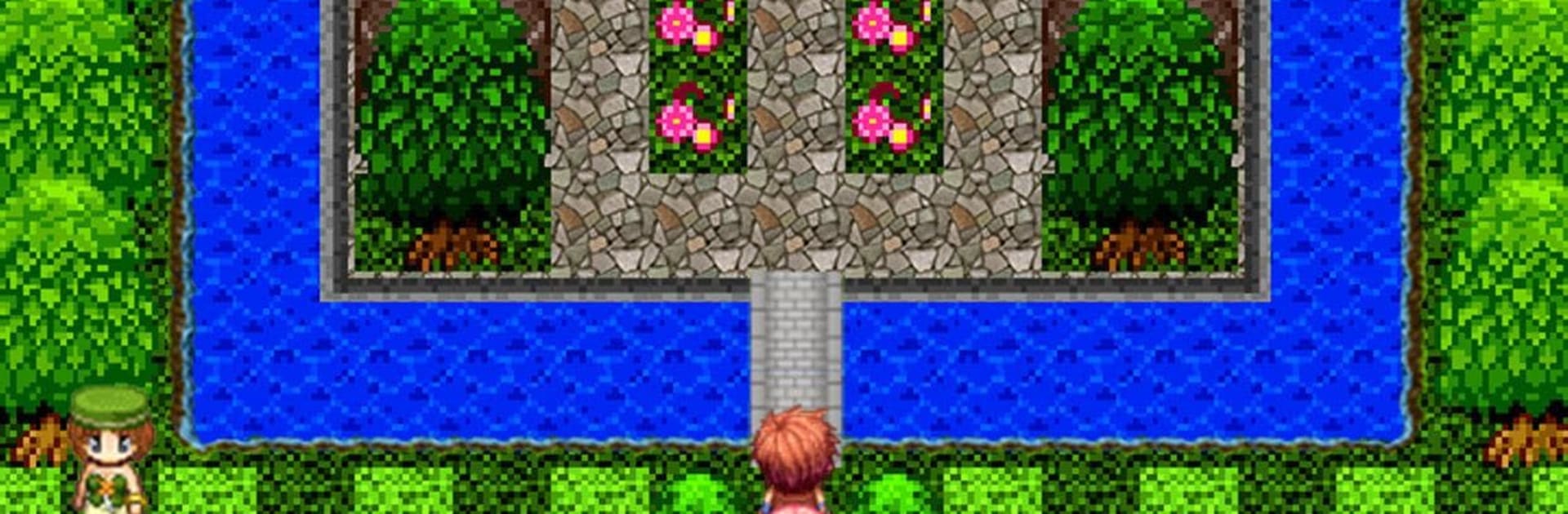
Saitama RPG Localdia Chronicle feels like an old school 2D adventure that swapped dragons for train lines and shrines. It builds a fantasy map out of real Saitama and Kawagoe, then stitches in local legends, industries, and landmarks, so the story reads like a travel guide that accidentally turned into an RPG. No gacha, no online bits, no social feed, just a single player trip with simple controls, two arrows and two buttons. On PC with BlueStacks it plays nice with a keyboard, very pick up and go. Battles use a clean four-command, turn based setup that moves fast, so fights do not drag, and there are plenty of talky scenes for anyone who enjoys little lore nuggets about places most tourists miss.

The big twist is the GPS system. Visit certain spots in the real city and the game hands out Primrose Flowers that trade for strong gear. Cool if someone lives nearby or plans a visit, less useful if they are far from Japan, and it does ask for location permission. There are optional purchases that boost stat growth or unlock abilities like extra experience, plus a one-time coin pack, but the campaign is beatable without paying. After the credits roll there is a carryover mode that lets players restart with their gear and stats, which suits the relaxed, repeatable loop. It is a calm, slightly nerdy love letter to a place that people joke is plain, but the game keeps pointing out all the history tucked in the corners. If that kind of grounded, mellow RPG sounds good, this one lands.

Slay your opponents with your epic moves. Play it your way on BlueStacks and dominate the battlefield.


Game Features

Enhancements

  • Macros
  • Rerolling
  • Eco Mode
  • Multi Instance Sync
  • Enhancements
Macros

Macros

Focus more on the fun part of the game, skip the tedious aspects. Master Saitama RPG Localdia Chronicle with Macros. Record yourself completing the monotonous tasks you wish to automate and replay them later with just one keypress.
Rerolling

Rerolling

Speed up the rerolling process in Saitama RPG Localdia Chronicle. Perform multiple summons and keep looking for the best Heroes. Use Multi-Instance sync to replicate the rerolling mechanism in all instances.
Eco Mode

Eco Mode

Farm in-game resources with ease in Saitama RPG Localdia Chronicle. Enable the Eco Mode when running the game in multiple instances. And lower your PC's resource consumption.
Multi Instance Sync

Multi Instance Sync

With the Multi-instance Sync, you can do even more in Saitama RPG Localdia Chronicle. Sync the action of the main instance and repeat them in real time for all other instances. Sync and sit back, let the game progress unfold.
Read More

How to Download and Play Saitama RPG Localdia Chronicle on PC or Mac

  • Download and install BlueStacks on your PC or Mac

  • Complete Google sign-in to access the Play Store, or do it later

  • Look for Saitama RPG Localdia Chronicle in the search bar at the top right corner

  • Click to install Saitama RPG Localdia Chronicle from the search results

  • Complete Google sign-in (if you skipped step 2) to install Saitama RPG Localdia Chronicle

  • Click the Saitama RPG Localdia Chronicle icon on the home screen to start playing

video
Watch Video

Minimum System Requirements

With BlueStacks 5, you can get started on a PC that fulfills the following requirements.

  • Operating System

    Microsoft Windows 7 or above, macOS 11 (Big Sur) or above

  • Processor

    Intel, AMD or Apple Silicon Processor

  • RAM

    at least 4GB

  • HDD

    10GB Free Disk Space

Note:

* You must be an Administrator on your PC. Up to date graphics drivers from Microsoft or the chipset vendor.

Saitama RPG Localdia Chronicle - FAQs

  • How to play Saitama RPG Localdia Chronicle on Windows PC & Mac?

    Play Saitama RPG Localdia Chronicle on your PC or Mac by following these simple steps.

    • Click on 'Play Saitama RPG Localdia Chronicle on PC’ to download BlueStacks
    • Install it and log-in to Google Play Store
    • Launch and play the game.
  • Why is BlueStacks the fastest and safest platform to play games on PC?

    BlueStacks respects your privacy and is always safe and secure to use. It does not carry any malware, spyware, or any sort of additional software that could harm your PC.

    It is engineered to optimize speed and performance for a seamless gaming experience.

  • What are Saitama RPG Localdia Chronicle PC requirements?

    Minimum requirement to run Saitama RPG Localdia Chronicle on your PC

    • OS: Microsoft Windows 7 or above MacOS 11 (Big Sur) or above
    • Processor: Intel, AMD or Apple Silicon Processor
    • RAM: Your PC must have at least 4GB of RAM. (Note that having 4GB or more disk space is not a substitute for RAM)
    • HDD: 10GB Free Disk Space.
    • You must be an Administrator on your PC.