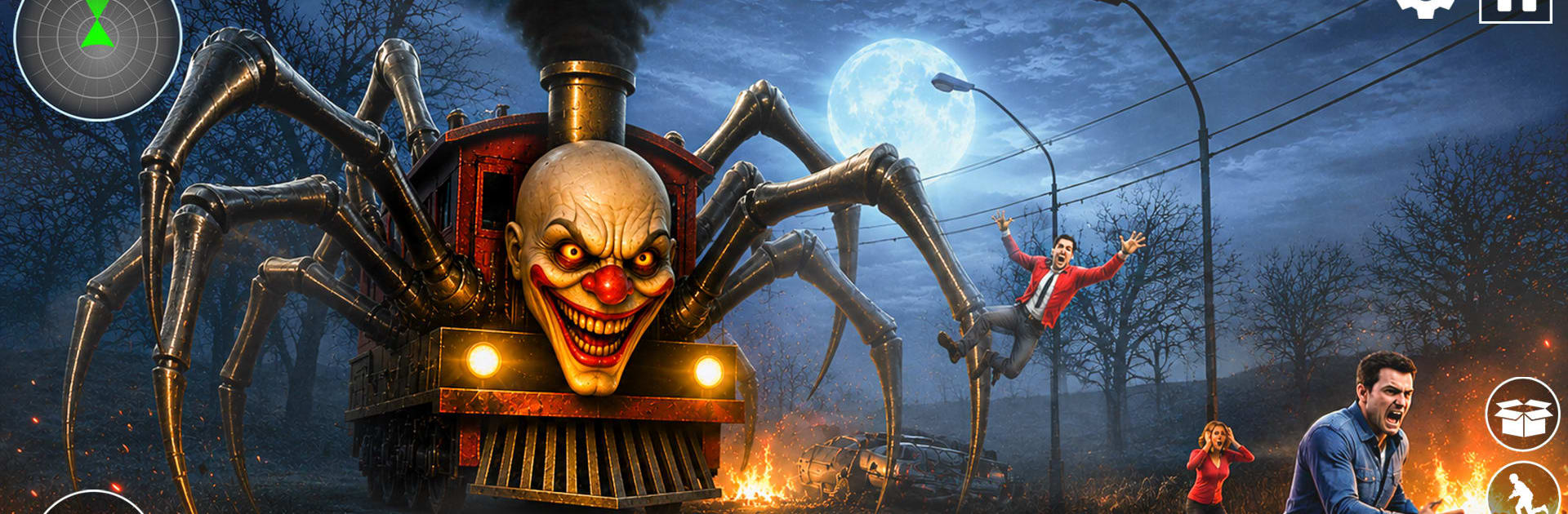
Spider Train Open World 3D

Spider Train Open World 3D

Role Playing

| Play Bit Studio

Play on PC with BlueStacks or from our cloud

  • Overview
  • Game Features
  • How to Play

Page Modified On: October 23, 2026

Play Spider Train Open World 3D on PC or Mac

Spider Train Open World 3D brings the Role Playing genre to life, and throws up exciting challenges for gamers. Developed by Play Bit Studio, this Android game is best experienced on BlueStacks, the World’s #1 app player for PC and Mac users.

About the Game

Spider Train Open World 3D is a Role Playing experience set in a sprawling, haunted landscape where a monstrous spider-faced locomotive patrols the rails and everything around them. You’ll roam forests, slip through worn-down villages, and cut across tracks while juggling missions and staying one step ahead of a very persistent predator. It plays great on BlueStacks too, if you prefer a bigger view and smoother control.

Game Features

  • Vast open world: Roam connected forests, quiet villages, and long stretches of track that all loop into one big, explorable map.
  • Always-on threat: The spider train isn’t just window dressing—it hunts, circles back, and forces you to plan every move.
  • Mission variety: Tackle objectives that have you scouting routes, activating switches, reaching high-risk zones, and making it out in one piece.
  • Smart survival play: Use cover, timing, and quick decision-making to slip past danger, break line of sight, or stage a risky dash across the rails.
  • Hidden spaces to uncover: Find secret paths, tucked-away tunnels, and off-track shortcuts that reward curiosity and make future runs safer.
  • High-tension chases: Expect sudden sprints, detours, and split-second choices when the monster locks onto your trail.
  • Environmental storytelling: Abandoned homes, creaking stations, and eerie landmarks hint at what happened here—if you’re brave enough to look around.
  • Flexible pacing: Wander carefully to scout and plan, or push objectives fast if you can handle the heat; the world responds to how bold you feel.

Get ready for a buttery smooth, high-performance gaming action only on BlueStacks.

Game Features

Enhancements

  • Macros
  • Rerolling
  • Eco Mode
  • Multi Instance Sync
  • Enhancements
Macros

Macros

Focus more on the fun part of the game, skip the tedious aspects. Master Spider Train Open World 3D with Macros. Record yourself completing the monotonous tasks you wish to automate and replay them later with just one keypress.
Rerolling

Rerolling

Speed up the rerolling process in Spider Train Open World 3D. Perform multiple summons and keep looking for the best Heroes. Use Multi-Instance sync to replicate the rerolling mechanism in all instances.
Eco Mode

Eco Mode

Farm in-game resources with ease in Spider Train Open World 3D. Enable the Eco Mode when running the game in multiple instances. And lower your PC's resource consumption.
Multi Instance Sync

Multi Instance Sync

With the Multi-instance Sync, you can do even more in Spider Train Open World 3D. Sync the action of the main instance and repeat them in real time for all other instances. Sync and sit back, let the game progress unfold.
Read More

How to Download and Play Spider Train Open World 3D on PC or Mac

  • Download and install BlueStacks on your PC or Mac

  • Complete Google sign-in to access the Play Store, or do it later

  • Look for Spider Train Open World 3D in the search bar at the top right corner

  • Click to install Spider Train Open World 3D from the search results

  • Complete Google sign-in (if you skipped step 2) to install Spider Train Open World 3D

  • Click the Spider Train Open World 3D icon on the home screen to start playing

video
Watch Video

Minimum System Requirements

With BlueStacks 5, you can get started on a PC that fulfills the following requirements.

  • Operating System

    Microsoft Windows 7 or above, macOS 11 (Big Sur) or above

  • Processor

    Intel, AMD or Apple Silicon Processor

  • RAM

    at least 4GB

  • HDD

    10GB Free Disk Space

Note:

* You must be an Administrator on your PC. Up to date graphics drivers from Microsoft or the chipset vendor.

Spider Train Open World 3D - FAQs

  • How to play Spider Train Open World 3D on Windows PC & Mac?

    Play Spider Train Open World 3D on your PC or Mac by following these simple steps.

    • Click on 'Play Spider Train Open World 3D on PC’ to download BlueStacks
    • Install it and log-in to Google Play Store
    • Launch and play the game.
  • Why is BlueStacks the fastest and safest platform to play games on PC?

    BlueStacks respects your privacy and is always safe and secure to use. It does not carry any malware, spyware, or any sort of additional software that could harm your PC.

    It is engineered to optimize speed and performance for a seamless gaming experience.

  • What are Spider Train Open World 3D PC requirements?

    Minimum requirement to run Spider Train Open World 3D on your PC

    • OS: Microsoft Windows 7 or above MacOS 11 (Big Sur) or above
    • Processor: Intel, AMD or Apple Silicon Processor
    • RAM: Your PC must have at least 4GB of RAM. (Note that having 4GB or more disk space is not a substitute for RAM)
    • HDD: 10GB Free Disk Space.
    • You must be an Administrator on your PC.