星痕共鳴
星痕共鳴

星痕共鳴

Role Playing

| HaoPlay Limited

Play on PC with BlueStacks or from our cloud

  • Overview
  • Game Features
  • How to Play

Page Modified On: November 28, 2025

Play 星痕共鳴 on PC or Mac

Step into the World of 星痕共鳴, a thrilling Role Playing game from the house of HaoPlay Limited. Play this Android game on BlueStacks App Player and experience immersive gaming on PC or Mac.

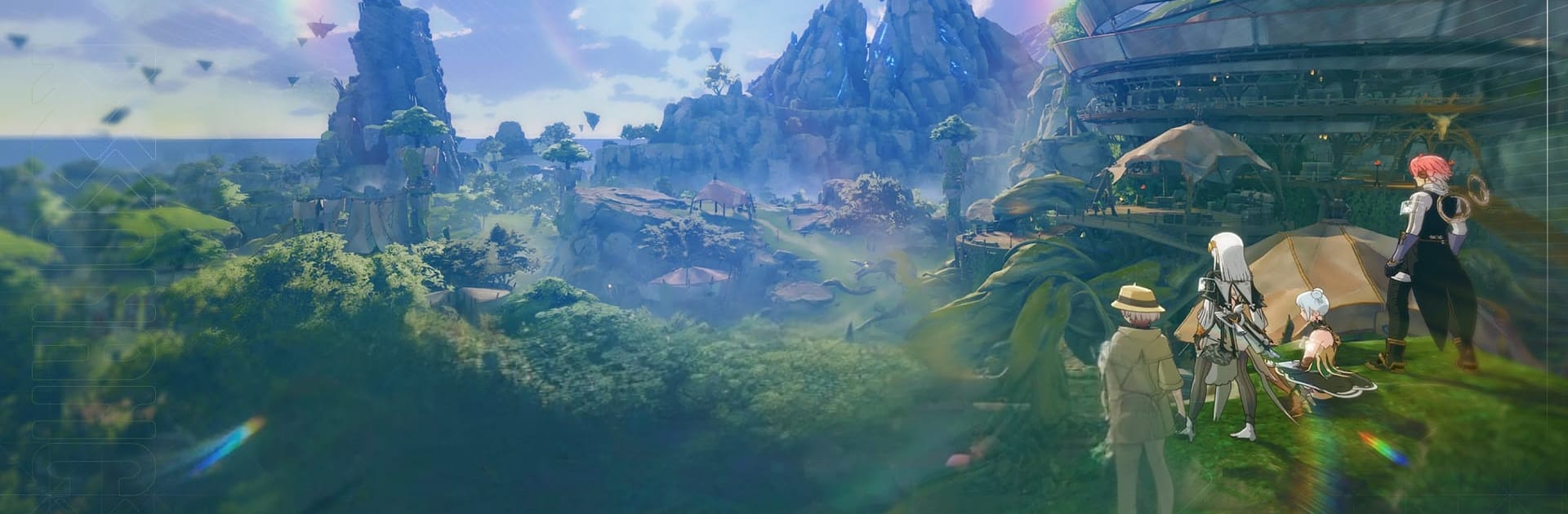
星痕共鳴 feels like an isekai anime turned into an online world you can actually hang out in. The setup is classic fantasy with a twist, gods gone missing and a world out of balance, but it is the look and the moment to moment that stand out. Characters are cel shaded in that clean, two-tone anime style, so faces pop and outfits look sharp without all the gritty textures. Towns and fields have that bright, medieval anime feel, and there is a camera for snapping scenes when fireworks go off or when a group decides to dance in the square. The wardrobe is huge, so players end up swapping styles a lot, student robe one minute, armored heroine the next. It is playful, not stiff.

Combat does not lock anyone into one job. Players can switch weapons to swap roles, so a greatsword build can go heavy one fight, then switch to a caster kit for the next. Boss runs work best when friends coordinate, since the game really leans into team play and quick weapon swaps instead of strict classes. The social side is calm on purpose. There is plenty to do that is not all combat, like campfires, little events, or just wandering and chatting. The world server setup keeps people together without weird server walls, so it rarely feels empty. On PC through BlueStacks, the camera control and quick weapon swapping with keys feel smoother, and the higher frame rate helps during bigger raids.

It is anime-forward, cooperative, and a bit of a fashion show, with enough action to keep hands busy and enough downtime to just relax with a group and take pictures.

Slay your opponents with your epic moves. Play it your way on BlueStacks and dominate the battlefield.


Game Features

Enhancements

  • Macros
  • Rerolling
  • Eco Mode
  • Multi Instance Sync
  • Enhancements
Macros

Macros

Focus more on the fun part of the game, skip the tedious aspects. Master 星痕共鳴 with Macros. Record yourself completing the monotonous tasks you wish to automate and replay them later with just one keypress.
Rerolling

Rerolling

Speed up the rerolling process in 星痕共鳴. Perform multiple summons and keep looking for the best Heroes. Use Multi-Instance sync to replicate the rerolling mechanism in all instances.
Eco Mode

Eco Mode

Farm in-game resources with ease in 星痕共鳴. Enable the Eco Mode when running the game in multiple instances. And lower your PC's resource consumption.
Multi Instance Sync

Multi Instance Sync

With the Multi-instance Sync, you can do even more in 星痕共鳴. Sync the action of the main instance and repeat them in real time for all other instances. Sync and sit back, let the game progress unfold.
Read More

How to Download and Play 星痕共鳴 on PC or Mac

  • Download and install BlueStacks on your PC or Mac

  • Complete Google sign-in to access the Play Store, or do it later

  • Look for 星痕共鳴 in the search bar at the top right corner

  • Click to install 星痕共鳴 from the search results

  • Complete Google sign-in (if you skipped step 2) to install 星痕共鳴

  • Click the 星痕共鳴 icon on the home screen to start playing

video
Watch Video

Minimum System Requirements

With BlueStacks 5, you can get started on a PC that fulfills the following requirements.

  • Operating System

    Microsoft Windows 7 or above, macOS 11 (Big Sur) or above

  • Processor

    Intel, AMD or Apple Silicon Processor

  • RAM

    at least 4GB

  • HDD

    10GB Free Disk Space

Note:

* You must be an Administrator on your PC. Up to date graphics drivers from Microsoft or the chipset vendor.

星痕共鳴 - FAQs

  • How to play 星痕共鳴 on Windows PC & Mac?

    Play 星痕共鳴 on your PC or Mac by following these simple steps.

    • Click on 'Play 星痕共鳴 on PC’ to download BlueStacks
    • Install it and log-in to Google Play Store
    • Launch and play the game.
  • Why is BlueStacks the fastest and safest platform to play games on PC?

    BlueStacks respects your privacy and is always safe and secure to use. It does not carry any malware, spyware, or any sort of additional software that could harm your PC.

    It is engineered to optimize speed and performance for a seamless gaming experience.

  • What are 星痕共鳴 PC requirements?

    Minimum requirement to run 星痕共鳴 on your PC

    • OS: Microsoft Windows 7 or above MacOS 11 (Big Sur) or above
    • Processor: Intel, AMD or Apple Silicon Processor
    • RAM: Your PC must have at least 4GB of RAM. (Note that having 4GB or more disk space is not a substitute for RAM)
    • HDD: 10GB Free Disk Space.
    • You must be an Administrator on your PC.