Troublemaker Chibi RPG

Troublemaker Chibi RPG

Role Playing

| Aim to Mite

Play on PC with BlueStacks or from our cloud

  • Overview
  • Game Features
  • How to Play

Page Modified On: April 21, 2026

Play Troublemaker Chibi RPG on PC or Mac

Step into the World of Troublemaker Chibi RPG, a thrilling Role Playing game from the house of Aim to Mite. Play this Android game on BlueStacks App Player and experience immersive gaming on PC or Mac.

About the Game

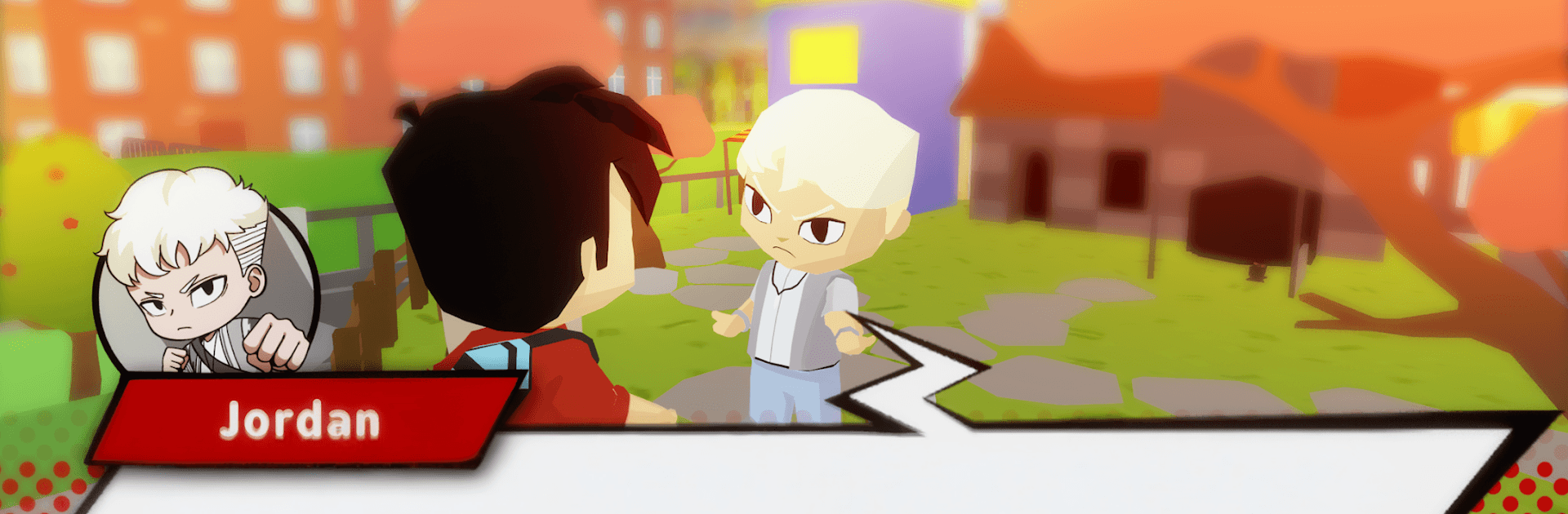
Troublemaker Chibi RPG is a punchy Role Playing adventure from Aim to Mite that blends school life hijinks with scrappy street fights in a chibi look. You’re Budi, a kid on a mission to see his idol Jordan live—if only the city of Jayakarta would stop throwing trouble in your path. Expect quick brawls, cheeky humor, and a story that doesn’t mind surprising you at the worst (or funniest) moments. Prefer a bigger screen sometimes? It also plays great on PC with BlueStacks.

Game Features

  • Concert Chase: Help Budi hustle his way toward Jordan’s concert, meeting oddballs, allies, and loudmouths who either help or get in the way.
  • Street Brawls, Chibi Style: Throw punches, time your blocks, and use skills that pop off the screen. Short fights, big payoff, zero boredom.
  • Jayakarta Vibes: From school corridors to back-alley hangouts, the city feels alive with small details and loud personalities.
  • Rival Showdowns: There’s always someone ready to test you. Face your arch-rival head-on and prove you’re not the one to push around.
  • Pets That Pack Perks: Collect adorable PETS that jump into fights, buff your stats, and hand you clutch boosts when it counts.
  • Missions and Rewards: Tackle story quests and side challenges to stack currency, gear, and goodies without endless grinding.
  • Build Your Reputation: Knock around thugs, complete tasks, and climb from scrapper to the name everyone whispers about in Jayakarta.
  • Always Something New: WEEKLY UPDATES bring fresh events, gear, and surprises, keeping the streets busy and your loadout changing.
  • Play Big, If You Want: On the go or at your desk—use BlueStacks on PC when you’d rather brawl with a keyboard and a larger display.

Ready to top the leaderboard? We bet you do. Let precise controls and sharp visuals optimized on BlueStacks lead you to victory.


Game Features

Enhancements

  • Macros
  • Rerolling
  • Eco Mode
  • Multi Instance Sync
  • Enhancements
Macros

Macros

Focus more on the fun part of the game, skip the tedious aspects. Master Troublemaker Chibi RPG with Macros. Record yourself completing the monotonous tasks you wish to automate and replay them later with just one keypress.
Rerolling

Rerolling

Speed up the rerolling process in Troublemaker Chibi RPG. Perform multiple summons and keep looking for the best Heroes. Use Multi-Instance sync to replicate the rerolling mechanism in all instances.
Eco Mode

Eco Mode

Farm in-game resources with ease in Troublemaker Chibi RPG. Enable the Eco Mode when running the game in multiple instances. And lower your PC's resource consumption.
Multi Instance Sync

Multi Instance Sync

With the Multi-instance Sync, you can do even more in Troublemaker Chibi RPG. Sync the action of the main instance and repeat them in real time for all other instances. Sync and sit back, let the game progress unfold.
Read More

How to Download and Play Troublemaker Chibi RPG on PC or Mac

  • Download and install BlueStacks on your PC or Mac

  • Complete Google sign-in to access the Play Store, or do it later

  • Look for Troublemaker Chibi RPG in the search bar at the top right corner

  • Click to install Troublemaker Chibi RPG from the search results

  • Complete Google sign-in (if you skipped step 2) to install Troublemaker Chibi RPG

  • Click the Troublemaker Chibi RPG icon on the home screen to start playing

video
Watch Video

Minimum System Requirements

With BlueStacks 5, you can get started on a PC that fulfills the following requirements.

  • Operating System

    Microsoft Windows 7 or above, macOS 11 (Big Sur) or above

  • Processor

    Intel, AMD or Apple Silicon Processor

  • RAM

    at least 4GB

  • HDD

    10GB Free Disk Space

Note:

* You must be an Administrator on your PC. Up to date graphics drivers from Microsoft or the chipset vendor.

Troublemaker Chibi RPG - FAQs

  • How to play Troublemaker Chibi RPG on Windows PC & Mac?

    Play Troublemaker Chibi RPG on your PC or Mac by following these simple steps.

    • Click on 'Play Troublemaker Chibi RPG on PC’ to download BlueStacks
    • Install it and log-in to Google Play Store
    • Launch and play the game.
  • Why is BlueStacks the fastest and safest platform to play games on PC?

    BlueStacks respects your privacy and is always safe and secure to use. It does not carry any malware, spyware, or any sort of additional software that could harm your PC.

    It is engineered to optimize speed and performance for a seamless gaming experience.

  • What are Troublemaker Chibi RPG PC requirements?

    Minimum requirement to run Troublemaker Chibi RPG on your PC

    • OS: Microsoft Windows 7 or above MacOS 11 (Big Sur) or above
    • Processor: Intel, AMD or Apple Silicon Processor
    • RAM: Your PC must have at least 4GB of RAM. (Note that having 4GB or more disk space is not a substitute for RAM)
    • HDD: 10GB Free Disk Space.
    • You must be an Administrator on your PC.