Truck Simulator: 3D Truck Game

Truck Simulator: 3D Truck Game

Role Playing

| Innovative Gaming Studios

Play on PC with BlueStacks or from our cloud

  • Overview
  • Game Features
  • How to Play

Page Modified On: November 10, 2025

Play Truck Simulator: 3D Truck Game on PC or Mac

From the innovators and creators at Innovative Gaming Studios, Truck Simulator: 3D Truck Game is another fun addition to the World of Role Playing games. Go beyond your mobile screen and play it bigger and better on your PC or Mac. An immersive experience awaits you.

About the Game

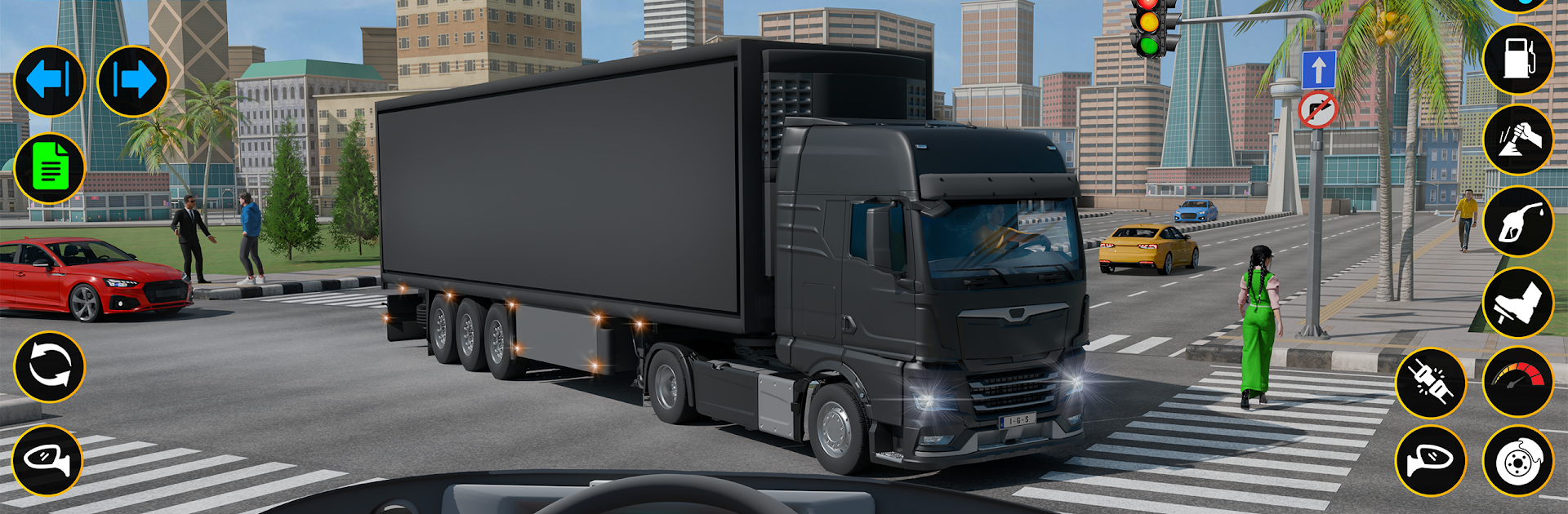
Truck Simulator: 3D Truck Game puts you in the cab of heavy rigs where every mile, mirror check, and parking job counts. This Role Playing take on trucking from Innovative Gaming Studios blends calm highway runs with tight city streets and rugged hills. Expect convincing handling, clean camera views, and routes that keep you alert whether you’re hauling through town or easing down a muddy trail.

Game Features

  • Multiple ways to play: Jump into City Cargo Delivery, take on Offroad Cargo runs, practice in Parking challenges, or just wander in Free Mode to learn the roads at your own pace.
  • Parking that actually tests you: From roomy depots to cramped docks, including a Steering‑Only Parking mode that spotlights precision.
  • Dynamic weather and time: Bright afternoons, rainy nights, and everything in between change visibility and the feel of the drive.
  • True-to-life visibility: Functional side and rear mirror views plus helpful camera options make lane changes and backing up feel natural.
  • Trucks that feel different: Swap between rigs with distinct handling and braking, then pick the one that suits your style.
  • Route management and fuel: Keep an eye on your tank, plan stops at depots, and complete each leg without running dry.
  • Smooth, flexible controls: Use a virtual steering wheel, tilt, or on‑screen arrows—tune sensitivity to get the response you like.
  • Varied cargo: Haul different load types that shift your priorities, from careful handling to making good time.
  • Sound you can tweak: Control in‑game music and keep the engine note front and center if that’s your thing.
  • Scalable challenge: Short stages build into tougher routes with busier traffic, sharper turns, and trickier terrain.
  • Play comfortably on PC: Truck Simulator: 3D Truck Game also runs well on BlueStacks if you prefer a bigger screen and precise inputs.

Ready to top the leaderboard? We bet you do. Let precise controls and sharp visuals optimized on BlueStacks lead you to victory.


Game Features

Enhancements

  • Macros
  • Rerolling
  • Eco Mode
  • Multi Instance Sync
  • Enhancements
Macros

Macros

Focus more on the fun part of the game, skip the tedious aspects. Master Truck Simulator: 3D Truck Game with Macros. Record yourself completing the monotonous tasks you wish to automate and replay them later with just one keypress.
Rerolling

Rerolling

Speed up the rerolling process in Truck Simulator: 3D Truck Game. Perform multiple summons and keep looking for the best Heroes. Use Multi-Instance sync to replicate the rerolling mechanism in all instances.
Eco Mode

Eco Mode

Farm in-game resources with ease in Truck Simulator: 3D Truck Game. Enable the Eco Mode when running the game in multiple instances. And lower your PC's resource consumption.
Multi Instance Sync

Multi Instance Sync

With the Multi-instance Sync, you can do even more in Truck Simulator: 3D Truck Game. Sync the action of the main instance and repeat them in real time for all other instances. Sync and sit back, let the game progress unfold.
Read More

How to Download and Play Truck Simulator: 3D Truck Game on PC or Mac

  • Download and install BlueStacks on your PC or Mac

  • Complete Google sign-in to access the Play Store, or do it later

  • Look for Truck Simulator: 3D Truck Game in the search bar at the top right corner

  • Click to install Truck Simulator: 3D Truck Game from the search results

  • Complete Google sign-in (if you skipped step 2) to install Truck Simulator: 3D Truck Game

  • Click the Truck Simulator: 3D Truck Game icon on the home screen to start playing

video
Watch Video

Minimum System Requirements

With BlueStacks 5, you can get started on a PC that fulfills the following requirements.

  • Operating System

    Microsoft Windows 7 or above, macOS 11 (Big Sur) or above

  • Processor

    Intel, AMD or Apple Silicon Processor

  • RAM

    at least 4GB

  • HDD

    10GB Free Disk Space

Note:

* You must be an Administrator on your PC. Up to date graphics drivers from Microsoft or the chipset vendor.

Truck Simulator: 3D Truck Game - FAQs

  • How to play Truck Simulator: 3D Truck Game on Windows PC & Mac?

    Play Truck Simulator: 3D Truck Game on your PC or Mac by following these simple steps.

    • Click on 'Play Truck Simulator: 3D Truck Game on PC’ to download BlueStacks
    • Install it and log-in to Google Play Store
    • Launch and play the game.
  • Why is BlueStacks the fastest and safest platform to play games on PC?

    BlueStacks respects your privacy and is always safe and secure to use. It does not carry any malware, spyware, or any sort of additional software that could harm your PC.

    It is engineered to optimize speed and performance for a seamless gaming experience.

  • What are Truck Simulator: 3D Truck Game PC requirements?

    Minimum requirement to run Truck Simulator: 3D Truck Game on your PC

    • OS: Microsoft Windows 7 or above MacOS 11 (Big Sur) or above
    • Processor: Intel, AMD or Apple Silicon Processor
    • RAM: Your PC must have at least 4GB of RAM. (Note that having 4GB or more disk space is not a substitute for RAM)
    • HDD: 10GB Free Disk Space.
    • You must be an Administrator on your PC.