
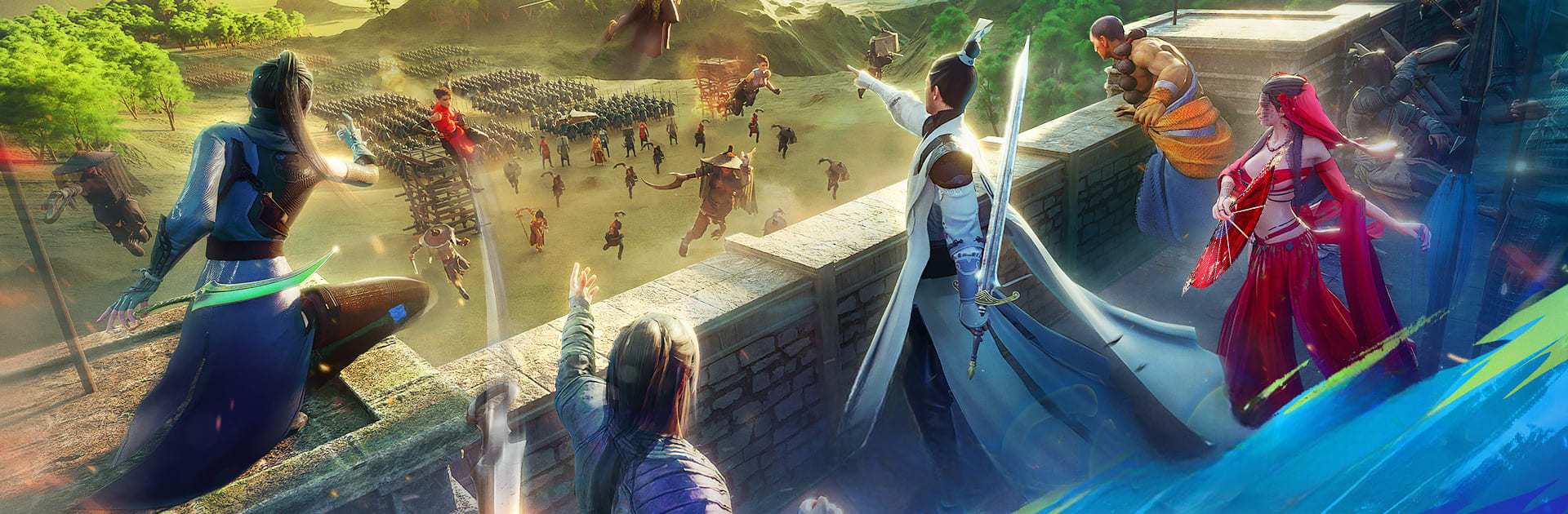
Võ Lâm: Binh Lâm Thành Hạ

Võ Lâm: Binh Lâm Thành Hạ

Role Playing

| Goodgame.vn Publisher

Play on PC with BlueStacks or from our cloud

  • Overview
  • Game Features
  • How to Play

Page Modified On: September 12, 2025

Play Võ Lâm: Binh Lâm Thành Hạ on PC or Mac

Join millions to experience Võ Lâm: Binh Lâm Thành Hạ, an exciting Role Playing game from Goodgame.vn Publisher. With BlueStacks App Player, you are always a step ahead of your opponent, ready to outplay them with faster gameplay and better control with the mouse and keyboard on your PC or Mac.

About the Game

Võ Lâm: Binh Lâm Thành Hạ is a Role-playing epic from Goodgame.vn Publisher that throws you into a chaotic martial world where honor actually matters. You’ll rally allies, protect the realm, and carve out a name as a wandering hero—or a one-man storm—depending on how you like to fight. Prefer a bigger screen? It plays smoothly on PC with BlueStacks, too.

Game Features

  • National-scale warfare: Massive guild-versus-guild clashes put your strategy and nerve to the test. Defend key positions, push enemy lines, and feel the thrill of a true country-at-stake showdown.

  • Lone-wolf heroics: Not into giant armies? Charge in solo, take on overwhelming odds, and prove your skills the hard way.

  • Your martial path, your rules: Choose among four major sects, explore eight core cultivation arts, and shape your build with three distinct mind disciplines. Mix, match, and specialize to create a style that’s unmistakably yours.

  • Switch and cross-train: Change sects when your playstyle evolves and pick up techniques from other schools. The system rewards experimentation and clever combos.

  • Unlimited PvP practice: Spar whenever you like to sharpen reactions and timing. From the training grounds to the arena stage, there’s always a place to tune up your form.

  • Diverse PvP modes: Quick duels, large-scale battles, structured arenas—each mode encourages different tactics and team compositions, so every fight feels fresh.

  • Weighty, cinematic combat: Strikes land with impact, footwork matters, and momentum swings fast. It’s martial arts with real bite, not button-mashing.

  • Stories of a true wanderer: Step back into the world of Vo Hiep and live the life of a roving knight—tough choices, shifting loyalties, and the kind of glory you earn the hard way.

  • Generous progression perks: Expect helpful log-in boosts and growth rewards that get your build rolling without drowning you in chores.

Get ready for a buttery smooth, high-performance gaming action only on BlueStacks.

Game Features

Enhancements

  • Macros
  • Rerolling
  • Eco Mode
  • Multi Instance Sync
  • Enhancements
Macros

Macros

Focus more on the fun part of the game, skip the tedious aspects. Master Võ Lâm: Binh Lâm Thành Hạ with Macros. Record yourself completing the monotonous tasks you wish to automate and replay them later with just one keypress.
Rerolling

Rerolling

Speed up the rerolling process in Võ Lâm: Binh Lâm Thành Hạ. Perform multiple summons and keep looking for the best Heroes. Use Multi-Instance sync to replicate the rerolling mechanism in all instances.
Eco Mode

Eco Mode

Farm in-game resources with ease in Võ Lâm: Binh Lâm Thành Hạ. Enable the Eco Mode when running the game in multiple instances. And lower your PC's resource consumption.
Multi Instance Sync

Multi Instance Sync

With the Multi-instance Sync, you can do even more in Võ Lâm: Binh Lâm Thành Hạ. Sync the action of the main instance and repeat them in real time for all other instances. Sync and sit back, let the game progress unfold.
Read More

How to Download and Play Võ Lâm: Binh Lâm Thành Hạ on PC or Mac

  • Download and install BlueStacks on your PC or Mac

  • Complete Google sign-in to access the Play Store, or do it later

  • Look for Võ Lâm: Binh Lâm Thành Hạ in the search bar at the top right corner

  • Click to install Võ Lâm: Binh Lâm Thành Hạ from the search results

  • Complete Google sign-in (if you skipped step 2) to install Võ Lâm: Binh Lâm Thành Hạ

  • Click the Võ Lâm: Binh Lâm Thành Hạ icon on the home screen to start playing

video
Watch Video

Minimum System Requirements

With BlueStacks 5, you can get started on a PC that fulfills the following requirements.

  • Operating System

    Microsoft Windows 7 or above, macOS 11 (Big Sur) or above

  • Processor

    Intel, AMD or Apple Silicon Processor

  • RAM

    at least 4GB

  • HDD

    10GB Free Disk Space

Note:

* You must be an Administrator on your PC. Up to date graphics drivers from Microsoft or the chipset vendor.

Võ Lâm: Binh Lâm Thành Hạ - FAQs

  • How to play Võ Lâm: Binh Lâm Thành Hạ on Windows PC & Mac?

    Play Võ Lâm: Binh Lâm Thành Hạ on your PC or Mac by following these simple steps.

    • Click on 'Play Võ Lâm: Binh Lâm Thành Hạ on PC’ to download BlueStacks
    • Install it and log-in to Google Play Store
    • Launch and play the game.
  • Why is BlueStacks the fastest and safest platform to play games on PC?

    BlueStacks respects your privacy and is always safe and secure to use. It does not carry any malware, spyware, or any sort of additional software that could harm your PC.

    It is engineered to optimize speed and performance for a seamless gaming experience.

  • What are Võ Lâm: Binh Lâm Thành Hạ PC requirements?

    Minimum requirement to run Võ Lâm: Binh Lâm Thành Hạ on your PC

    • OS: Microsoft Windows 7 or above MacOS 11 (Big Sur) or above
    • Processor: Intel, AMD or Apple Silicon Processor
    • RAM: Your PC must have at least 4GB of RAM. (Note that having 4GB or more disk space is not a substitute for RAM)
    • HDD: 10GB Free Disk Space.
    • You must be an Administrator on your PC.








