Airplane Game: Pilot Simulator

Airplane Game: Pilot Simulator

Simulation

| Envision Software Pvt Ltd

Play on PC with BlueStacks or from our cloud

  • Overview
  • Game Features
  • How to Play

Page Modified On: November 10, 2025

Play Airplane Game: Pilot Simulator on PC or Mac

Join millions to experience Airplane Game: Pilot Simulator, an exciting Simulation game from Envision Software Pvt Ltd. With BlueStacks App Player, you are always a step ahead of your opponent, ready to outplay them with faster gameplay and better control with the mouse and keyboard on your PC or Mac.

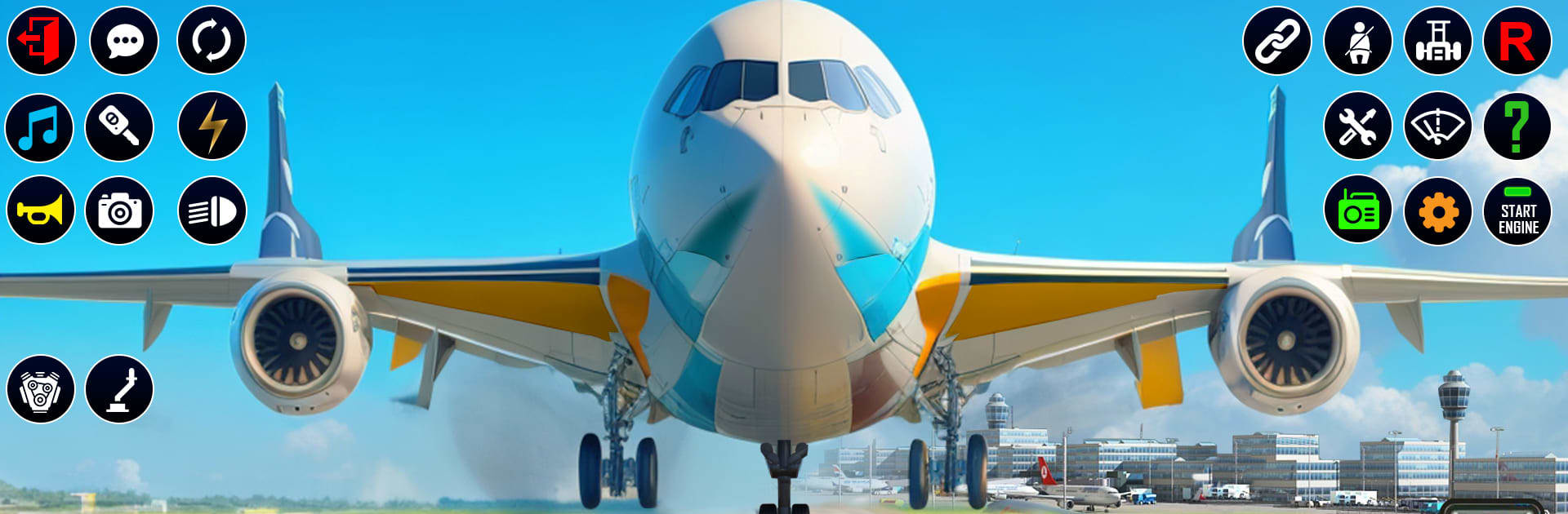
Airplane Game: Pilot Simulator is one of those simple flight sims that just lets a person take off, follow a route, and bring everyone down in one piece. It leans into classic airline stuff, not stunts. Missions are mostly A to B passenger runs with a little pressure from weather, so there is rain, wind, and that wobble when the plane catches a crosswind on approach. The game keeps asking for careful speed control, smooth climb, and lining up with the runway without rushing. It sounds strict, but the controls are light and easy, more chill than technical, so new players are not punished for small mistakes.

There are multiple planes to unlock, coins to earn from finishing flights, and a cockpit view that helps with the vibe. Visuals are clean enough, windows show decent sky and landscape, and the engine sound hums along in a way that feels right. It runs offline, which is handy. BlueStacks on PC makes steering and camera control feel steadier with a mouse, and throttle inputs are less twitchy, so landings feel less scary. The whole thing suits anyone who likes routine flying and landing checklists without a wall of switches. Players wanting deep systems or real world procedures will not find them here, but for relaxed takeoffs, long straight flights, and neat touchdowns, it works.

Get ready for a buttery smooth, high-performance gaming action only on BlueStacks.

Game Features

Enhancements

  • Macros
  • Multi Instance
  • Multi Instance Sync
  • Script
  • Enhancements
Macros

Macros

Automate the predictable in Airplane Game: Pilot Simulator and transform your gameplay with Macros. Get access to inventive Macros in the BlueStacks Macro Community
Multi Instance

Multi Instance

Play Airplane Game: Pilot Simulator on one window. And chat with your friend on the other. Press CTRL + Shift + 8 to open the Multi-Instance Manager. And start creating fresh instances or clone an existing one.
Multi Instance Sync

Multi Instance Sync

Play Airplane Game: Pilot Simulator with the power of Multi-Instance Sync. Replicate what you are doing on the main instance on all other instances. Level up faster, play more.
Script

Script

Script your way to gaming glory in Airplane Game: Pilot Simulator with BlueStacks Script. Write and run a set of commands to automate repeated tasks. Trigger the command by assigning it to any key.
Read More

How to Download and Play Airplane Game: Pilot Simulator on PC or Mac

  • Download and install BlueStacks on your PC or Mac

  • Complete Google sign-in to access the Play Store, or do it later

  • Look for Airplane Game: Pilot Simulator in the search bar at the top right corner

  • Click to install Airplane Game: Pilot Simulator from the search results

  • Complete Google sign-in (if you skipped step 2) to install Airplane Game: Pilot Simulator

  • Click the Airplane Game: Pilot Simulator icon on the home screen to start playing

video
Watch Video

Minimum System Requirements

With BlueStacks 5, you can get started on a PC that fulfills the following requirements.

  • Operating System

    Microsoft Windows 7 or above, macOS 11 (Big Sur) or above

  • Processor

    Intel, AMD or Apple Silicon Processor

  • RAM

    at least 4GB

  • HDD

    10GB Free Disk Space

Note:

* You must be an Administrator on your PC. Up to date graphics drivers from Microsoft or the chipset vendor.

Airplane Game: Pilot Simulator - FAQs

  • How to play Airplane Game: Pilot Simulator on Windows PC & Mac?

    Play Airplane Game: Pilot Simulator on your PC or Mac by following these simple steps.

    • Click on 'Play Airplane Game: Pilot Simulator on PC’ to download BlueStacks
    • Install it and log-in to Google Play Store
    • Launch and play the game.
  • Why is BlueStacks the fastest and safest platform to play games on PC?

    BlueStacks respects your privacy and is always safe and secure to use. It does not carry any malware, spyware, or any sort of additional software that could harm your PC.

    It is engineered to optimize speed and performance for a seamless gaming experience.

  • What are Airplane Game: Pilot Simulator PC requirements?

    Minimum requirement to run Airplane Game: Pilot Simulator on your PC

    • OS: Microsoft Windows 7 or above MacOS 11 (Big Sur) or above
    • Processor: Intel, AMD or Apple Silicon Processor
    • RAM: Your PC must have at least 4GB of RAM. (Note that having 4GB or more disk space is not a substitute for RAM)
    • HDD: 10GB Free Disk Space.
    • You must be an Administrator on your PC.