Army Tank Battle War Machines 2021 – Tank Games

Army Tank Battle War Machines 2021 – Tank Games

Arcade

| Envision Software Pvt Ltd

Play on PC with BlueStacks or from our cloud

  • Overview
  • Game Features
  • How to Play

Page Modified On: August 10, 2026

Play Army Tank Battle War Machines 2021 – Tank Games on PC or Mac

Army Tank Battle War Machines 2021 – Tank Games by Envision Software Pvt Ltd has plenty to keep you busy. BlueStacks lets you play it on PC or Mac with more screen space, better control, and fewer mobile limits.

About the Game

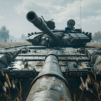
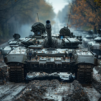
Roll out in a thundering steel beast and take the frontline into your own hands. Army Tank Battle War Machines 2021 – Tank Games is an Arcade tank shooter where smart positioning, crisp aim, and good timing matter just as much as raw firepower. Expect quick-hit battles and longer missions across shattered towns, snowy passes, and rough off‑road routes—plus that deeply satisfying boom when your shot connects. Prefer a bigger view and steadier aim? It also plays nicely on BlueStacks.

Game Features

  • Tactical Tank Combat: Angle your armor, peek from cover, and line up clean shots to outthink rival crews.
  • Two Modes, Two Mindsets: Jump into fast skirmishes for bite-sized action or settle in with a mission-focused campaign.
  • Precision Aiming: Use zoom and clear sightlines to track movement and place shells exactly where they’ll hurt.
  • Air Support On Call: Break stalemates with limited airstrikes that scatter entrenched defenses.
  • Upgrades That Matter: Tune your war machine with improved modules—firepower, armor, mobility—to match your style.
  • Smart Targeting: A built-in radar helps you spot threats, objectives, and flanking routes at a glance.
  • Destruction That Feels Real: Explosions kick up debris and shatter cover, changing how each fight plays out.
  • Diverse Battlefields: Battle through ruined cities, icy fronts, muddy trails, and more, each with its own tactical twists.
  • Pick-up-and-Play Controls: Smooth driving and responsive turret control keep your focus on the fight.
  • Punchy Audio & Visuals: Detailed tanks, dramatic effects, and thunderous cannon blasts land with weight.
  • Helpful On-Screen Tips: Contextual guidance nudges you toward the right move without slowing the pace.
  • Offline Friendly: Take the action on the go—missions play great even without a connection.

BlueStacks gives you more room to focus on the game and less time adjusting around mobile limitations.


Game Features

Enhancements

  • Macros
  • Multi Instance
  • Multi Instance Sync
  • Script
  • Enhancements
Macros

Macros

Automate the predictable in Army Tank Battle War Machines 2021 – Tank Games and transform your gameplay with Macros. Get access to inventive Macros in the BlueStacks Macro Community
Multi Instance

Multi Instance

Play Army Tank Battle War Machines 2021 – Tank Games on one window. And chat with your friend on the other. Press CTRL + Shift + 8 to open the Multi-Instance Manager. And start creating fresh instances or clone an existing one.
Multi Instance Sync

Multi Instance Sync

Play Army Tank Battle War Machines 2021 – Tank Games with the power of Multi-Instance Sync. Replicate what you are doing on the main instance on all other instances. Level up faster, play more.
Script

Script

Script your way to gaming glory in Army Tank Battle War Machines 2021 – Tank Games with BlueStacks Script. Write and run a set of commands to automate repeated tasks. Trigger the command by assigning it to any key.
Read More

How to Download and Play Army Tank Battle War Machines 2021 – Tank Games on PC or Mac

  • Download and install BlueStacks on your PC or Mac

  • Complete Google sign-in to access the Play Store, or do it later

  • Look for Army Tank Battle War Machines 2021 – Tank Games in the search bar at the top right corner

  • Click to install Army Tank Battle War Machines 2021 – Tank Games from the search results

  • Complete Google sign-in (if you skipped step 2) to install Army Tank Battle War Machines 2021 – Tank Games

  • Click the Army Tank Battle War Machines 2021 – Tank Games icon on the home screen to start playing

video
Watch Video

Minimum System Requirements

With BlueStacks 5, you can get started on a PC that fulfills the following requirements.

  • Operating System

    Microsoft Windows 7 or above, macOS 11 (Big Sur) or above

  • Processor

    Intel, AMD or Apple Silicon Processor

  • RAM

    at least 4GB

  • HDD

    10GB Free Disk Space

Note:

* You must be an Administrator on your PC. Up to date graphics drivers from Microsoft or the chipset vendor.

Army Tank Battle War Machines 2021 – Tank Games - FAQs

  • How to play Army Tank Battle War Machines 2021 – Tank Games on Windows PC & Mac?

    Play Army Tank Battle War Machines 2021 – Tank Games on your PC or Mac by following these simple steps.

    • Click on 'Play Army Tank Battle War Machines 2021 – Tank Games on PC’ to download BlueStacks
    • Install it and log-in to Google Play Store
    • Launch and play the game.
  • Why is BlueStacks the fastest and safest platform to play games on PC?

    BlueStacks respects your privacy and is always safe and secure to use. It does not carry any malware, spyware, or any sort of additional software that could harm your PC.

    It is engineered to optimize speed and performance for a seamless gaming experience.

  • What are Army Tank Battle War Machines 2021 – Tank Games PC requirements?

    Minimum requirement to run Army Tank Battle War Machines 2021 – Tank Games on your PC

    • OS: Microsoft Windows 7 or above MacOS 11 (Big Sur) or above
    • Processor: Intel, AMD or Apple Silicon Processor
    • RAM: Your PC must have at least 4GB of RAM. (Note that having 4GB or more disk space is not a substitute for RAM)
    • HDD: 10GB Free Disk Space.
    • You must be an Administrator on your PC.